Pete Ericson walks through creating and publishing magazine issues in WordPress. You'll set up an issue with a name and description, add feature articles with titles and images, then flip the status to live to launch it.
Chapters
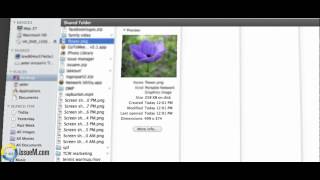
The next thing you might want to do is add an issue. So why don't we go ahead and add an issue? And in order to do that, what we do is we give the issue a name. And depending on what you want to name it, I'll call this one August 2012. And you don't have to worry about the slug, but that does control the the URL. You can give it a description, but themes don't typically use that. And by default the issue that you've created is a draft issue. And this is where you go back later on to launch an issue. If I click that, you have some choices. It's either a draft issue, a live issue, or a PDF archive only. So if you have 20 issues of PDFs that you want to quickly populate into your archives, you choose and this is one of the issues. Well, you just choose it to PDF archive and then that cover link will launch your PDF for the reader. So we're going to leave this at draft. We can control the issue order of the thumbnails, and we just add a new issue. Okay, here's August 2012 now. And it's a draft issue. So that's all you have to do to add an issue. Just as a quick note, if you want to see all the articles under one issue, you can simply click under the issue m column. So June 2012, we have five articles. If we click on that, it will show all the articles for that particular issue. So that's a quick way to go back and edit a certain article in a certain issue. Okay, and now lastly, let's create a feature story. How do we do that? Well, we can add a new article here or choose the drop down and add a new article here. So we're going to give this a title. We're going to. You're going to add your content here as you normally do. You're going to choose what the category is, in other words, if there are departments or categories that you want your articles to fall under. And here's let's add some teaser text. Teaser from Pete. And we're going to create a feature. We're going to create a feature cover issue. So what we're going to do is we're going to make this as the big feature rotator. So we're going to check that off and that'll generate the COVID And it also, because in the settings we checked off author credit, we want to make sure the right author has credit. Since I'm logged in as an admin, I'm going to choose myself instead. Of course, if a individual user is logged in as themselves, then this author is automatically configured for them. And then we're going to decide, okay, which issue do we want? Let's go for February 2012. So now we've added this article with the content, we are making it a feature. And the big rotator we've given organize it by category. We've chosen the issue that it's going to go in and the last thing we need to do is get a cover image, a large cover image. So we use the set featured image function in WordPress that WordPress comes with. And I'm going to go find a file here. We're going to call this grab flower and we're going to upload it. And here it is. And we're going to use as the featured image. And that's it, we're done. Hit save and we'll go back. And here we have the flower as the featured image. So now all we have to do is hit publish. And by the way, if an issue is in draft status, it won't. Even though you hit publish, it won't go live. It only goes live when you go back to the issues and turn the issue loose when you make the issue live. So we're going to hit publish and off we go. Now let's go and have a look at the February 2012 issue. So we're going to go into past issues and because I'm logged in, it's going to give me even though it's a draft issue, I'm going to be able to work with it. Here's the February 2012 issue. Actually, this is not a draft issue. This is a live issue. But the point is, if it's a draft issue and you're logged in, then you'll be able to work with it. If you're not logged in, it's and you're just a visitor, you won't be able to see that article or issue. So here's my large rotator. There's only one here, so it's not doing anything. Here's my teaser text and here's the author credit. And that's how you load a feature story. So the last thing we need to do is launch the issue. How do we launch an issue? Well, let's just go back and find issues. We're going to manage issues. The last issue we added was August 2012. We can go into that issue and then change it from draft to live and then hit update and then that issue has gone live.