Pete Ericson walks through building a news site in WordPress using Middlebury Campus as an example. The site uses a custom Issues plugin to create article positions on the homepage, category templates for News and Sports, a slideshow called Campus Current, and integrations like Gravity Forms for contact, MailChimp for email subscriptions, and Disqus for comments.
Chapters
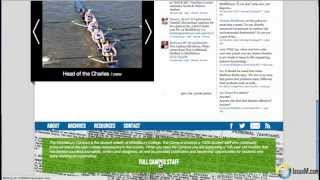
So how do we build a state of the art News site in WordPress? The best way to do this is to show you an example of one that we just launched for Middlebury College. It's called the Middlebury campus, found@middleburycampus.com and they publish their news weekly every Friday. And what we have here on the site are two things. We have their news articles, which are driven by our issue, and plugin which creates a custom post type called Articles. And that's what you see up top here. And then we have their blog, which is handled through a slideshow down here called the Campus Current. The navigation up top simply pulls you to articles that are in a category. So there's a news category. If I click on news, what it does is it brings up the template for the news page. And the same goes for all the other categories. If I hop into sports, we get the featured sports category articles for this issue. So let's go back to the homepage. In this case, they have eight positions available that they simply check off to determine which article goes where on the homepage for that particular issue. They're feeding Twitter conversation under Thoughts and they're feeding comments throughout the website under discussion. And by the way, the comments are driven through the discussion plugin, which is really excellent and you should use it. If we go to the bottom, we have a footer here that's actually loaded with functionality and I'll take you through it really quickly. If you click the about link, it gives you a little blurb on what Middlebury Campus is about, but it also links you to the staff, which are the authors of the news. And what this is doing is actually pulling from the user, the WordPress user database. And it's feeding in any articles that that particular author has written right into their profile. And of course, you can flesh this profile out quite a bit more. But right now the articles are coming in under each author or user. Alright, let's go back to the bottom. If we go into archives, we have the ability to go into back issues. So the last three back issues are presented October 11, October 4 and September 26. If I hit the full archives link, what it does is it brings me to the archives page, which brings up all the issues that have been published. And the way the plugin works is when a new issue goes live on the home page, the old issue automatically shows up on the archive page. And in this case they're also adding the ability to download a PDF link. So if I let's pull up volume 111. Number five. What it does is it brings up that issue and all the articles in that issue forward and then you can jump into any article in a past issue. Okay, let's go back down to the bottom. Let's go to resources. This is a simple yet very little use function. Your blog role. Links that are available in your dashboard are a great way to publish resources. So the way this is set up is any links that are published in that blog role simply show up here in the footer and they're calling it and using it as a resources section. The contact form is simply a Gravity Forms form. If you don't use it, I highly recommend it, especially since it stores all your contacts in a database right online that you have access to in case your email blows up. And then we have your social media links here. And if you want to send subscribe to the mailing list, the email subscribe function is handled through mailchimp, which again I also highly recommend. Okay, let's go back up to the top and take a look. You might be wondering what these gray boxes are up top. Well, these are advertising slots they have. It's a new site. They haven't dropped in their advertising. They have an in house ad system that they're going to put in place here. You could simply use widgets for ads or you could use OIO Publisher, which we like to use for advertising as well. The search function. If you click this little search box here, you can search in this field for anything. There was some articles on the Dalai Lama. I'll do a search for that. What it's doing is it's pulling articles and blog posts and putting them all into the search results. Okay, let's jump into an article page, shall we? And I'm going to switch back to my normal profile here. And what we have here is the layout for the article page. Now, I mentioned the Disqus plugin. That plugin lets you do quite a lot of things. One, if there are any comments against an article, the comment ticker will show up here. Right now there are 0 comments on this article. But as soon as somebody dumps in a comment and this changes to 1 second comment, 2, etc. Which gives the reader an idea of what kind of discussion is going on against an article. That's pretty neat. If you go down to the bottom and actually leave a comment, you can log into a variety of different accounts, Facebook or Google etc. To drop in your comment. Of course, that presents a spam filter for the site. So they're not getting spam comments and all the comments are still stored in WordPress. And of course you can Disqus does this very nicely. Leverage the discussions and feed those around the site as you like. Now share this Story we use the jetpack plugin from WordPress or from Automattic to provide all the social media and sharing links. It's a great plugin. It works very well. For instance, if you want to email something, it's a quick email box that pulls up if you want to print a page. I haven't found a plug in that does a better job formatting a page for print than Jetpack does. And cancel Related Stories we use the yet another related posts plugin to generate the related stories for the article. Discuss does another thing too, very nicely at the bottom. What it does is if there are any articles that do have some discussions going, it drops them below the article or the post. So here you have five comments. Here you have two comments, one comment, four comments. And that brings the discussion forward very nicely too. So this is how we put together the Middlebury campus for Middlebury College. What we found is that you could put together really a very state of the art News site using WordPress and a handful of plugins and build a site that can compete with the big news sites for a lot less money.