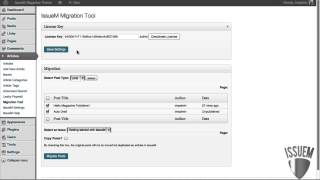
Pete Ericson shows how to migrate blog posts into issues using the Issue Migration tool. Bulk migration lets you select posts and move them in one click; single posts can be migrated through the Quick menu with options to copy or move. You can also use Leaky Paywall to monetize special issues.
Chapters
Migrating your posts or other post types into articles and issues is very easy to do with the Issue Migration tool, which is found in our marketplace. Once you have the migration tool installed, you'll want to add your API license key and all you need to do if you're going to do a bulk migration. If you want to migrate a lot of posts at the same time is go down to the Migration menu and choose the post type that you want to move over. Usually it's your blog post, so just leave the post type alone, hit select, and it'll bring up all your posts. And then all you have to do is check off the posts that you want to move into issues. So I've checked two off here, and then I just need to choose the issue that this is going to go into. I'll choose the getting started issue, and then you have a decision to make. Do you want to copy the posts over into articles or do you want to move them permanently? So in other words, if I check off this box, Copy posts, what it's going to do is make a copy of the blog post as an article in an issue and it'll leave your original blog post alone. If you leave this unchecked, it's going to permanently move the blog posts out of your blog and into an article in an issue. Then you hit the Migrate Post button and you're done. Now you can migrate posts one post at a time as well. If you bring up your posts and then go to the Quick menu under a blog title, you'll see the Migrate to issue M link. Click that and it'll bring up the migration tool again. But it'll look a little different because you'll have the option to not only select the issue that you want your blog post to move into, but you can select article categories and tags if you have them to apply to that article. Same thing. Are you going to copy the post or not? And then hit Migrate Post. Now, an interesting use for this would be to create an issue from your blog post, let's say a special issue that you either use to promote with. You can send people to it and give it away, quote, unquote, or maybe sell it. Perhaps it's a special issue that's for sale. You can use our Leaky Paywall plugin to sell it. That's also found in our marketplace. And the sky's the limit.