Pete Ericson walks through setting up a free tier in Leaky Paywall to build your email list. Set the price to $0 and choose how many premium articles free readers get (Tjourney uses three per 30 days). Keep the signup form short, use redirects to send readers back to their article, and watch email signups and paid conversions climb.
Chapters
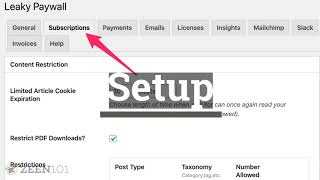
Hi, it's Pete, and in this video I'm going to show you how to set up a free subscription level with Leaky Paywall Setting up a registration wall will explode your email list. As you send stories to your readers, it sends them back to your site, which increases the chance of them paying for a subscription by 10 to 30 times. As an added bonus, the larger your email list is, the more you can charge for sponsorships. So let's take a look at how Tjurney sets up one free article per month and then offers a registration for more premium articles. If you go to Tjourney Pub and start reading, you'll realize that you'll get one free article and then you'll get the subscription nag or prompt to sign up for free. In this case, every free registration on Tjourney gets three free premium articles per month and they're added to the Tjourney mailchimp email list and they're tagged as free. It's important to keep the registration form simple to increase conversions. We find that the typical local news publisher easily gets hundreds of new registrations each week. Once registered, our registration redirect, Add on will take the reader back to the article they were reading and present them with a message at the top. The conditional display Add on will let you post promotional messages at the top for logged in free registrations. This will help promote paid subscriptions. Okay, let's talk about setting this up. First, head into the Leaky Paywall dashboard and click on the Subscriptions tab. Tjourney wanted to be able to let visitors read one premium article every 30 days. If you set your number allowed to one or greater, then Google will be able to index all your content so that it ranks properly in search. Setting up a free subscription level is easy. Simply make sure your subscription price is set to zero, your subscription length is set to forever, and set the number of free articles you want to allow. In this case, tjourney is allowing three free premium posts per 30 days. Keep in mind you're going to need two subscription messages. One is to register for the free level, which is shown here under the subscriber login message, and the second is the upgrade message which will prompt your free level subscribers to pay once a new registration is complete. If you have the registration redirect Add on, you can send the reader back to the article they were viewing and and you can provide a message bar at the top with a custom message. After a subscriber sees your redirection message, you can display a second conditional display notice to that logged in. Free subscriber this is great for prompting them to pay for a full access subscription. I recommend installing the login redirect add on, which will also take the reader back to the article they were reading after logging in. So what kind of results have we seen? We find that offering free subscriptions increases your email list growth dramatically. Paid subscriptions generally double and you'll end up with a larger email list. And you can do this without using annoying pop ups. For more help, stop by and say hello.