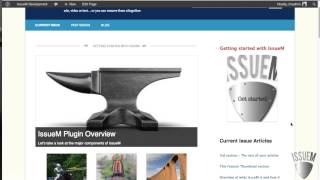
A short spoken tutorial (YouTube) by Pete Ericson showing how to set up the IssueM WordPress plugin. Key steps: install IssueM, go to Articles → IssueM Settings, create/select a page for the Current Issue and another for Archives, and save to auto-generate the default publication layout. Recommended sidebar widgets: IssueM Active Issue (cover), IssueM Article List, and Article Categories. The video demos the free IssueM Magazine theme and the WordPress 2011 theme and notes that shortcodes can override the default layout to show only feature rotators, thumbnails, or articles.
Chapters
Here's how you set up your magazine or news site lickety split with the Issuem plugin. All you have to do is install the plugin, go to Articles, and then go to issuem Settings down here. There are two things you need to choose. One is where is your current issue gonna live? So simply create a page and then choose that page for your current issue. The second thing you have to do is choose where your archives or your past issues are going to live. So you create a page for that and then choose what that page is going to be. And what will happen when you go down and save this is it will output the default layout for your publication. A couple things you probably want to do with the sidebar is add a couple of widgets. One widget and we're going to go into widgets. Here is the COVID image. And the COVID image will display the current issue. And regardless of what auto article you're reading in the current issue, that cover image will always be there as a navigation visual for the reader. So if I go to primary widgets here, we'll see that the issue M Active issue produces that cover widget. You can see that it's already here. And the second thing is you probably want to list the articles for the current issue in the sidebar as well. And that's the Issue M Article list widget. And you can see that that is here as well. If you have a lot of articles and you only want to show your article categories for each issue, we have a widget called Article Categories and you can drag that one into the sidebar as well. So after doing that, let's go take a look at the site itself, see what the output looks like, what you're going to get. And this is the issue M Magazine theme, by the way, that we're working with, which is free and you can download it and use it is we have our feature rotators here, we have our feature thumbnails down here. And then the rest of the articles flow down below here. And in the sidebar we have the COVID widget here in the sidebar and that produces your current issue cover. And then we have all the the articles list here. And then for the last widget is the article categories widget. These are the your article categories for that current issue. Now if you installed this plugin on your own theme or a different theme, the layout is going to look similar, but a little different. This is the WordPress 2011 theme, I believe. And the current issue looks like this. Your feature sliders here, your feature thumbnails are here and your articles are here, and then here's your cover, and here's your article list with the two sidebar widgets. And when you choose those pages under Setup, this gets automatically created. If you want to modify this, you can use shortcodes to display only the feature rotator. Or perhaps you just want to display articles. You can use a shortcode to override the default setting. If you want just feature thumbnails and articles, you can use two shortcodes to produce that on the current issue page. And if you need more help on that, go visit our shortcodes tutorial. That's it, you're up and running.