Impact of accessibility laws on publishers websites and how to stay compliant
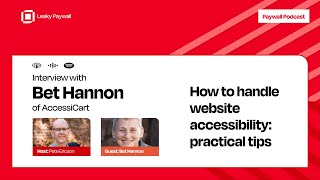
Podcast episode (Paywall Podcast) where host Pete Ericson interviews Bette Hannon (Accessee Cart) about web accessibility for publishers. Bette defines accessibility, explains legal exposure in the US (ADA lawsuits; predatory suits), and gives business reasons to act (SEO, UX, reduced churn). Practical publisher guidance: prioritize content fixes (alt text for images, correct heading structure, color contrast) which handle a large share of common issues; use the Accessibility Checker plugin (Equalize Digital) for WordPress; test critical flows (especially paywall/checkout) with keyboard navigation and screen readers. Key stats quoted in the episode: ~4,000 federal accessibility suits in the US last year; ~83% of suits were against ecommerce sites; CDC: ~25% of U.S. adults have a disability requiring accommodation; 2018 UK study estimated £6.9B/year lost to inaccessible sites; upcoming EU accessibility law effective June 2025 with thresholds (exceptions under €2M revenue or <10 employees). The guest advocates ongoing testing/remediation programs rather than one-time audits.
Chapters
Welcome to the Paywall Podcast, where we discuss paywalls and paywall strategies for news and magazine publishers.
This episode of the Paywall Podcast is brought to you by Leaky Paywall. Leaky Paywall is the most flexible WordPress subscription platform. Find out more@leakypaywall.com and now for today's episode. Welcome to the Paywall Podcast. Today I have a very special guest, Bette Hannon from Accessee Cart. She is the CEO and founder of this group that deals with managed website accessibility. So this is something that I know a little bit about, but not really a lot about. Bet knows about it quite a bit. She's in deep since 2008, I think, if that's correct. And we're going to talk about this trend that's coming. I think it's. I think it's got financial motivation and it's got legal motivation to make sure that your website's website is accessible to those who have handicaps. So welcome, Beth. Thanks for coming on. I really appreciate it.
Yeah, good to be here.
Awesome. Awesome. All right, so let's. I want to lead with the pain point. I just. Because I think it's important. So if you could help our publisher listeners talk about what is accessibility? Because I think it's really important to define what it is and then more importantly or as importantly, why is it important?
Yeah, Web accessibility is really about making sure that all your users, whether they have disabilities or not, can use your website. It's real and around the world, web accessibility gets framed in terms of human rights and legislation in terms of that. So it's really about creating equal access. It includes things. When I go to places, a lot of times people are surprised because maybe they've never really thought about how people who are blonde or who have mobility impairments might use the website or need help to use the website. For instance, people who are blind, totally blind, would use a screen reader. It reads out loud sections of the page to them. People who can't use a mouse, maybe they're paralyzed or they have mobility impairments. They use adaptive devices that come back to keyboard navigation through your website. So they're essentially using a device. Stephen Hawking had a little sensor on his cheek, and they're just basically pressing the tab and enter keys with a device. And we include all kinds of disabilities. There are reading disabilities. There are all kinds of ways that we can help various people be able to get access to your site. And it's something. It's like you wouldn't build a brick and mortar store and Then like create walls and barriers for people to get in. You want to make it as easy as possible for everybody to come in, be a customer. In terms of legal pieces, most places in the world, most developed nations, have laws about web accessibility or digital accessibility. Most of the rest of the world, besides the United States, uses some kind of complaint and fine system. So someone can file a complaint and then there's a fine that gets levied against you. In the United States, we use the litigious bunch. Right. So our stuff, we don't have some of the same clarity about the requirements. And so that's devolved into some lawsuits under the Americans with Disabilities act or ada. And because things are not super clear, these cases just keep getting piling up. They're increasingly showing us that, yes, websites do fall under ada, but what's happened is then you'll get a pre. These predatory lawsuits. So you'll get one disabled plaintiff, typically a blind person and their attorney, suing dozens and dozens of websites at the same time or over time. Lots and lots. There are very few firms that make a, a significant chunk of all of the suits. Right. And so we talk about these as predatory, but they re are real lawsuits. And so you have to step it up. And typically they're settled. We saw just over 4,000 of these suits last year in US Fed federal courts. We estimate that somewhere between two and time, two and three times as many are settled before they get to court. And so when you mention the financial incentive. Right. There's a huge financial incentive there not to do that, because a single case or a settlement even could be. Well, they can be fairly low in terms of somewhere around $10,000. By the time you're dealing with all of your attorney's fees and the fines and the settlement, they can go as high as 30, 40, 50, even more. Domino's Pizza had to pay a million. Yeah, it can be a pretty expensive proposition. And so the thing that you want to do is first of all, become aware, start learning. It's not a, it's a journey that's not. There's no easy, quick solution, but just start learning what you need to do and start learning working at making your site more effective, accessible.
So let me unpack this a little bit. So there are, there are essentially some law firms that are going after specific organizations. Are they E commerce, Are they. Do they fit a category? How somewhat does that work?
I would say the broad category is sites with a lot of user interaction. Right. So about 83% of the cases last year were e commerce sites. Right. So if you think about it, that's a lot of user interaction. People are searching and filtering for things, people are putting things in carts and then checking out. Hospitality is another big piece. But media is also up there. Right. And so especially when you're talking about, it's not just searching around, you need to make sure that people can use the site in terms of things like searching. But then if you've got stuff like paywall going, you want to make sure that they're going to be able to check out. Right. If you, if people can't actually complete a checkout on your site, you're losing money.
Yeah.
Good. Figuring out how to do those things.
Yeah, yeah, that's a good segue into the other side. So there's the legal, financial side. There's the legal. You should do this because it's a good thing to do. Equal access, as you mentioned. But then the financial side of lost opportunity.
Absolutely.
Let's say we shelve the legal argument altogether. What are. In our case, we have publishers that do have an E commerce setup because they're charging access to their content. So what are they missing? Let's say I'm a publisher and I have, and I'm ignoring those with accessibility issues. What, what am I, what am I missing out on? Revenue wise?
There's no way to quantify, but you can begin to talk about some of the benefits that accessibility brings. You almost always improve the search engine optimization of your site when you improve accessibility. So accessibility includes some things like making sure your images have alternative text on them and making sure your heading structure is prepped. All of those things that Google and the search engines are looking for. Right. So you're improving search engine optimization when you start to make something better for people with disabilities. The great side effect is that you make the user experience better for everybody. We sometimes call this the curb cut effect. Right. So curb cuts are in the sidewalk to help people with wheelchairs and scooters. But people who are pushing strollers or dragging briefcases or luggage or all like it benefits all of us. And so that spills over and you get a much better user experience. Because if you think about a lot of people may have a situational impairment. Right. I'm trying to use your site while I've got a wiggly baby on my hip and on my phone and bright sunlight. Those people will have better user experiences if your site is accessible. So SEO user experience improvement, it's a great investment in your current customers. So we know that disabilities increase as People age, even things like people, your eyesight starts to change. You and I are 50ish, right? The eyesight is starting to change, color perception is starting to change. That's a little harder to see. But, but all of those pieces, if your demographic is people over 50, it's. You really ought to be doing this as an investment in your customers and then it's a great investment in your brand too. Right. There's a lot of folks that are values driven buyers and that value of being inclusive and welcoming. Right. Whether into whatever niche it is. Right. You want to welcome everyone and people like it's a feel good, it's great, it's a great brand building kind of piece. I would say if you're going to make your site accessible and you want that some of that benefit, you need to make sure that you're putting an accessibility statement on the bottom of your. Just down there by the privacy policy on your site. Just to talk about, we're trying to make this a welcoming place for everybody.
So what I'm hearing is you get benefits on the front end. As far as SEO usability in general, I like the situational usability because I think a lot of people don't really think about yeah, I might not have an accessibility need but if the site is simpler and friendlier and yes, I'm multitasking or whatever and it, or I'm on the beach which I by the way, I hate reading on the beach. I can't do it. But if a site were actually readable, on the beach is an extreme example. That's a plus, right? Yeah, absolutely.
I think, yeah. I think sometimes you think users are really just like in a distraction free lighted full screen monitor, that thing and that's just really not the case.
So and on the back end if you keep your, if you're keeping like in our case your subscribers, if you're keeping them happy, that's churn reduction. So any, anything you can do to keep a customer happy either brings them back or, or keeps them subscribing in in our case. Now what is there, what's the data on like percentage of folks across the world or us or whatever that that have accessibility needs and is there any data on like a before and after where a website might go and lean into accessibility in the E commerce space and then there was like maybe a percentage boost to their revenues? Is that, that's. Maybe that's data that's that we're going to see down the road but have.
You run it, run it to that pieces of that. So let's unpack that a little bit. In the United States, the CDC says that about 25% of all U.S. adults have some disability that requires accommodation. So I think a lot of times when people are thinking about people with disabilities in their heads, it's a very small number because they are, they, they, they think about the people that they know, and it feels like a small number. What you need to remember is that lots of disabilities are more invisible. Right? So someone who has a seizure disorder, for example, or has a vision, has issues when they have migraine headaches, they can't perceive. It changes color perception stuff. And so some of those things are just not visible to us all the time. So about 25% of people have some disability that requires an accommodation. In the United States, that number is actually pretty well substantiated across the world. In most developed nations, 20 to 25% is the, the kind of number that keeps coming up again and again. Now in terms of benefits or losses, there was a great study from, oh my gosh, I GUESS it's maybe seven years ago now, 2018 in the UK, a study of websites that were. How much they were losing 6.9 billion pounds per year to their more accessible customer competitors. So competitors that made their sites accessible were gaining customers. The inaccessible sites were losing. And the estimate was that it was 6.9 billion pounds per year.
Okay, that's a lot.
That's a lot. Yeah, that's. Yeah. And there are some, that, some studies that are, they're trying to do more of this quantification because people like the data, and we know that for some people, that's really just what's going to motivate them to get moving. But they're coming more and more out of Europe and there are more kinds of more concern about accessibility in many ways in Europe.
Interesting. Yeah. So there's, there are a lot. It sounds like there's a lot of factors on the front end, on the back end to motivate, really paying attention to accessibility. Of course, where humans are motivated by something you must do now to not die. But, but that's how we're wired. We're survive.
Don't do it until I have to do it.
That's right. That's right.
And that's hard. And, and it is. And the other factor with accessibility is while there are lots of things in terms of making your site more accessible, some small things that you can do yourself that are not super big, depending on your technical debt, in other words, how you've put your site together maybe.
Right.
There may be cost to doing that and certainly there's some cost for making sure that you're doing some testing or all of those pieces, all of those parts of accessibility. And so it's easier not to spend the money when it's not that immediate. Like I must do this.
Right.
And beginning to think about that. And the thing to know is that if you get sued there's a new. We could talk in a little bit about the European. The new European law that is coming. If you're going to have to meet new legal standards, it's tempting to put it off but it's going to be more cost effective to start and work at this over time.
Mm.
Rather than try to pilot out. Accessibility is not ever a sort of one and done project. It really needs to become something that you're putting into play every time you're putting up a new post.
Gotcha. Okay, so let's segue into what our publisher audience can do and I'd like to do that through a story. I think you, earlier you provided me with an example. I'm just gonna share my screen here for anybody who's. Anybody who's watching via YouTube. I think this is your site, right?
Yeah.
Cecart.com and the, the website we're looking at today is megayachtnews.com so this was this. Tell me the story. What. How did these guys start? How did you run into them and where are they now?
Yeah. So Mega News came to us for some help initially mostly with, with management of the website and they came to us a number of years ago before they really became. Took off in terms of their readership. As we were talking in the pre roll they the, the show below decks which is a reality based show on some of the Mega yachts and their staff. It really led this publication to really take off in terms of their readership below deck. But they came to us and we look at how our. So we primarily worked with them with hosting and maintenance of the site pieces and then when we did a redesign we came back. So there are a couple things here. One is see how there is a, the, the, the black opacity box for making sure that there is enough color contrast there so that anybody can read that no matter what the hero image is behind it. So there's some things like that that, that can make that site a little more.
Gotcha. Gotcha. Okay. And how like in this case. Is this part of, is this part of the.
No, that's part of her privacy policy.
I see. Okay, gotcha. All right. If I were a publisher. And now I'm going to share a true story. One of our customers, few years ago came to us and said, hey, I want to make sure that our website is accessible. And this was back in the day when we were doing website development and we knew a bit about it, but we took them through a process where we installed some, some plugins and we did some scans and we got them to. I don't remember all the details, but some sort of accessibility point. And the challenge, and I know you work, you work in WordPress pretty deeply, the challenge is that the themes control a lot of what's happening with accessibility, with the interface. It's all this really the output of the design, all the design language. So you have to, it's almost like kind of on one, you probably look at each individual site uniquely. It's okay. What's actually happening here? What's the theme? Doing what we talked about forms earlier, like all these things. What are some starting points for publishers? What can I do? And everything I look at as a challenge is like, what's the low hanging fruit? What can you get to right away? And then what's the end goal here and where are we going to work to? And I think the whys are. We talked about the whys. Hey, you got somebody who's sniffing around your industry. And the publisher client was in the, in the fishing, sports, fishing niche and they were, the attorneys were coming after his friends, like his colleagues that were. So he was genuinely worried about it. And I don't think, I'm not sure what actually happened. But we, we got him to a comfortable place, but we haven't, again, this is not our wheelhouse, so we haven't looked at it in years. Right?
Yeah. So in WordPress there, as you alluded to, there are things that are controlled by the theme. So for example, when you looked at that homepage, that gray opacity box with opacity, that's definitely controlled by the theme. But and there are also then things that are much more content related. So I would say the easiest thing to do if you're a publisher is start working on the content related things so that you stop creating new inaccessible content.
Yeah.
So it's like getting your content people, whoever's putting this in, getting them trained about how to do this. So there are the number one thing or there would be three things that are the big, huge things for content and that would be making sure every image has alt text, not just has alt text but alt the what Alt text is different than a caption. You might also have a caption but the alt text is what describes the image and its function in this particular context to a visually impaired user. Make sure that you've got alt text but good alt text on all those images. You want to make sure that your heading structure is people use H. H1 is the page title. There should only ever be one H1 on a page or post and then H2 and then you're going to properly nest them. You never skip from but two to a four or two to a five. So you're making sure you're nesting those those H tags and then using any color contrast if you're putting in a button or anything like that. Just making sure those color choices are have good color contrast. Those three issues it's estimated that when you look at all the web accessibility issue use all across the web those three issues account for 80% of all all issues across the web. So if you're starting to deal with those three issues you can that's a great start on low hanging fruit. And notice those are not developer requirements. Those are really basic content knowledge putting things into a post. So get your content yourself or your content people train and start putting things in a much in a more accessible way. Now if you want to step up from that I would say you want to take a look at the plugin called Accessibility Checker from Equalize from my friends at Equalize Digital and it's a plugin that will go into the WordPress website and on every page and post and product in WooCommerce if you buy the pro version you can get basically a check of all of some accessibility things. Now you need to your people. It's not always intuitive about how to do that and so you'll want to get them some training about how to make the maximal use of that plugin. But that's a great plugin. It's a. The free version is available in the WordPress repository. In the free version you have to open each page or post and I would say if you put it in get your people trained in terms of how to use it for creating new stuff. The pro version of the plugin lets you run sort of site wide scans and you get a nice dashboard of you can put out. You can look at all your past stuff too. But just put the free version in and get started learning how to put new content in. And then you know you want to also then start looking at as we work a Lot with E Commerce and other high interaction sites. It's often that as we were talking before, it's that checkout process that really is the place where there are often problems. And so you want to make sure that you're getting someone to help you check the key, the process for paying on your site. You don't want to be preventing somebody from doing that.
Right.
And like having someone help you and a particular keyboard navigation, you can start to do that yourself. Just go to a page or post and just start pressing tab and enter and see how far you can get in that process.
That's great. So let me just, let me wrap that up a little bit. But I love that, I love that you leaned into tackling the thing that's creating the most content on your website in the publisher space that would be publishing a new article typically. I talked to a publisher last week who publishes 600 articles a day. Now it's, yeah, it's crime news and they're reposting for, for a whole state. But it's huge traffic and it's monetizable, believe it or not. And so there, there's probably a, a challenge there. But going after the, the stuff that's essentially mushrooming on your website, I think that is great and it's what the publishers are best at. So that's a good place to start. Header structure. Yeah, I think a lot of people mess that up, including myself. Color contrast, that price starts to get a little more gray for the publishers who are maybe not so technical or really anybody. And then the plugin, you call it Accessibility checker Plugin. That sounds, those all sound like low hanging fruit to go after for sure. The checkout process. Yeah, that's where the money is. So that's. I think you're going to find publishers checking that first.
That may be where they want to start.
Right? Yeah, exactly, exactly. Is everything working as intended?
And really if, if you're really pretty locked down behind the paywall, then people aren't going to get to your articles until they clear that hurdle. And so that may be the place actually to start for some folks.
Yep.
I digest. But it's actually true, right?
Yeah, no, I think that's a great place to start the checkout. When we're helping publishers launch their paywalls, it's all about that, that, those final steps, that final interaction. And it might be a good thing to. Maybe we can chat offline about maybe helping publishers get over that accessibility step too. That might be something to chat about.
Absolutely.
So what happens Next. So let's let. What's the 20%? Where and who's taking the 20% route? You know what I mean? Like you have the low hanging fruit. These three areas. Alt, text, header structure, color contrast. That handles about 80% of it. What about the 20%? What's the.
Okay, so when we say that it's important to distinguish that's 80% across the entire web. Not in any one website. That may be true. On the site where there are 600 posts, they have the 80% of their 600 posts a day. Are those three issues. I would say on a smaller site that's really not. Those percentages are going to be a little different. So it's just the context is important there.
But.
But other things that folks may want to look at in terms of. Oh one thing that's classic for kind of old school publishing is full justification. And you would never. Accessibility standards say you don't want to do full justification. It creates for people with reading disabilities what are called rivers of white. In other words they see the white. The continuity of the white spaces rather than the words. And avoiding full justification. There, there's. We're starting. We start to get into a lot of small things. You can get to the point where you're looking at things like you may want to there. This is the thing that I think makes people frustrated about accessibility but also it makes it complex and difficult is that sometimes things that are. Make things more accessible for one group of people may impact another group of people. So there are some people, for instance, some of Those people over 50 like we were talking about who find it easier to read on lighter colored backgrounds. They're reading dark print on lighter colored backgrounds. But there are other people with different kinds of disabilities, both reading but also just. They're just different. They prefer darker color that. That hurts their eyes. The lighter colors more eye fatiguing. They need dark colored background.
Interesting.
And so providing some options that you'll see some places the browser gives the user a chance to. There's a setting that can be made that says if there is a dark option. Dark theme option. Show me that. And so that may be something at some point that people may want to get into that.
Yeah, that.
That's not a. Those things are not necessarily requirements but they. You can see now no site is ever 100% accessible. Right. Because you've got that piece where even people's competing needs may make it real difficult. You don't have to try and do all things to all people. But I think you can begin to offer some options for folks. So that may be a thing. You want to create a dark theme option and there's sometimes there's a little toggle that people can use. But even things like we, we start to look at eventually there and there's like a. You want to look at that low hanging fruit like you've talked about. But then how can we begin to think about different user Personas, different, different users with different types of disabilities and how they might experience some of these things. And we get to where we look at things like is your checkout process so complicated that people with anxiety and depression give up? They just never make it through because it's just complicated or it's not clear or they. You're not giving them enough confidence to keep going because they don't know where they are in the process. So things like that.
Yeah, yeah, no, that's great. And to your point earlier, like I was thinking if I had a. I like black background and white text. That's just my preferred reading experience. Sometimes white backgrounds are a little bright for me and it's like oh, and when I find that switch it's ah, this is great.
So I'm just the opposite. I like the. And I like the white backgrounds and I find it less fatiguing. So you know, it's, it's all about recognizing in some ways it's all about recognizing that whether it's, whether we want to label these things disabilities or not. There are a lot of user preferences that your users are not mono. Their preferences are not unified in that way. And how can we create enough options or enough ways that people can engage with our content that make it easy for them.
That sounds like a question for you to answer for somebody who's looking at.
I love helping to solve these problems.
Hey, so I got one last question for you before we wrap this up. Where, where are the trends going? Do you have any future like predictions in terms of where accessibility is going based on economics, making things better for readers and legality? And then I'm going to throw AI into the mix too because everyone's talking about AI like crazy for everything.
Yep. One of the things that's coming that we haven't talked about yet is that in June of 2025 there's are is new EU legislation that will cover most websites. There's. There are exceptions if you're under 2 million euro in revenue or under 10 employees, but pretty much it's going to be pretty wide ranging to require sites to be accessible if you have EU customers. So I think they're going to be increasing pushes like that. We do see some of the increasing enforcement around some other countries that are. Some of those laws around accessibility were written in such a way they recognize that it takes a while to get your site accessible. So they, they create these laws, they give them a long kind of lead time, long warning time before they start enforcing. And the, the exceptions for smaller businesses were very high. And then over time, some of those laws were written that they're ratcheting down. Eventually everybody's going to have to comply. And so even though you may be exempted now, you really should be thinking long term that that's going to apply to you at some point in the future.
Right.
And in the US that could apply to you as soon as the next lawsuit. Right, right. It's. You don't really get much warning. And so I would say, I think people come at this and they get worried. And you talked about your client that was worried. And the thing about worry is that you want to begin to think about how you can start addressing something so that you're not just letting it continue to balloon and go. One of the things that the, that's changing a little is that the, in the US The Department of Justice is the one that sort of watches these ADA lawsuits. They acknowledged finally last year that it's really difficult to measure compliance. Right. We've talked about like, the things that might make it better for one person might make it worse for another. And so it's, it's really hard to measure compliance. And so there, they said, going forward, at least in part, how we will measure compliance is that we will. Do you have a regular program of testing, remediation and remediation. Do you have a reg. Are you working at this as opposed to are you perfect? Because nobody's ever perfect.
Right.
And that's a piece of how we've begun to think a little bit differently about how to do accessibility. So traditionally, agencies like ours helped customers like your customers.
Yeah.
By producing an audit snapshot in time with. Here's a list of the problems on the site. And the problem is sites like your customers are changing all the time. Right.
Right.
It's really hard. And then we would watch these customers get overwhelmed and they wouldn't, they wouldn't. They follow through on one or two things. And then it just sat there like it was all done or they weren't sure what to do next. And so that's a piece of how we've tried to make a little bit of a pivot to say, look, we can help you in an ongoing way. We can help you like a turnkey program to do that testing and remediation and reporting. And we, we can provide some resources for folks doing that. And I think that. I hope that lowers that anxiety about it because, you know, you're working at it.
Right. And what I like. And so you got that covered for clients. What I like is that you're tackling accessibility as, yeah, sites need to be accessible, but you're also tackling as, yeah, this is generally good for your UI and your business in general. So you get the benefits of. Yeah, you can, you know, leave your worry. And we're going to help you make things just better for your regular visitors.
Absolutely.
So I'm going to put your information where. So let's say somebody is looking for guidance. What should they do? How do they get in touch with you?
You could just hit that contact form up there. Happy to. You take emails from the contact form. That's probably the best, best piece for us and then. But happy to chat with folks and.
Yeah, all right, that sounds great. But thanks for sharing. So much wisdom. Really appreciate it.
You're welcome. Good luck.
All right. Thank you. Yeah, we'll catch. We'll catch you next time.
All right, thanks, Pete.
Yep. Bye.
Bye. Bye.
Thanks for listening to the Paywall podcast.
If you'd like to get in touch.
To discuss subscription strategy, go to leakypaywall. Com. See you next time.
More from Pete









From Donations to Subscriptions: How KB Independent Built a Sustainable Local News Model

