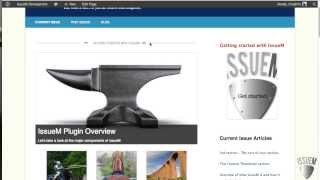
Pete Ericson walks through the IssueM Magazine WordPress theme, showing how to customize widgets, menus, and the Featured Rotator. Draft issues get a pink border, and you can use article categories to build daily or weekly news sites.
Chapters
What we have here is a sample issue that's been loaded up. We have a widgets area at the top here you can add more widgets or you can remove this altogether. The Menu Just a quick note on the menu here. If you use article categories for your menu, you could publish a daily weekly news site with this theme. The title will show up at the top of the Featured Rotator. The current issue title. The featured Rotator looks like this. The featured thumbnails come in looking like this. And by the way, they will wrap if you have a lot more. And you can control through shortcodes how many thumbnails will be displayed across. And you can also control all the sizing for the Featured rotator, the thumbnails and the COVID image. The articles look like this. The sidebar is currently using the article list widget will look like this Article Categories widget. And if we go to the bottom, there's also a footer area down here which you can remove or use. And there's also a footer menu down here which you can control. In the menu dashboard we've set up the archives page which looks like this. Keep in mind if you are working on a draft issue this you will have a pink border surrounding your past issue and the blog. Of course you can put that anywhere you want. Looks like this. And that's the quick tour of the Issue M Magazine theme.