Leaky Paywall demo
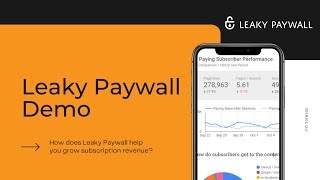
Pete Ericson demos Leaky Paywall, a WordPress paywall for publishers that builds email lists, converts readers to subscribers, and sells digital products. IP-based metering can lift paid conversions by 10-15%, and in-app purchases typically drive 10% or more new subscriptions.
Questions this video answers
"about eight years ago" (verbal claim in the demo).
Publishers report paid-subscription conversion bumps of about 10–15%.
Apps with in-app purchases typically generate about 10% or more new subscriptions.
Meter set to one free article (meter=1).
Chapters
Hi, I'm Pete from Zine 101, the makers of Leaky Paywall. Today I want to show you how Leaky paywall helps you build paid subscriptions and more. There are three areas Leaky paywall focuses on. One is to build your email list in order to convert paying subscribers. Two is to actually convert your paying subscribers. And three is to allow you to easily create new digital products. So let's take a look. Linky paywall offers the most flexible subscription configuration. It's focused 100% on WordPress and you can set up free paid premium plus membership pay per post time walls. Really you can do just about anything with it. We have subscriber analytics called Insights that track paid subscriber behavior, tracks your general Google Analytics. It tracks your social. It brings your social data into the dashboard as well as your email data. It essentially gives you a dashboard to look at every day that has everything in one place. You don't have to bop around different platforms looking for data. Our Unipress app platform creates iOS and Android apps for your publication. It's out of the box, ready to go and lets your publication sit in your reader's pocket. Issue M is our web issue publisher. It was our first product and it lets news and magazine print publishers finally post their content in a web based issue format that's Google and social friendly. We offer software integrations with many popular CRMs as well as print fulfillment providers. And as our core leaky paywall was built to allow Google to index or all your content and to allow your content to be shared in social media, which is critical in today's digital world. We deal only with news and magazine publishers. We started about eight years ago. We've worked with publishers of all types, startups, veteran publishers, and we've learned a fair amount about what it actually takes to convert paid subscriptions. And we'd like to share that with you. We have a framework we call Subscription Accelerator, which is a simple but important stepstone into bringing the casual visitor that is somebody that is searching in Google and lands on your website or somebody that follows a social link, say on Facebook or LinkedIn that takes them to your website to bring them up into a paid subscription. And one of the questions, one of the big questions I get is do you Gee, you know, we get a lot of website traffic. How do we convert this traffic into a paid subscription? And the answer is here. When someone lands on your website and starts to look around, the first thing that you need to do is you need to grab their email address Pop ups work okay, but really the best method is through a free registration. Free registration starts, the relationship gets, gets the email address. You're essentially giving your new freed member the ability to read a little extra content. And what that does is it allows you to send your newsletter to that person. And that's the key. So what you, what you want to do is tune your newsletter so that it's sending, you know, titles and excerpts of your, your new content to that free registrar and that brings them to your site to read more articles which they run out of their free allotment and then eventually run into your paid subscription message. The last thing is once you have a good flow set up as far as attracting casual readers and then grabbing their email address, sending your newsletter to them and getting a paid subscription from them. With leaky Paywall, it's easy to create new digital products. And that's something that we're starting to see work very, very well. Okay, let's take a look at a real world example and show you exactly how the front end of LeakyPaywall Works. We're looking at tjourney. Tjourney is a T news publisher, high end T news publisher. And the way they have leaky paywall set up is to offer one free, free article to any casual reader that lands on the website. And then on the second article, they force a free registration so they grab that email address. Now, as long as your website has the meter set to one free article, Google can index all your content and any one article can be shared thousands of times over in social media. And it's only when the individual browser starts to go to their second or third article that the paywall kicks in and says, hey, it's time to register or pay. So in this case, let's assume that I've read one article and I'm on to my second article. And the message that's presented here is, hey, read this article now for free and then get some more premium content each month. This works really well. And by the way, this green box here, this which is in the article content, is just an HTML field in the back of leaky paywall. So you can really design any kind of subscription messaging that you want here. So let's say I click the free link, it takes me to a registration page. We have a tight integration with mailchimp and so if you have other newsletters, you can easily offer opt ins using the mailchimp groups function. And we also support custom fields if you want to collect some demographic information from somebody who's registering. Now, once the submit button is pushed here, Leaky paywall takes the reader back to the article that they were originally reading and it's unlocked. So now they're logged in, they're back at the article, they're reading their article and they might have one or two or more free articles left in the process. Now of course you're sending your newsletter to that new person which sends them back to your website over time, which then triggers the second subscription message. And let's say I click in, then you get to provide another prompt. It says, hey, we love the fact that you love our content, but please, you know, pay us to support us, etc. And again, this second subscription message is just HTML. Now, once it's time to pay for a subscription, as I mentioned before, you can set up all kinds of subscription levels. There is the ability to sell group subscriptions. We allow access by email address. So anybody@abccompany.com can get in or IP address. So physical location, anyone sitting at a library or school or business can get access. You just put an IP range in the back of leaky paywall and also the groups function, which we call groups, where somebody buys seats. So they might buy 10 seats, 25 seats, 100 seats, and then they can add any email address into their little dashboard which sends an email to the person for access. Now let's say it's time for someone to pay. They are logged in as a free registered user. The information is already pre filled. Drop in their credit card information and again once the transaction is completed, they get taken back to the article. Were reading some other things worth mentioning. We offer targeting. One of the cool things we have is a header bar targeting which lets you target by subscription level. So for instance, if someone's logged in as a free level subscriber, you could pop up a little header bar with a promotion to upgrade to paid and only they would see it. The same goes for advertising. We have an Ad Dropper product we built. One of the best use cases for Ad Dropper is you can have subscription ads around your site that you hide to anybody who's logged in as a paid subscriber IP blocker. We do offer the ability to track and meter by IP address. And what this does is it keeps people from switching to incognito browsing. If you've ever switched to incognito to get around a paywall, we can stop that now. And we have publishers tell us that bumps their conversion rate for paid subscriptions somewhere between 10 and 15%. Pay per post. In the past, we haven't seen a lot of traction with pay per article because there's a lot of friction in the purchase. We do have B2B publishers that are starting to have success with selling individual articles as well as subscriptions simultaneously. And the way it works is when someone lands on an article that's restricted, they're offered a choice. They can buy this article right now for a single purchase price, or they can subscribe to the whole publication for full access. It's pretty neat. As I mentioned before, our Insights platform this is built in Google's Data Studio. We're piping in paid subscriber behavior, general Google Analytics, social platforms, as well as mailchimp email into one daily dashboard. I won't go into it very much, but if you want a deeper dive into this, we're happy to do that. It offers trend analysis green arrows up versus red arrows down and we generally compare time periods the last 30 days to previous 30 days so you can keep an eye on what trends are happening. The app product I mentioned before Plug and Play. If you're ready for apps, it's a great solution. We find that publishers that offer apps to their readers with in app purchases will generate generally 10% or more new subscriptions from the App Store. That's our tour. If you want to get in touch, feel free to email us or head over to our demo page if you want to talk. And dive in a little deeper on anything that I covered here and hope to talk to you soon.
More from Pete









From Donations to Subscriptions: How KB Independent Built a Sustainable Local News Model

