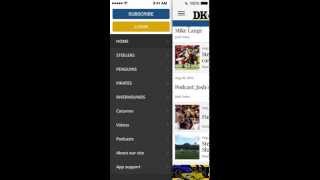
Pete Ericson demos UniPress, an iPhone app for WordPress publishers. It shows unread badges, article pages with featured images and comments, a metered paywall gating comments to paid subscribers, rotating ads from WordPress, and a customizable menu with reader settings like font size and push notifications.
Questions this video answers
Number of new articles waiting to be read (example shown: 35).
Three seconds.
Six comments shown; viewing and commenting require a registered (paying) subscriber.
A leaky paywall metered PayWall system for WordPress.
Google DFP.
Chapters
Let's take a look at your Unipress app on an iPhone. Take a look at the Genesee sun app. The number 35 in the corner tells the reader that there are 35 new articles waiting to be read. Once the reader opens the app, the number 35 resets to zero. And when there's a new article, a 1 will appear. Two for two new articles, and so on. Now I'm going to jump into the DK app here in the top right and what you'll notice is a splash screen opens up. This happens to be a three second video. You can fade in a logo, really anything you like. We have the list view of the articles and as I scroll down you'll notice that the date sticks to the top. So you always know what day's articles you're looking at. Let's hop into this Steelers article. The big image at the top is simply the WordPress Featured Image. So when you publish this article in WordPress and you create a feature image, it automatically shows up in the app just like this. You'll see that there are 6 comments on the app and in this case you have to be a registered user, in other words a paying subscriber in order to view and comment. Now if I scroll down a little bit, it tells me I need to subscribe. This app is hooked up to our leaky paywall metered PayWall system for WordPress. If a reader has subscribed on the web, they simply can login. They'll have a token on their My Account page on the website that they can add right in here. If they have not subscribed, it can subscribe in the app. Now if someone subscribes in the app, they'll have access to on your website. On the bottom you'll see an ad. This ad is added right in your WordPress dashboard manually. And if you add a second ad, it'll simply rotate through. So you can have multiple ads here. We do support Google DFP and more platforms are coming. Okay, let's go back. There's a hamburger menu in the top left. If we click that, that brings out the menu. What can you put in the menu? Well, you control this menu, right? In WordPress you can add pages, you can add categories, tags, and if you use the Issue m plugin for WordPress to manage issues, it'll display your current and past issues. Let's load up the Steeler articles. This is simply a WordPress category. And here are all the Steeler categorized articles. If we look at the top right hand corner, you'll see. Mechanical wheel. There are a couple of functions in here that are helpful. One is the font size. If I'm having trouble reading the font, I can simply bump it up. And if I want push notifications, I can turn them on or off. Right with the tap of a button.