What types of content attract readers online?
A short instructional YouTube webinar by Pete Ericson advising magazine publishers on content formats beyond traditional stories to attract and engage readers. He recommends mining archives to create ebooks, using Google Analytics to identify popular topics, enabling and leveraging reader comments, conducting expert interviews and publishing podcasts (with transcripts), distributing via iTunes, producing video (YouTube, Vimeo, screencasts, slideshow tools), hosting webinars, and using email autoresponders to drip-course content. Practical tool/product suggestions and quick-start tips are provided throughout.
Chapters
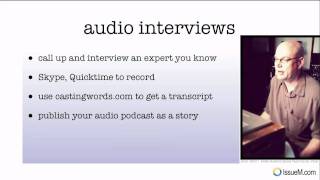
So what kinds of things should you publish in your magazine? What kind of great content can you provide other than just stories? So in this video, I'm going to talk about some options you have for publishing. We'll talk about how to use your existing stories to create more content. We'll talk about how to leverage your story comments. We'll talk about the possibilities of interviewing an expert in your field and creating an audio podcast. We'll also talk about creating video content and webinar content. And we'll wrap it up by talking about how to automate delivery of related stories or a course to your readers. Okay, so let's first talk about taking your existing stories further. And I want you to think about creating an ebook. Now, if you have an archive of stories, look back into your archive and think about where, what stories would work together to publish as an ebook. Something you can sell, something that you can give away for free to attract new readers. Now, it's very important that you use something like Google Analytics on your website, on your magazine, to track what your readers are actually reading on your site. And what I did is I cut a little snippet here of a dog magazine to show you why this is important. So if you look at number 26 here, there was a story written about obedience training. And if you look at this as a very popular story on the site over time, and if you look over to the right at how long people stayed on the story, people stayed over two minutes on the story, which means they read the story. So if this is a popular story, obedience training, what does that tell you as a publisher you should do next? Well, the answer is to write more about obedience training. It was popular. Google sent search traffic to this story. Current readers read this story. They liked it. It was popular. So use the data, the Google Analytics data that tells you exactly what to publish next. Okay, now, if you're publishing paid content, make sure you provide teaser content so that humans that don't subscribe to your magazine can read some of the content and, and decide maybe to pay for the rest of the articles and sign up for your magazine. And Google will also crawl through, read the teaser information, and pull up that story when people are looking for it in Google Search. Now, these stories you could sell for a dollar online. You could sell an e book for $20, or you could give something like an E book away in order to encourage people to subscribe to your magazine. Okay, let's talk about comments a little bit. You want to have comments enabled on your magazine if you Don't. That is the first thing you should do. It's free content for you. Anytime somebody leaves a comment on a story, Google sees it, other humans read it, and it adds to your story. It creates depth and dimension opinion against your story. Now, if you're paying attention, reader comments will trigger replies by other readers or by yourself to questions and opinions. And so what I recommend is absolutely keep the conversation rolling and participate. If someone asks a question in the comments about something in the story, that's probably an opportunity for another story. Just a personal side note, I like to read the New York Times and I like to read the comments. In fact, there are so many comments against the stories that sometimes I'll just skim a story and I'll jump right into the comments. And after reading 10 or 20 comments, I'll know exactly what the story is all about. Plus I'll know people's opinions against that story. The comments are almost more interesting to me than the story itself. Okay, let's talk about something else you can do. Pick somebody in your industry that is an expert or has something interesting to say and have an interview with them and provide that interview to your readers. Now all you have to do is call up the interview and ask them a series of questions. You can use Skype and QuickTime to record that interview. They're both free. You can do it through your computer and you'll have an audio file called a podcast that you can post on your magazine as a story. And if it's a paid subscription, maybe it's only for paid subscribers. If it's a free magazine, it adds incredible additional value to what you're publishing. Now here's a little secret sauce. Once you have that audio file, you can give it to castingwords.com to get a transcript of that file. So let's say you do a 30 minute interview with somebody, you have the audio file. You give that audio file to castingwords, they'll charge you a dollar a minute to turn the audio into text. They use real humans, great quality. I've used it myself many times. And you end up with a nice long transcript of that audio file. So when you go to post the story, you post the audio file as a podcast and you also post the transcript, which gives Google search a lot of meat to bring that one story up in search. So if you're doing a story about obedience training, and if you're publishing a dog magazine and it's a long story transcripted from the podcast, basically an interview with maybe an expert in that field, Then when people are looking for dog obedience training, that story has a good shot of coming up because it's so rich in text content. So think about that. Okay. We talked about publishing your audio podcast as a story, but the other thing you should do is set up an itunes account to distribute your interviews. So you have your audio file and you can automate this through depending on the publishing tool, but we use WordPress. You can automate this through WordPress and the audio file can automatically be uploaded to itunes. So people can subscribe to your podcasts in itunes. They can download them to their smartphones and listen to your interviews or stories while they're in their car on the train commuting, which is an exploding population, by the way. Half of all smartphones today are. Half of all cell phones today are smartphones. Alright, let's talk a little bit about video. This is a big step for a lot of publishers, but it's extraordinarily powerful. YouTube is the second largest search engine in the world. It is the second most popular website in the world. And you can use video for lots of things. You can interview people, you can film events, you can do something called talking heads, which you see here, where you can just interview yourself talking or interview someone else talking. There are lots of things you can do. What YouTube does for you is it gives you another search channel. So when people are searching for content that your magazine produces, sometimes they'll just find a YouTube video on your YouTube channel that you published. And if you're smart, you'll have a link in the text for that video that'll take people back to your magazine. That'll give you additional exposure, additional readership. Now you can also create private subscriber only videos. I would use Vimeo vimeo.com or screencast screencast.com to actually host those videos. They're kind of like YouTube, but it's private so no one else can get to them. And today it's very inexpensive. A couple hundred bucks will get you camera and software. I'm not going to go into the details here, but the learning curve today is not that long and you can be creating videos very quickly today. And keep in mind, it's not the quality of the video that's really that important. You want decent quality, you want good audio, but. But it's the content that people want. Okay? The other thing you can do is you can create screencasts. Like exactly what I'm doing here. I'm recording my computer screen while I'm talking to it. You can use Screenflow or Camtasia, Screenflow for the Mac, Camtasia for the PC, and create these kinds of informational videos for your readership. And the last thing I'll talk about is a slideshow video. In other words, if you have a lot of photos, if you run a photography magazine and you want to show off a best of photos, you can create a video for that. And I point you@animoto.com it is fabulous. I'm going to show you a quick example of what you can do with Animoto and it can be done. And the video you're going to see, I'm just going to show you a little clip was created in less than 30 minutes. All you do is drop your slides into Animoto, pick some music, add some text, and it does all the work for you and publishes a video that you can put on YouTube and promote on your magazine. So here it comes. Pretty cool, huh? Okay, now let's jump and talk about a webinar. You probably get lots of invitations for different webinars these days. And the reason you do is because they actually work. So again you can, if you're an expert in your industry and you have some information to share, you can use something like GoToMeeting or GoToWebinar and they're free trials for 30 days, fully functional, where you can get people online, share a screen and talk to them at the same time. And you can record the webinar just the way I'm recording this webinar with ScreenFlow or Camtasia. When you create an informational webinar, they're super powerful videos. You can put them on YouTube, you can give them a way to attract people to your publication. You can give them away after someone says subscribes to your publication. There are lots of things you can do with a webinar. They are very powerful, very informative. People love watching them. Okay, let's talk about auto delivering a course. This is something that has been around for a while but is used occasionally. I think it is extraordinarily powerful. What you can do with this is you can drip information or stories at a reader over time and it happens via email. It's called an email autoresponder. And as an example, let's say you have a photography magazine and you doing a course on lighting. It's a short course, maybe it's five stories, but you don't want to delete. You don't want to give people those five stories in one shot. You want to give it to them Say once a day for five days or, or maybe every other day for 10 days. And so you set up an email autoresponder. So what the reader does is they subscribe to a series of stories of articles specifically and they just drop their email address off on your magazine website and you schedule the delivery and that's it. The two providers that do a good job with this are aweber.com and mailchimp.com it's a little bit of an advanced content technique, but if you're publishing in an industry where you're delivering lots of hands on information, practical information, you want to put together a course or a series of stories, this is a nice way to deliver the information. Okay, where do you start? I've covered a lot of things here. Well, the first thing you want to do is make sure you install Google Analytics on your magazine so you can track what your readers are doing and then think about using your existing stories to produce an E book. By the way, if you, if you're just starting publishing online, that's great too. We have a client who's an expert in his field and what he's doing is he's writing the first 20 chapters of his book, chapters of his book as a book, and they're going to go up on his magazine. But after he's done with the 20 articles or 20 stories, he's going to put them together in an ebook and give that ebook away to attract more readers. So you can plan for an E book if you don't have stories. If you already have a deep archive of stories, think about what goes together. Okay. I would also recommend you bring in an expert and interview them and create an audio podcast. Get the transcription for that and start feeding your readers some really interesting interviews. They love it. And as a special challenge, create one video, even if it's just a slideshow video to get started. Create one video again. YouTube, number two most popular website in the world. Think about that. We're watching videos on our smartphones at our desks. We are canceling cable subscriptions because of YouTube and Netflix and Amazon and all the streaming services that are out there.
More from Pete









From Donations to Subscriptions: How KB Independent Built a Sustainable Local News Model

