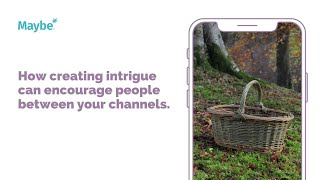
Polly Barnfield shows how John Cowan Baskets grew Instagram engagement over 100% by posting a static image, describing the process, and linking to a Vimeo video. Viewers who copy-pasted the link were more invested and more likely to buy. The strategy uses intrigue to move people between platforms.
Chapters
Today we're going to look at how an independent designer linked Vimeo and Instagram to drive traffic between two different channels. John Cowan Baskets is based in South Lanarkshire and it's run an independent business run by John himself. He weaves beautiful baskets which he sells online or locally, and he primarily uses Instagram to showcase his finished pieces and promotes his business within the area and to the wider UK market, as you can see here. While he's got an engaged following and Instagram's a visual platform, instead of actually posting a video of this one, which is the making of these barrel linen baskets, instead he talked about the video and wanted to showcase the video on a different platform. It's an interesting one. So here there's his finished product and he says in here he filmed himself weaving. He included the lid fit, which was quite tricky. And then he puts a link there to his Vimeo account, or he says, if you want to go to the very bottom of his homepage on a website, then you can go and find it. Now, why would he do this? So it resulted in over 100% more engagement on his post than on his next post. Now, I believe that that's down to intrigue. Making people work that little bit harder to see the video rather than actually showing it, means that if they're willing to go from Instagram to his Vimeo account to watch it, then they're much more likely to be interested enough to actually purchase. So what did he do? He created a post with a static image of his finished product and a title which explained exactly what he made. There we go. In the content, he explained that he filmed the whole process and included the link to the Vimeo account. So it provides intrigue. And someone who's a fan is much more likely to copy and paste the link to go to watch the video. Note, Instagram does not allow you to put a link in a post. There's no way to physically click through. But Facebook does allow you to do this. He also explained that people could visit his website. So people are much more likely to have to scroll past all of his products on his website in order to find the video, which means there again more propensity to purchase. And then he uses really good hashtags as well as an additional that are specific to what people are likely to be looking for when buying looking to buy products like this. So he keeps social media really, really simple. He knows what content works and he does more of it. So by showcasing the end result, the journey in the middle, and doing regular Content John is more likely to have an engaged fan base, who in turn are more likely to become customers. So what inspiration can you take from this? So you can start by looking at content that works. So he's found a bit of a rhythm. He knows which ones get him the most comments and engagement and he does more of that. He keeps it simple and he shows his process. So share your journey where you're at now. And you can do this through video content and static posts, and of course drive people between Instagram and Vimeo, or Vimeo and your website, and then build links between your social media because this helps you understand audience behavior as well. So if you want to understand a bit more about what content works for you, then simply pop onto your maybe dashboard and you can start to look here. So every week you'll see your best post on the left hand side and this helps you understand what's working and it might help you see a bit of a pattern. So it might be that a particular theme comes to mind, that this is your best post each week. It's about a particular product that you do, or it might be about your staff member. So if you see something that works well, then you do more of it. And then here you can always compare your best post as well with a direct competitor or to someone that you think is really good on social and you want to see how they do it as well. So if you've got any questions at all, then just pop inside your maybe account and use the. And look for the little blue button at the bottom. And that connects you to us for 24, 7 because we absolutely love to help you get better at social.