In this tutorial, Polly Barnfield, OBE, demonstrates how LBTC, a UK‑based training provider for HR professionals and business coaches, can turn customer reviews into powerful Instagram content. She explains why reviews act as social proof, shows how to convert a five‑star testimonial into a branded post that thanks the reviewer, tags them (if possible), and adds industry‑specific hashtags. Barnfield then walks through planning and scheduling these posts in advance using a content calendar, where users can view all scheduled items, benchmark their activity against other business‑coaching firms, and see platform distribution (Instagram, Facebook, Twitter). She also highlights a new AI‑driven scheduling feature that automates posting. The video ends with a call‑to‑action to click the help button for any questions.
Chapters
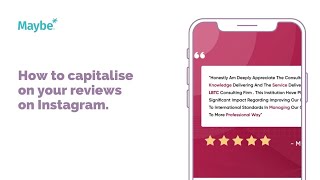
Today we're looking at to capitalize on your reviews on Instagram. This is LBTC and they are based in the UK and they provide a lot of various training help for things like HR professionals and they do management courses, services and coaching. Now they obviously use social media as really good way of giving a bit of insight into what they do and to attract new clients. And one of the best ways of attracting new clients is actually to really capitalize on your reviews. Reviews are a really good way of reassuring new, current and potential customers of the work that a company does. People feel like they're really understanding, I guess you know how what kind of level of support they're going to get and I guess there's no better way of showing that really than a review. And as you can see here, somebody's actually given them a five star review and it says big thanks to the consultant for his polite and patience whilst explaining main points that we are requesting. So that is from somebody directly and they've actually shown the image there and so everything's very branded. They've branded it as a review in the background. So you know, straight the way that you're looking at review and then as you can see they've said thank you. So someone's given the feedback, they've turned it into a social media post and then they've said thank you very much for your valuable feedback. If I was them, I would have tagged them in on Instagram. If they actually had an Instagram, it might be that they didn't. And then what you've, what they've done, it's done a really nice mix of hashtags as well. I've probably done more around the, more around like the industries that they're looking at, whether it is HR professionals or business coaching, that kind of thing. But it's a really good way of capitalizing on the reviews that you get elsewhere. Now if I was these guys, what I want to do is be planning in my posts in advance so that it just takes the time out and it makes my life a lot easier. So I would go into maybe going to content and go into calendar and you can see all of the posts that we've already scheduled in. So he would be able to go in and schedule in all of their posts and then the great new thing is as well you can actually compare. So he could, they could compare to literally any other business coaching business, any other business trainer. They can choose it in here and then underneath what will happen is they will see their calendar as well. So you can start to see, are they using more Instagram, are they using more Facebook, are they using more Twitter? And they can start to benchmark what they do as well. And they can even now schedule in and use our new AI software as well. So lots of great stuff that they can do from Content Calendar. Now, as always, if you've got any questions at all, click on the little blue button. We love to help.