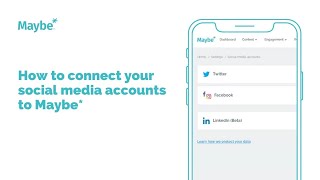
In this instructional video, the presenter walks viewers through the process of linking their social media profiles—Twitter, Facebook, and Instagram—to a Maybe account. The tutorial begins by directing users to the Settings → Social Media Accounts page within the Maybe platform, where they can see options to connect each network. For Twitter, users enter their username and password, and the system authenticates the credentials before establishing the connection. For Facebook, the presenter explains that only admins of a Facebook Business Page can link it; once a page is selected, the platform also automatically links the associated Instagram account, eliminating a separate Instagram setup step. After all three accounts are connected, the presenter highlights the new capabilities unlocked: using the content calendar to schedule posts, engaging with hashtag conversations, and viewing ad performance metrics for Facebook and Instagram. Throughout, the video emphasizes the availability of 24/7 in‑app support via a blue help button. The walkthrough concludes with a brief mention of optional further account connections and an invitation to reach out with any questions.
Chapters
We're going to have a look at how to connect your social feeds to your maybe account. If you've got any questions at all, please use this blue button, bottom right, inside maybe, as it connects you to us all 24 7. We're always here to help. So when you set up your maybe account, it should prompt you to connect your social feeds as part of that process. But if you're in your account and you need to actually connect your feeds, where you go is Settings and then social media accounts, and it brings you to this page where you can see you can connect your different social feeds. So I'm going to click on Connect Twitter, and what you actually do is you enter your Twitter username and your Twitter password and then obviously click Sign In. And what it actually does is it authenticates that information and obviously checks that it's correct before it actually connect your Twitter account to your maybe account. And obviously, connecting your social feeds enables you then to schedule content onto those feeds from maybe to engage with other feeds and conversations on social through those platforms. So obviously, effectively, it opens up all of the tools that the maybe account enables you to do when you attach obviously your Twitter link, your Facebook and your Instagram to your account. So it's currently doing authentication. And then what we would actually do is it will now prompt us to connect Facebook too. So it kind of leads you through a process. But as you saw, you also had Facebook on that same menu that we looked at under Settings too. But I'm going to click on Connect Facebook from here because it absolutely makes sense to do that from here. And then what it will actually do, obviously to connect a Facebook business page, you need to be an admin on that particular page. So it will then list the different pages that you're an admin for. And then what you actually do is obviously you just click click on Connect by the one that you actually want to add. And obviously, because Facebook and Instagram are connected, it automatically connects your Instagram page at the same time as part of the same process. So obviously that then saves you connecting Instagram as well, because it actually connects both for you. So it's now doing that same authentication for Facebook and Instagram as it was for Twitter. And then once it's actually done that, basically I will have attached Twitter, Facebook and Instagram to this account. So that will then enable me to use the content calendar to schedule content across all of those feeds. It will enable me to engage across all of those feeds with other feeds, with hashtag conversations. Basically, it attaches everything so, and then it kind of leads you to other things that you might want to do. So I'm going to click no for now, but this is actually showing you how to look at your ads performance for Facebook and Instagram, which is obviously something else that you can do through the maybe platform, but that's it. Essentially we've connected Twitter, Facebook and Instagram. This is now obviously asking you if you've got other accounts with that attached. So it kind of leads you through anything else that you might want to do, but that's it. I hope that's been useful. If you've got any questions, please use the blue button inside maybe. Otherwise I'll see you on another video soon.