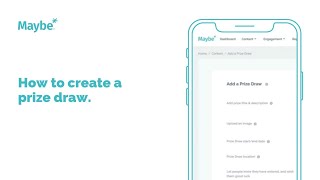
Learn how to set up a prize draw in a loyalty platform. Enter a title up to 80 characters, upload an image, set dates at least one month apart, link to a business location, and compose a WhatsApp or Messenger message. The system auto-generates terms and conditions using your company name and captures entrant emails.
Chapters
Foreign. In this video I'm going to show you how to quickly add a prize draw to the loyalty system within. Maybe first thing you need to do is add your prize title. Now you've got 80 characters to play with here, so do make it exciting and make it descriptive so that the user knows exactly what it is that they're entering to win. I'm going to drop an example in here, so I've put in here winner personalized bag of your choice. Now over on the right hand side here, you'll notice that we are generating a preview of how your prize drawer is going to look once it's live. So you can see here that the title winner personalized bag has now been updated on this preview. The next thing to do is to upload an image. Simply click choose a file and pick the image that you would like to use. Now, images can be basically the same size as what you would use for an Instagram image, which gives you a good reference point to understand which image will fit best. I'm going to select this one. It's going to drop it into the preview here and I think it looks pretty good, so I'm happy with that. But if you were, if you wanted to change it, just basically click choose a file again and add a different image. Next up, we have our prize draw, start date and end date. Now to ensure that your prize drawer gets as many entrants as possible. And remember that every email, every user that enters a prize drawer, you will get their email address. So it's absolutely crucial that you let the prize drawer run for a decent amount of time. But in order to help you that we have put in a minimum price draw length of one month. So the system will automatically make you scroll forward to the first point of the next month to add that date. So you just simply add the closing date there. So that's now set up. Your prize draw is going to be linked to where your business is located. So make sure you select your business location. If you don't have one, you need to ensure you're on Google My business. And once you're on there, you can add a new location directly from here. So I'm going to select my location. And then finally here all you need to do is add in a good luck message. So once the person has entered the prize drawer and they're a member of the loyalty program, they will receive a message from within WhatsApp and Messenger. And basically this means that you can send them a message within WhatsApp or Messenger to say thanks for entering. So simply add in your text. You've got quite a lot of characters to play with. Don't overwhelm the user, but do take the opportunity to wish them good luck, tell them a bit about your business and you can even drop in a link here at the bottom because those links will turn into actual hyperlinks when they are delivered via WhatsApp or Messenger. So it's a great opportunity for letting a user go off and view your website. Once you've added all that in, the prize drawer is essentially built for you. Now we have got some terms and conditions that we attach to every single prize draw. You can view them here. They will be dynamically updated to utilize your company name, the prize title that you've used, the end dates, etc. They can't be edited, but they are able for you to view there. You also consumers and entrants can view them before they enter by clicking on the how to Enter button. But once you're happy with everything, just tap the Add a Price draw. That price draw will then be added to the system and be ready for users to enter. Now if you ever get stuck whilst creating a prize draw, don't forget you can always open up the intercom bubble in the bottom right hand corner on the maybe platform and get in touch with us with any of your questions and one of the team will be back in touch as soon as possible to help you out. Hope that's been useful. Thank you for watching.