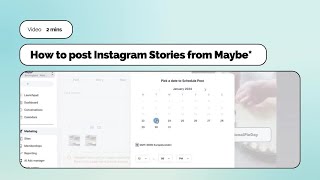
Schedule Instagram Stories in advance with Maybe. Upload your asset, set a posting time, and add captions before you schedule since the Story preview doesn't support them later. You can still add link stickers or other edits directly in Instagram after posting.
Chapters
Foreign. Hello there. I'm going to show you how to very quickly and easily schedule stories to Instagram using maybe. So I'm going to in my social planner, I'm going to click New post here on the top right hand side and create New Post. Then I'm going to select Instagram from the drop down menu of Social Accounts and you can see these three tabs that appear when you go to schedule a post. I'm going to click on Story and the preview screen has changed. Now it is in story format so that you can see how your image or video is going to look once you've uploaded it. You can't add captions here, so what you'll need to do is make sure that you have added all the information that you want to share to your asset once you have uploaded it. So I'll just repeat that you click here on the video that will take you to your files. You can upload them or you can, as I've done, just click on something that I've already uploaded. I'm going to click on this again so you can see yes, okay, this is a repeat, but you can actually schedule more than one story at once, which is so helpful. So for example, if you've got something that you're showcasing, or if you've got some information that you need to impart and you have got some time to create some assets, get them done, get them scheduled and then they'll go out. And then you can always add another story in real time with say a link that you want your customers to follow. So just, it's just so helpful because you can save yourself lots of time. So we're going to schedule. I'm going to come down here to the post button, the blue post button. Click on the drop down arrow to open up the menu and click Schedule Post. I'm going to schedule it for the time. Let's just pick a time of day and then schedule post and those stories will go out. I don't have to think about them, can always set myself a little reminder if I want to add another one with a link sticker on within the app itself. But that work is done. It's scheduled. Super easy. If you have any questions at all, please do use the blue button in the bottom right hand side of your screen.