In this video, the presenter analyses the Instagram presence of James Legal Law, a law firm that uses its feed as a shop‑window while humanising the brand through team photos and charity‑focused posts. The speaker highlights how showcasing community involvement—such as supporting the Heron Educational Foundation—creates a relatable, human element that differentiates the firm from typical solicitors. He then walks through Instagram’s Insight Summary, explaining how to quickly gauge follower count, post volume, engagement rates, daily engagement, and identify the best‑performing post. The presenter recommends reviewing these metrics on a monthly basis, using the data to inform content decisions, compare performance over time, and plan future posts via a content calendar. The video concludes with a brief call‑to‑action encouraging viewers to click the blue help button for further assistance.
Chapters
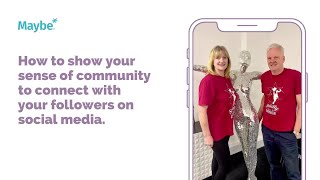
Foreign. Show your sense of humidity to connect with your followers on social media. This is James Legal Law. And what they have done here is obviously, you know, that they practice law, but what they've done here is you can see that they use their Instagram very much as a kind of shop window, their solicitors, you know, so they're a short window very much into their business and they keep everything quite branded. But they do like to show, I guess, you know, that kind of human side behind their business. Everything's really kind of, I don't know, just very human, very almost, you know, like chatting to a friend kind of thing, which again, is quite unusual for solicitors. Now, what I really like about this post is charity work, I guess, really shows a sense of community and gives us insight into, I guess, where the company's passions and priorities lie. Here the shown charity really does begin at home for the Heron Educational Foundation. Read how we help them through a project challenge to ensure deserving East Yorkshire families now have a place to call their own. And then it gives a little link to explain more about how they are supporting this charity. So I really like about it is it shows obviously, you know, a member of the team with, again, a member of the charity outside of it, which I think is fab. It gives a kind of like, you know, who on the team helped. It gives us a brief explanation of what they did. But then links, obviously you can't link properly on Instagram, but it means that you can copy and paste it or they could have done link in the bio if you're interested in learning more. Although a lot of people will like, like it just as the AT ideas will engage without actually reading the whole thing. So I think, you know, the idea of this is that, you know, they're really showing that they're engaged in the community as a local independent business. And you know, as. As we say, you know that people buy from people and people like to see the human element and connect better with the business. Now, if I was these guys, I would want to understand, I guess at a sort of very quick glance how my social media was working for me. So I would go to the maybe platform, go to Insight Summary and then I would click on obviously it would be James. And then in here there would be maybe so here, obviously it's maybe tech, but what you would find is the actual business. Then you go to, you see how many followers you've got, you'd see how many posts you've got, you would see how many engagements you've got. Even goes as granular as how many engagements you've got per day. And your best post. Now, if I was these guys, then what I would be doing is having a look at this on a sort of maybe monthly basis and having to think about, right? Okay, know, if I'm posting this much and I'm only getting this much engagement, how do I improve? And then that's where you go to your best post. You think about, well, should I do more of this? Should I do more of that? You can go to your calendar. You can start looking at your comparisons. There's so many great things that you can do to then build on it. But this, I guess, is your starting point if you just want a quick snapshot. Now, as always, if you've got any questions, click on the little blue button. We love to help.