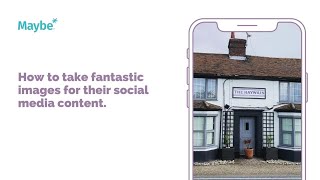
In this instructional video, the presenter explains why high‑quality imagery is essential for any social‑media content strategy, using the Hay Rain Pub’s Instagram feed as a concrete case study. The analysis highlights specific compositional choices—tight cropping, focal points, vibrant colour palettes, and texture—that make food photos compelling and invite viewers to imagine eating the dish. The video then connects visual storytelling to business goals, showing how a varied, vibrant feed can attract customers. It advises planning images with a content‑scheduler (the "maybe" Scheduler), demonstrating how the colour‑coded content calendar helps balance posts across platforms (Twitter, Facebook, Instagram) and avoid repetitive sequences. Finally, the presenter encourages viewers to use the blue support button for 24/7 assistance.
Chapters
Creating fantastic imagery is social media, bread and butter. Regardless of the sector you're in, in all likelihood, you will need to use great images as part of your content strategy. We are visual creatures, after all, aren't we? So in this video, we're going to be looking at the Hay Rain Pub, based in Essex, and the fantastic images that they've been posting on their Instagram feed. Food is a big, big draw online. Frankly, it is better to accept this fact and roll with it rather than fight it. If you're an establishment that offers food, showcase it. And with some tips, your images could look just as inviting, as delectable as these. So let's have a look at this one. It's cooked breakfast. It's a relatable image, something that the vast majority of us would choose to eat and can actually imagine ourselves eating when looking at this photo. Breakfasts are great Instagram fodder. This is a fairly close crop, this image, which is a great choice because all the different sections of the breakfast are in focus and in proportion. The main focus of the image is actually the tomato, which is a great choice because it's visually very vibrant. It's got some enticing textures on it and it offers some great colour play to the image as a whole. We've got the reds, we've got orangey reds, we've got pinks and browns, and all of these have been offset by the white and the yellow of the eggs on the side of the image. Let's have a look at another one here. We've got one of their starters. We have, colour wise, we've got the browns and the beige of the chicken and the bread. They're all against the crisp whites of the plate and the yogurt sauce. And again, it's all been offset by the fantastic greens here in the sauce and the salad. And this one, This one. Oh, the drama, the pizza, the fire. It's all very evocative, isn't it? It makes you want to be there. And so collectively, like all these images scroll through their feed, they present as a vibrant and varied feed. They tell the story of the business. And as a customer, how could you fail to be pulled in? So how do you tell your story using your images online? Well, planning out your images using a scheduler is a great start and it can be so, so, so useful because you can see at a glance whether the images that you're posting will all come together to create the field that you're looking for for your business. You don't need to be too prescriptive. But again, you won't necessarily want, say, three cake images or three pizza images in a row. Or perhaps you might, depending on the focus of your business. So here's how to find the maybe Scheduler. You go into your dashboard, and in Content here in this column, you click on Content Calendar and it'll take you there. So the Content calendar is all color coded according to the platforms. We've got Twitter, Facebook, and Instagram. So that means you can just hit the ground running. I do hope that was helpful. Please do make use of the blue button in your maybe browser if you have any questions at all, because that connects you to us 247 and we love to help.