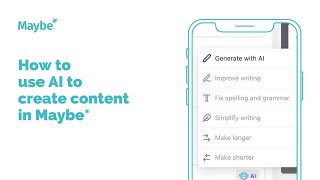
Walk through Maybe's AI social planner to generate captions. Enter a prompt like "five social media tips" for small business, pick your tone and length, and the AI creates variations you can edit or regenerate before publishing.
Chapters
Foreign. I'm going to do a quick run through of how you can use AI to help generate your captions within maybe so from your social planner. If you click new post and then create new post, it will open this new social post screen, select which social channels you want to post onto. So the AI is very much here to help you write your captions for your social. So. So if you know what it is you're looking to write about, but you're looking for some inspiration as to how to write it, you'd like to write it in a certain tone, the AI is here to help you with all of that. It does a huge amount of the legwork for you. Or indeed if you're looking for something like five top facts in your sector or something like that, it's very much here to do all of that sort of thing and more. So if you click here on AI and then generate with AI, this is where you obviously tell it what you're looking to write about. So I'm going to just put in here five social media tips. What I'd like it to be about is five top tips on what businesses can post and lead up to Christmas. I'd like to to include small business as a keyword in my caption. You can select your writing tone. So obviously this will very much depend on the audience that you're looking to speak to, what platform you're posting onto, and obviously what the aim and the call to action is within your post. So if you're looking to just entertain people or engage people, you know, you might go for funny or casual or excited. Whereas if it's more about kind of business tips or, or something like that, you're posting onto LinkedIn, you might go from professional, but you basically pick whichever one you feel is appropriate for the content that you're looking to post. So I'm going to click Funny. I'd like two variations, but you can select however many you want to see just there. So it's good to have some options to consider. And then I'm going to click small because I'd like the content to be small in length, but you can click medium large or a custom length. Then once you're happy with that, you just click generate. And that's exactly what the AR will do, is it will collect, it will actually generate two options for me to look at. If you read them and you're not happy with either of those, you can click just here, generate new content. And what it will actually do is it will bring up that initial box first of all, again with the details that you've actually completed and you can obviously ask it to generate more again or you can make some changes to the description if you want to be a bit more specific. But you just have a look and once you're happy with one of these captions. So I'm going to go with this one. Five Jolly tips so you don't obviously have to take this caption exactly as it is. You can change it. You're probably going to want to add to it in terms of adding in a link might be to your website, to a blog, whatever it is you're looking to actually post about. But once you're happy you click through. You can still edit it from here, but as you can see, that basically shows the potential of the AI in terms of actually helping you create great captions for your social media feeds. Once you're happy with your content, obviously you'd add images, video, whatever it is you're looking to actually add to it as you normally would and then you would obviously post it to your social planner. So I hope that's been useful, giving you a quick run through of how you can use AI within maybe to generate your captions. Any questions at all, please use this button bottom right inside your maybe account. It connects you to us 24 7. I'm always here to help. I'll see you on another video. It.