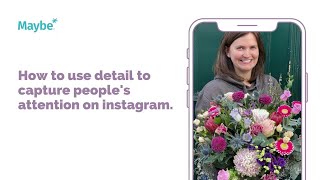
In this instructional video, Polly Barnfield (Speaker A) demonstrates how a florist—Simpsons Flowers in Edinburgh—can use detailed, close‑up Instagram images and rich captions to stop the scroll and showcase their work. She walks through a specific post that highlights a large bouquet created for an event, explaining how the image captures the flowers in full bloom, references the brief (spring colours, venue palette), and tags relevant accounts. The speaker then shifts to analytics, showing how to read Instagram’s Insights dashboard: follower count, total posts, engagement per post, posts per day, and the “Best Post” report. She explains how these metrics help a business assess whether their posting frequency and content are effective, and how to replicate successful posts. The video ends with a brief call‑to‑action to click the help button.
Chapters
Foreign. Show the detail of your product on social media to generate more interest. This is Simpsons flowers and here the post. So they're based up in Edinburgh and this is an absolutely stunning image. Now this is all of Instagram is all about eye catching images. It's all about stop scroll effects, stopping people in their tracks. So this is a post that basically shows the flowers in action. So this is after the bouquet been created and it in situ and then as you can see it goes into stunning detail showing how beautiful the flowers are, how intricate they are and it shows, I guess you know, them in full bloom and full beauty. And I think that is an absolutely gorgeous thing to do. A lot of people think that it is all just about one image but actually showing the different elements, showing the different flowers that are in amongst it is really, really positive. So it's an image of a large bouquet that they created for an event. So it's a great example of what they can do. And then getting up close and personal I think is one of best ways of them doing it. It's amazing that they've gone into a lot of detail in it. So they've talked about the brief. So what the brief was to make it spring and to make it feel like spring and use the colors in the room. They've then gone into all of the detail in there showing actually, you know, these are the flowers that we're looking at and why and then they've said it's such a joy to be part of the event and they've even tagged them in as well, which is really positive. So I think, you know, essentially as a post they've ticked every single box in terms of, you know, capturing the eye with the, with the image and then going into a lot of detail about why. Now if I was Simpsons florist and one of the things I want to do is understand whether or not social media is working for me and it clearly is for them. But it's all about how you can get even better. So I would go to listing and insight summary and maybe and then you basically you would take care that would be Simpsons. And then here you can look at a full report so you can look at your insights, you can look at ads, you can look at your conversation, AKA all the posts that you're doing across social media. But if you just want a quick bird's eye view then here you can see all the followers that you've got. You can see the amount of posts you've done, the amount of engagement you're getting per post, the number of posts that you're doing per day, and the number of engagements you're getting, say, per post and per day. So, for example, if I was doing, say, two posts a day, I would want to make sure that I was getting enough engagement on those posts. And if I'm not, then I want to understand why. And then what I can also do is I can do my best post as well. So you can literally click in here and you can see what your best post was for that week. And again, again, if you're starting to get the same best post all the time, then you want to make sure you're doing more of it as well. Now, as always, click on the little blue button if you need any help. Thank you.