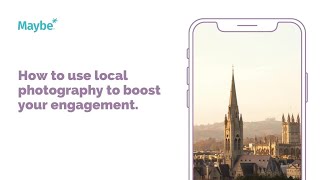
In this tutorial, the presenter demonstrates how Visit Bath, the local tourism board, amplifies its social‑media reach by featuring and tagging local photographers, employing targeted local hashtags, and fostering community interaction. A specific post showcasing an autumnal river scene is highlighted, noting the photographer’s credit, the engagement it generated (358 likes), and the reciprocal comments from other creators. The speaker then walks through the platform’s Listening & Insight dashboard, showing how to review follower counts, post volume, engagement metrics (likes, comments, shares), daily engagement trends, best‑performing posts and channels, and how to use the calendar feature to schedule content and view other businesses’ calendars. The session concludes with a call‑to‑action to click a help button for further assistance.
Chapters
We're looking at how you can use local photographers to really boost your engagement on social media. This is Visit Bath. They're. They're the local tourist information board and driving as many visitors to Bath as possible. Throughout their social media presence, you can see they update regularly with lots of competitions, giveaways and really regularly feature some beautiful, amazing attractions around Bath. Now, what is lovely in particular about this post is that this is them sort of showing an iconic area in Bath and really showing, I guess, how stunning is, how beautiful it is. And they've said enjoying that autumn glow on the river and they've used the little emoji to make it feel more autumnal. So it really sort of celebrates the change in season and it would attract anyone down there. Now, what I love most about it is that this is a local photographer. She's taken the image and they have seen it, they've tagged and they've tagged her back in it. And then they've used a bunch of amazing local hashtags in order to, to drive new people who would follow any of these back to their feed to Celebrate Bath, to look at Bath, to maybe want to potentially come and visit it based on this image. But also it means that they're attracting lots of new people to see this lovely photographer's amazing work. And as you can see, another photographer here has actually congratulated Chloe on being featured and other people have then gone on and said thank you very much and thank you for sharing, which I think is really, really powerful. And that had 358 likes, which is amazing. So I think this is all about making sure you keep on top of local photographers and videographers in your area because you can make use of their beautiful imagery as long as you tag them in. And it means you're driving more people to your area and actually supporting another local business as well. Now, I would want to make sure, making sure that I understood my social media and what was working for me and what wasn't. So I would go to my maybe platform, I'd go to listening and insight summary. I'd click on my business here, which for them would be Visit Bath. And then here they can look at a field report and break down as to how their social media is performing across all of the channels. But then at an instant, they can look at how many followers they've got across Facebook, Twitter and Instagram. They can see the number of posts they've got across the channels, the number of engagements. So that is the likes, comments, shares, that kind of thing across each of the channels number of posts per day. They can even see the number of engagements they get per day, obviously in comparison to the post. They can view their best post and look at which channel that's on. Is it the same channel regularly? Which means that channel is probably the right one that's working for them. And then they can even go in and view their calendar and they can start schedule scheduling in new content and view other businesses calendars too. So it's just a really good way of having a bit of a snapshot as to what's working for a visit bath so that then if they've got to report back to anybody, they can do it quickly. If you've got any questions whatsoever, click on the little blue button. We love to help.