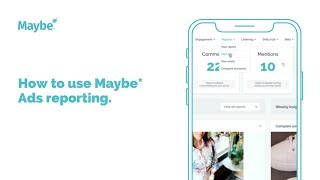
Polly Barnfield shows how to read the Maybe Ads Reporting Dashboard, including ROAS, CTR, CPM, and frequency metrics. She walks through a fashion retailer example, explaining what impressions, add-to-basket, and checkout data mean, and how to use filters and team features to manage Facebook campaigns.
Chapters
Hello. If you have your Facebook business manager connected to maybe and you're running advertising, I'm going to show you how you can review their performance from the maybe Ads Reporting Dashboard. So from your maybe home screen just click into reports and select your ads from the dropdown. So when the reporting dashboard comes up, there are a number of filters you can use on the screen to look through your campaign results. First here on the left hand side you will see a set of status filters. It is preset to live but should you wish to review any paused or or completed campaigns you can tick the options here. Then from the sort by filter you'll see it is preset on Best Performing roas. ROAS stands for Return on Ad Spend. So for every £1 spent this measures how many pounds you are getting back. So if the ROAS is four then you can assume that for every pound spent you are getting £4 back. So the filter is preset to best performing ROAS. But you can also select worst performing ROAS, oldest and newest campaigns by their start date and then Best and Worst Performing ctr. CTR is click through rate and and is particularly relevant for you to understand what proportion of people who see the ads actually click through to the next step probably to visit your website or a landing page depending on the button that you add to your ad. So for each ad in your campaign maybe shows you a card. So here's a full card here and it includes all the key metrics to help you analyze if the campaigns are working for you. This business is an e commerce business, a fashion retailer. So I can see on this particular campaign how many items have been sold, the cost to achieve each sale and the overall amount of advertising spend to drive those sales. I can see that the ad has been viewed 1092 times with 326 successful landing page views at a cost of 65 pence per landing page view. Interestingly I can see that although an item has been added to the basket here 65 times, just 19 have initiated checkout and of course 13 from those have been sold. So I think especially with fashion, a lot of people are obviously browsing and adding to basket as a way of saving their choices. Many e commerce businesses will have an email sequence set up to nudge people through to a purchase. That's possible if you have their email address already or they've gone so far in the add to cart process as to provide their email address. So if you're an e commerce business then that's definitely one to investigate. This ad is A retargeting ad. So the CPM here, which stands for cost per impression is quite High at £16 25. But ideally you wouldn't want to go above £10 per thousand impressions. So if I scroll down a bit, I can see that many of the other campaigns you see that's under 10 pounds, be it just. But here you're seeing 6.9 pounds, so that's much better. CPMs tend to run high when you have too small an audience. So typically a high CPM would indicate you needed to lower the spend or up the size of the audience. I'm also seeing a frequency rate of 8.73 here. So frequency is the number of times someone has seen the ad in their newsfeed. At 8.73 that is quite high. And the optimum would really be about three for cold audiences. But as I said, as this is a retargeting ad, you can afford to run that frequency a bit high as these are people who have visited your website or pages before and know your brand and will be more receptive to seeing your ads frequently without getting irritated and potentially telling Facebook to hide your ads. So the CTR rate is the click through rate and here it's 5.22%. So this is really good. Typically anything over 1% is acceptable and you should expect to see high click through rates for warm campaigns versus any cold campaigns you run. And by cold I mean people who have never met your brand or business before. And then finally, here is the cost per engagement. This figure is one just for you to monitor and get to know for your business. What are you happy to spend for an engagement with your page. So remember, every time someone engages with your your page, then they become a warm audience person that you can retarget so they hold a level of value. So it's really a case of monitoring that cost for yourself and getting a feel for what's your best benchmark, what you're willing to spend. So in the gray box here at the bottom, this is all the names of the campaign. So the campaign name, the ad set name and the ad name and the campaign objective being used for the campaign. In the bottom left hand corner you'll see a tally of the number of engagements and where there are a number of comments. These are also accessible. So if I scroll down, let me see, there's one down here. Yes, so this one's got quite a number of comments. So from here you can click through and respond to any ad comments directly within the maybe platform. So that's saving you plenty of time and protecting you against missing any, which is easy to do with Facebook notifications. You can just click like or Apply from here. So here on the right hand side, you can bookmark any ads that you want to save for reference, any that you think perhaps that you're doing particularly well or badly and needs an action you can assign to another team member if you wish, or, you know, if you want to take action straight away, you can click into your Ads manager from here, and that takes me straight off to that exact campaign, that exact ad within my business manager. So that's a really convenient click through from the maybe Reporting dashboard. So that's a complete walkthrough of the maybe Ads Dashboard. If there's any aspect of that that you're not sure about, though, please just get in touch with us via the maybe blue button on your dash.