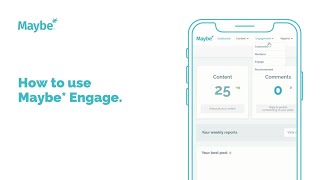
Polly Barnfield shows how to use Maybe Engage to manage comments, mentions, and build networks. Filter comments by sentiment and date to prioritize responses, create custom groups to track specific businesses, and search conversations by location down to street level to find local engagement opportunities.
Chapters
Foreign, We are going to take a look at how you can manage your comments and your mentions. Take care of all your customer feedback on social media all in one place. So no need to check Facebook, Twitter, Instagram separately or we're going to do this all from within maybe. So if you're looking at your dashboard screen like I am, choose the engagement from across the top there. And first up we are going to check out the comments view. Now, the comments view is going to display all the comments you've received on your social media content over the last week. It will sort them for you from newest to and you can choose to organize it by the most engaged, the least engaged, or the most positive or the most negative. And you can look at a week at a time. So we've got this here. And my top tip is always to start with the oldest first. And within this you can see anybody that has commented on your social media posts. And from within this you can choose to like it, it's on Twitter, you can choose to reply to it, you can choose to retweet, and then we've got the same for Instagram there. And when you do this, Instagram, if you choose to like or reply to it, it will open Instagram in another window for you so that you can engage with your Instagram content. So that's your comments. As I said, I always like to look at the oldest first or perhaps even the most negative. And that is so that you are taking care of the most urgent things first. Next up, let's head to mentions. This will look exactly the same as your comments. The difference with the mentions view is instead of showing you comments on your post, you will now be able to see all the mentions of you where other people have tagged you into their social media comments. So again, we've got our date range set there, but this time I'm going to say I only want to see the last week's worth of content. So we'll do it like that. And again, my top tip, let's always look at either the oldest first. This is especially important if it's been the weekend. You don't want to leave anything that maybe you've not responded to over the weekend. So, so we can see that in the last week we've had one mention and it's been on Facebook and we can go back and engage with this by liking it and it will do that for us right here. Or we could even share it or we could add a comment to it. Now, engaging with your comments and mentions is all about building relationships with customers and other business businesses who have taken the time to engage with you. It shows them you care about what they have to say. So you can also at this point choose to add that business to one of your maybe groups. So I'm going to drop it in to I mentioned you and I'm going to click done here. So now I know that this business will always be in one of my groups as somebody that has mentioned me and you might be thinking, well, why is that important? Well once you've taken care of your comments and you're mentioned, you now might want to head to Engage now because this is no ordinary engagement tool. This is the maybe social media engagement tool. We can take engagement to the next level for you. Think of this Engage page like a networking page and like any network you are going to get out of it or what you put in. So when you engage with other people they are more likely to reciprocate and engage with you, which is going to increase your reach and your own engagement. So within the Engage page you can see that this is split into two. It's split into your groups and it's split into location. So within group you can choose. So just as I've. Exactly, exactly as I've just done, I, if you remember, created a group called Mentioned New and any groups that you create, it could be other clients. You could have one set up for fashion, you could have one set up for shoes, other types of businesses just like you. Now I can see all those people that have mentioned me and what they have been up to on social media and you can now choose to engage with any of their content. And remember this is important because if you're using this as a local business, it's likely that you're going to share customers with other businesses in your area. So perhaps what you want to do is engage with these other businesses so that they engage back with you. Now if it's Instagram you can choose to like it and the Instagram will open in another window for you. If it's Facebook you can choose to like it directly from within maybe or you can choose to comment on it there. So that's your groups side of Engage, but we've also got location. Now the location tab shows you the conversations in and around your area. So and you can do this for any location in the UK or the us but I've got some recent ones saved there. So I'm going to say show me all the conversations in Manchester that have been created by all businesses and you can see that it's set to all across the top, but I'm actually going to say just show me the independence today. So I'm going to switch it to local. And now we have all the local or indie businesses in Manchester that have created content. And again, you can choose to comment and like and engage in whichever way you choose to. And joining in these conversations is about helping other customers and businesses discover you. And, um, it will always be sorted by the most engagement. That's how we define the best post. But you can do it by least engaged or most positive. You could do it by newest and oldest. And there is nothing wrong with chipping in and commenting on content that other businesses have created because remember, it is one likely that you might share customers with them if they're in your place. And secondly, it's a great way of supporting other businesses in your community. Just make sure that whatever you're contributing to the conversation, it's authentic, it's genuine and relevant to what their post is about. So that's the maybe Engage tool. Remember, comments and mentions first and then engage after that with any conversation by businesses that you have popped into one of your groups, or if you've not yet created any groups, simply go for location. And you can choose any location simply by entering it into this box like that. So you could go very, very broad. You can even go down to street level. Just like that. So I hope that's given you an overview of how to use the maybe Engage tool. Remember, you can ask us anything you want by clicking on the little chat button in the right hand corner. It will connect you to a member of the maybe team who cannot wait to help you. So if you've got any questions about using maybe at all, the little blue button will get the answers to those questions for you. So I hope to see you on another video soon.