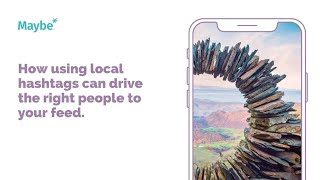
Use local hashtags like #LakeDistrict and #LakeDistrictWalks paired with landscape photos to reach travelers searching for regional experiences. A social media dashboard lets you schedule posts, track mentions, monitor sentiment, and compare performance against competitors.
Chapters
Today we're looking at how using the right local hashtags can drive the right followers to your feed. This is the Instagram feed of castleregg Hall Caravan park. And you won't find many pictures, as you can see here, of caravans are actually camping. Instead, the caravan park likes to pay tribute to the breathtaking landscape of the Lake District, which it's located within, and lets nature very much do its talking. The posts are filled up with local hashtags so that travelers can search and discover them or be inspired for their next trip. This post itself shows to me, I guess, everything that you need to focus on because it's all about the image here. It's a show stopping image. The caption is literally just the place and then it's all about the hashtags which they know will attract the right people to them. There's local anyone looking for walks, the general Lake District, they've got their own here and then they're just even got the sunset and then they've got the general sort of Lake District walks and Lake District national park as well. So anybody at all who's looking for inspiration or anything to do with the Lake District will start Castle Rig hall will start coming up in their feeds. Now if I was these guys, I would want to ensure that I'm keeping up to date with how social media is working for me because they'll obviously spend quite a lot of time and effort on it. So I would go to maybe and I would go to my dashboard and here you can see everything. So you can have a look at your content and see what you've got scheduled in. You can have a look at anyone that's responding back to you. You can have a look at your mention. So anybody you can reply to that's been maybe mentioning you're talking to you in some way, you can manage your ads as well. But here what you can start to see is your best post. So if for example, that it was the landscapes or anything to do with, I don't know, the Lake District that's coming up here as my best post each week, then I would be making sure that I'm doing more of that. And then I can also choose to listen to a competitor. So it might be another holiday park in the Lake District, for example, it might be somewhere around the country. But what I can do is I can add them in here, you can click change and then you can start to monitor what they're doing on social media as well. So you can see all of your stats here. They can see all of their stats. You can see how they're ranking in comparison. You can start to look at what's working for you versus what's working for your competitor, the different hashtags, that's working sentiment. And then you can even look at who's got influence in their conversation versus who's got influence in yours. That might be people that are actually directly talking to you, or people that are talking about you. It's just such a handy way of being able to see at a glance how your social media is performing now. If you need any help whatsoever, click on the little blue button here. We love to help.