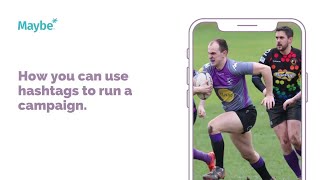
In this tutorial, the presenter explains how to run a social‑media campaign using hashtags, illustrated with the Village Spartans gay rugby club and their #InclusiveTouch hashtag. The video walks through why a dedicated hashtag creates a searchable hub for related posts, helps raise awareness of inclusivity, and encourages community engagement. It then demonstrates how a social‑media dashboard can be used to schedule content, track comments, mentions, ad spend, and audience growth, and to identify top‑performing posts. The presenter also shows how to benchmark against peer clubs by comparing hashtag usage, influencer activity, and post performance, enabling continuous improvement. The session ends with an invitation for viewers to ask questions via a clickable button.
Chapters
Today we're looking at how to use hashtags to run a campaign on social media. This is Village Spartans and they're the second oldest gay rugby club and co founders of igr, the international Gay Rugby Tour. Their posts focus a lot on inclusion and success in the sport. And their recent posts around this year, IGR are really visually interesting and feature the professional photographs, as you can see here, of their players. So it kind of gives their fans a more personal touch where they get to know their players. But it's nice and branded and it features all of the information that you need to kind of understand what's going on and when. There we go. So what I love about this post is how they're promoting the hashtag Inclusive Touch to raise awareness of inclusivity within the sport and to try and promote it. Hashtags are a really great way of, of sort of running campaigns as well as a digital signpost back to them. So by using Inclusive Touch, as you can see here, what you'll then start to see is all of the other posts that have been done under Inclusive Touch, which is probably them, but it might also be from other, other clubs, it might also be from pride events and things like that. And it's just a really good way of then being able to then go back into these. And so if someone else has used the hashtag, they can go in there and they can click on it and then they can start supporting it, they can start sharing it, they can start engaging with it and really start bringing new people into their, into their account. Now if I was Village Spartans, I would be looking at my dashboard really regularly just to kind of see, I guess, and make sure that I have covered all the bases when with regards to social media. So on your dashboard within, maybe you've got your content up here where you can schedule in all your content. You can see the number of comments you get, you can see the mentions and so that's how many people have talked, have been talking about. And then you can engage. So these are people that have engaged with you at some point. So it might be some of the players, it might be some of the followers. You can go in there and then start re engaging with them. And then you can also monitor your ad spend and do your ads and audience building in there as well. And then again, you can have your best post here, which is your best post from the last week. And then you can compare yourself. So it might be another gay rugby club or it might be, it might be any other rugby club actually just so that you can see what kind of things they're doing on social media and start to pay to contrast and maybe find some inspiration. You can start to see what works for them, what works for you. You can start to see your most used hashtags versus theirs, if they're using any. You can see who's got influence in your conversation, and they can see what's been said about you and what's been said about them. So you can again can really start to understand how things are working and where you can improve. Now, if you've got any any questions whatsoever, click on the little blue button. We love.