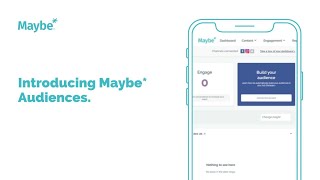
Maybe Audiences automatically builds Facebook custom audiences from people who engaged with your Facebook page or Instagram profile. It creates four core audiences: Maybe Facebook Engaged, Maybe Instagram Engaged, and lookalike versions of each. If you run a loyalty program, it also builds a Local Rewards Customers audience.
Chapters
Foreign. In this video, I'm going to introduce to you the concept of the MAYBE audiences and explain to you a bit about what they are and what do they mean for you. So when you first arrive on your MAYBE dashboard, you will notice that you have a blue a box over on the right hand side which talks about building your audience. Now what this means basically is when you connect your Ads Manager, your Facebook Ads Manager to maybe maybe will automatically start to build, maintain, populate and update Facebook custom audiences about your business for you within your within your Facebook Ads Manager. So what does that mean? It means that we are automatically looking at the users who are engaging with your Facebook page or your Instagram profile. They may not be individuals who are currently actually following you. They may not have actually liked any of your content, but they may have swiped through your content, they may have commented on your content or they may have watched a video. For example. All of those individuals will we are automatically collecting for you and adding into what we call maybe audiences that we place inside your Facebook Ads Manager. This is all done automatically and behind the scenes. Once you connect your Ads Manager to the MAYBE platform, I will now take you into Facebook Ads Manager. So you can see an example of how those audiences look once they are in, once they've been placed in there by maybe so. So in order to start the process, you actually just need to simply connect your ad account. Let's just jump across into the Facebook Ads Manager. If you're not familiar with this, we do have other videos covering this topic. So this is the audience area within Facebook and you will see here that we have a number of audiences that have been created. Now maybe Automatic creates four different core audiences for you and those are your maybe Facebook Engaged Audience audience and your maybe Instagram Engage audience. As you can see here. Now these audiences are based on individuals who have already, like I just said, engaged with your content on your Facebook page or your Instagram profile. They are being constantly updated for you. So the more posting that you do, the more engagement you get, the more individuals are going to end up in that audience. What maybe is also doing is creating you, what's called a lookalike audience, based on that original audience. So this is when Facebook looks at who already likes your content and looks to find more people who are similar to those individuals. So these are individuals who have never seen your content and they are a great audience to use for prospecting for new customers and maybe takes the kind of the hassle out of that process for you by automatically creating, maintaining and updating a lookalike audience for you as well. So you will find that you have lookalike audiences against your Facebook Engage and a lookalike audience against your Instagram Engage. Now, if you're also a user of our loyalty program within the maybe platform, we will also create you a maybe Local Rewards customers audience, which is basically anybody who has made a transaction within your business that that is a member of the local the loyalty scheme. Their details will be being passed into Facebook as well. And we also create you a lookalike of that audience as well, which means you have a whole raft of audiences that you can go away and use for ad targeting. I'll be covering more information around how to go about using these audiences in more advanced videos. This is for an overview to see what we what we mean when we talk about maybe audiences. It is the creation and maintaining of some Facebook custom audiences within your Ads manager. How does this then look once it is switched on in your maybe accounts? As you can see here, that blue box has now gone and you have audience building is on as indicated here on the the toggle saying on if forever for any reason you do get yourself in a bit of a if you do get stuck at any point, you can use the little blue intercom chat icon in the found in the bottom right hand corner of our site and drop us any message there and we will get in touch with you and help resolve your issues. I hope you found that useful and thank you for watching.