Authentic 2000-Word Articles in 20 Minutes That Don't Scream AI? Here's How
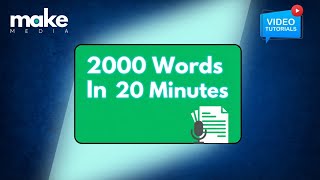
A walkthrough of Make Media, a platform that turns a 15-minute voice recording into a 2,000-word SEO-optimized article. You set up a buyer persona and keywords, speak your thoughts aloud, and the system converts it to a draft with images, social posts, and a transcript included.
Chapters
Once you've created your company profile and your buyer persona, and I strongly recommend you do create a buyer persona because that way when you write your article, you're targeting one specific type of buyer. For example, some topic that you might have might be different for someone who's a financial buyer, a manager of a team, and then perhaps a user. You'd want to talk about it in different ways. So using the buyer persona when you create the content makes a bit of difference in how you talk about the content you're about to make. So let's get started with making the first article here. I'm going to just click on create an article. The next thing that's going to do is going to prompt me to actually come up with the article idea. Now, the, what I'm going to be using is I write about SaaS IT services and stuff like that. So I'm going to create an article called how to create an effective content calendar for your SaaS product. And if you want that to be the full title, great. So I can select this and it will use this as the title. But if you just have an idea, so for example, if I just knew that I wanted to talk about creating a content calendar for SaaS companies, I could just type that in and it will then come up with some title ideas for me. So what I'm going to do for right now is I'm going to just use the specific title that I've already identified. The next thing you do is select the buyer journey stage. There are usually 3 stages there. There can be many stages of a buyer journey. But as a rule of thumb, if you haven't used buyer journeys before, there's the awareness stage, consideration stage, and then evaluation stage of what a buyer goes through. And they might find you in different stages. So the content plan that you build out could be content that's for the evaluation stage, which is where everybody wants to be. That's where your sales team wants you to be. But if you only focus on the evaluation stage content, you miss out on the large opportunity, which is the awareness stage and consideration stage. So this specific article, how to create an effective content calendar, is an awareness stage type of article. It can also be consideration stage, but I'm going to select it for being an awareness stage article. So there'll be more how-to information to get people into our funnel. Now, since I've already built out the target persona, the one I want to reach here is the Chief Marketing Officer. So I'm going to select the persona that we built out. And then there's some specific terms that I want to type in. If you happen to really be really good at SEO keyword research, this is where you would put in your terms. If you don't know keyword research, that's okay. You can find some recommendations on the website and some of our videos about how you do keyword research. But the easiest way is just to go to Google, type in a term, and you'll see Google give you a whole bunch of other suggestions using their auto-suggest tool and come up with some of those. So what I've done for this article is I want to create the following keywords. So content calendar, just hit enter so it knows that's the keyword SaaS content calendar. So those are the terms that I want this article to be optimized for. Down here, I've got a button that says include a call to action to encourage the reader to connect. If you're selling a product or service and you want them to reach out to you, this is a good button to check. Make Media will actually write a closing that encourages people to reach out to you. You don't have to have that if this is just a purely educational article. So the next thing it does, is it starts thinking. And it thinks about all the information you put in your company profile. It thinks about the buyer persona that you're targeting. And then comes up with specific ideas for your article. In this particular case, I've got understanding the strategic importance of a content calendar for SaaS marketing. That's pretty on point. I do want to include that. And it's got other suggestions as well. For the most part, this is going to be fairly accurate, but you might find that Yeah, maybe there's some things that you want to omit, so I can very easily exclude the, the, those types of things. But in this case, I actually like a lot of the stuff that's here, so I'm going to accept it as it is. Again, this is fully editable, so you can change the ideas that you want to include. If you've already thought of some other things that you want to put in such an article, just add them in here, and it will then use the content here to develop an interview that will ask you questions And it will also give you recommended talking points based on the kind of topics you're going to be talking about. So give it a couple of seconds here. It's going to generate a full outline for you, and then we're going to review it. So here it came back with a pretty decent outline. The starting section is going to be the strategic importance of a SaaS content calendar. That very much aligns with what I want to talk about. And the questions that I would look at is right here. How does a well-structured content calendar contribute to achieving long-term content marketing goals for a SaaS company? That's something I have subject matter expertise Tison, I can talk about this very quickly, very easily, and express examples, case studies, all kinds of things that people would need to know. But the benefit I've got here with this content outline is that Make Media gives me some possible talking points. So I don't have to remember everything as I'm talking. I can just look at the screen and see all of these different talking points. And again, all of this content is fully editable before you start the interview. So if I did not want to talk about any specific talk topic here, I could just remove it. When I click accept the outline and continue, that's when we get started. And you'll see it's got the first section out of 4 here, ready to go. This is the first question. All I need to do is just look at this question and start talking, just like I'm talking to a client or a prospect, anybody who I'd want to communicate with, because this is an educational marketing piece. It also gave me a reminder of which keywords I should be talking about. When you naturally include these keywords as part of your conversation, they naturally get embedded throughout your document. Make Media will also remember what those keywords are and include those so that when your final article is ready, it's good to go with SEO. You just need to add images and links and you're pretty much ready to go. But now I can just click start to record and I just have a conversation. I can, if I mess up, which I gotta tell you, I mess up all the time when we do these recordings. So you can just click on retake, re-record as many times as you would like. When you're done, click finished and you can listen to what you said. And when you're ready, this button will turn into a submit button. You just submit it and it takes you to the next section and the next section. And once you're done, click the final button and you'll have recorded all of your different sections here, probably about 15 minutes. So the longer you talk, the longer your article. Good rule of thumb is if you talk for about 15 minutes total for the interview, that turns into about a 1,500-word article. Talk for about half an hour, you get about a 2,500 to 3,000-word article. So the more detail you include, the more Make Media will know to write about. It will not take the content from here and hallucinate and write stuff for you. It's taking your thoughts, your examples, your ideas, all of the material that you're providing through the verbal interview and converting that into an article. A few notes. It will automatically know when you're switching topics. So for example, inside this specific section, I've got a couple of different topics. When I start saying something different, it detects that and will automatically create section headings. If I enumerate things such as saying, hey, I want to tell you about 4 specific things you need to do. Number 1. X, and so on. It will enumerate things for you all automatically. You don't have to worry about it. And you'll get back a pretty solid first draft. You're likely going to need to make some edits to it, just like you would from a human writer, but it's going to be so much faster. Once your article is ready, you're going to get an email that tells you exactly where to go. Click the link and you will see everything that you just said, but written in beautiful words. Take a look. Here's the article that I just created from the content that we were planning out. It took me about 20 minutes to record all of the different parts of the conversation. And then in a few minutes, I got back the first draft of the article. Again, this isn't going to be perfect. What this is, is a first draft, but probably more like a third draft for you to look at and make sure that it's to your liking. And now you can add images or links that you might want to include that reference other pieces of content on your website. Normally an article like this would've taken a solid day, maybe longer to produce. In addition to the full article, you also get the social media posts. In this particular one, this article is over 2,000 words long. It crafted 5 different social media posts. Now, if you want, you can also take a look at the transcript. We provide that too. If I wanted to listen to what I said, you can just click that button. So this is what Make Media took to then listen, understand, compare that with the persona I was targeting. With the company that I described for it to be trained on, and then it produced this article, which is now ready to go. Now it's your turn. Let's go make some media.
More from Raj

Consultants and Fractional Executives Are Landing Lucrative Deals With This System

He Grew His AI Startup From 0 to 2,300 Teams - The Content Strategy That Crushes