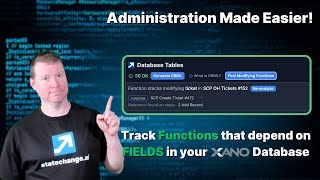
Ray Deck shows how Xano's Pro-plan feature finds functions that write to specific table columns. The tool scans a table, lists each function and the exact steps touching that field, then lets you disable dependencies and re-run the analysis to confirm changes before safely removing or altering columns.
Chapters
Xano works on a tabular database system. That means that the fields are largely known in advance. There's some weird exceptions to the way this works under the covers, but largely we can say that, you know, like this particular table called branch would have these, you know, 5 fields or whatever. And in order for us to make changes to our code, like we want to be making changes to the columns, we would be exposed goes in a couple ways, right? First is when we get data out, and second is when we're putting data into the table. And if we remove a column, we create the risk that we're going to be attempting to make modifications where we're depending on changing one of these fields. So the idea here is how can we figure out what dependencies we have, not just between the table and a function, but actually between given fields in the table and the functions that might be making changes to them. This allows us to make changes to our tables much more easily later on, than otherwise might be the case where like we have tables that are going to have, you know, all sorts of dependencies going down the way. So we have an additional function here for people who are on the Pro plan for finding the modifying functions. And so the idea is if I have a, you know, table like branch here, I can say I want to go find the modifying functions in branch for the field, oh, I don't know, workspace ID. And it'll tell me about every place I have modified workspace ID, right, which is to say in these two steps of this particular function. And now if I wanted to go open that in a new tab, you know, I would be able to find out this particular function call uses these particular, um, uh, you know, making edits, right, to these, uh, this add record, this edit record right down here, right. If I were to click in and I wanted it to no longer worry about workspace ID for whatever reason, I could just say, all right, we'll turn that off. We'll save that and we'll publish that. So we'll make sure we get the right version of it. And then if I want to, I can reanalyze and it'll tell me that only one of the fields is still actually making a modification. This allows me to keep track as I am trying to remove a dependency on a given field as I go throughout the rest of my function stack, which then can lead me to, all right, now it's safe for me to remove that field, uh, from my particular table. Now there are more complexities that you might find. There's still a little bit of friction when you're removing those tables. You still want to do it with some caution, but hopefully this functionality can make you go much, much faster in finding where your dependencies are to be able to make those changes that can otherwise be very painful as we're altering the structure of our tables to accommodate the lessons that we've learned. Because we all know you will build this again. I hope you find this helpful, and let me know in the comments, uh, you know, what, what else you're trying to do with modifying your tables, uh, and modifying your, your database structure in Xano, and where your sticking points are. And we can be, you know, looking into making those things work, either in the context of the Ascension or more broadly with StateChange office hours in our forum.