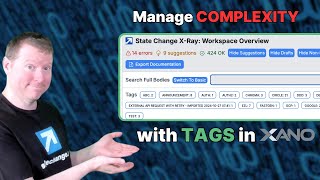
Ray Deck shows how Xano's tagging system organizes large workspaces. Tag endpoints, functions, tasks, and database tables, then use StateChange extension and Command-K search to find them fast. Tagged tables show up as table groups in auto-generated documentation.
Chapters
Xano Workspaces can get really complex, and trying to wrangle the various subsystems we're building within them can become a bit of a thing. You know, like, we have these different pieces, right, that can all relate to each other. We can have endpoints, and we can have database tables, and we can have functions, and we can have tasks that might, you know, interrelate in some perhaps not completely obvious ways to someone who's just looking at it. We can do things like starting to name our, uh, you know, our API groups, whatever, to, you know, use that nomenclature to control. But there's also a tagging system inside Xano that allows us to say that any given function stack or a given table is allowed to be associated with a tag that we can then, you know, connect them with the rest of what we actually have. And this can be super, super handy. So like if I were to click on, say, circle here, I can see there's a whole set of functions and like some database tables all go with my circle tag. Or I can have, you know, certain things that go with state change that include both tasks and functions. Functions as well as database tables. It might all relate to the same subsystem or the same idea. So keeping track of that can be— it just becomes much, much easier. And the— and actually, the state change extension makes it much easier to keep track of things within the tags, and we'll get more of that in, in just a minute here. But like, the way we can add tags within Xano is if we go to any given function stack— like, this is one of my endpoints, this is a public endpoint that we use to share the calendar for upcoming events within StateChange. And the— and here I can have, you know, go to settings and say I can always add description, you know, calendar, you know, in iCal format for StateChange members. But I can also add a tag here. Right. And the tag could be like, I know that this is going to be one of my places. Cancel. We'll say save., one of the places where, like, I know I've talked to Circle, and I also know that I use FastGen. Uh, and so the— what I can do is, uh, open up the settings again and say I want to add FastGen because I'm going to be using FastGen as part of this, and I'm going to be using Circle as part of this. Fantastic. And I can say save. And you'll notice that whenever you add, uh, tags or even this kind of meta information, it becomes part of the unpublished structure.
Of the, um, of, of the, of the function or of the endpoint or whatever. So in order for you to keep it, uh, you need to actually publish it. Um, even if it's not published, the fact that it came in as draft is something that actually the StateChange extension is pretty smart about. You see how it already showed up with the FastGen here?
Um, and the—
and as a result, I can— I could, uh, click that to know more about like the things that came with FastGen. Can undo that and, uh, clear my filters and add FastGen. And right now it'll show me the particular API endpoint that I just tagged up with FastGen. If I want to know everything is FastGen, or everything's either FastGen or Google, I could click on those and sort of put those things together. And this becomes really useful when you want to look at things that are not in the same zone of the software, right? Things that are in the database versus things that are tasks, and you want to connect them. And these tags allow you to do that. Now, in addition to the extension, even if you don't have the extension, you can also use the, the search, which is the Command-K functionality in Xano, to find you know, things both based on their name as well as their tags, which is, um, you know, which is also handy.
Um, but the fact that I can look things up by tag really allows me to connect those disconnected things. And this is all part of the free tier of the extension as well. And part of, you know, my mission is to make it easier and incentivize people to be just providing a little bit more documentation inside their XAML, get some more value from that documentation at the outset so that you're able to, uh, you know, be able to wrangle these things more easily. The extension allows you to look at things by tag. So I can click on FastGen, I look at everything that's FastGen or Google, it sort of links those two things, and then I can, you know, clear out those filters. And this kind of filtering also applies as I look within these subsystems. So if I go over to my database, you know, I can see the various database tables, and I can also identify the ones that actually go with a given tag or what have you. And I'll do you one better, which is if you use the tagging within Xano for your database tables, those will actually show up in your DBML as so-called table groups, which will allow the documentation that gets generated by DBML to be even easier to work with. So hopefully you're getting more incentives now to be adding some tags into your Xano, into your API groups, into your functions, into your tasks, wherever it is that you're doing your work, so that you can more easily keep track of what's going on and understand which pieces go together. Because the more you understand your Xano, the more power you can get out of it. And that's really the hardest 5%.