You Won't Believe How I Documented My Xano Workspace AUTOMATICALLY!
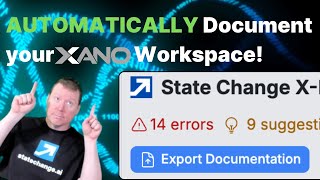
Use Xano's StateChange extension to automatically export your workspace documentation as Markdown, then feed it to Claude or Gemini so AI can answer questions about your setup. Even basic inline notes on APIs and functions make the AI much smarter about your workspace.
Chapters
Let's document Xano. You know, whenever you're working on Xano and you're, you know, popping over to your, you know, APIs or your other endpoints, you are presented with the opportunity to do all sorts of inline documentation, both in terms of the names you're giving to endpoints, etc., but also doing the, you know, putting in description, adding tags, what have you. And this can sometimes feel a little like a little pointless because you're putting them in, and while it helps with the searching, it's like, how do you then turn this into documentation that you can get outside of your system? There's certainly ways you can gain that, like from your Swagger or what have you, particularly for your API endpoints. But how does that relate to your tasks or to the functions you might have in your library? Because all of these things are things that you can document, right? I can go over here to, you know, my, you know, one of my bigger background tasks, and I can add more information into it, like adding descriptions, like, you know, your run runs every 15 minutes to get to, uh, you know, process state change videos, right? And the— and, you know, add tags, whatever. But like, what's really going to be my incentive for doing that? And the, uh, the, the, the key incentive here, uh, is being able to get documentation for your overall Xano instance. And so that's something we now do with the state change extension for Xano. You can document, you know, as you go along, do, do, do, do, and then export a complete view of your workspace as of the current, uh, branch that you're in and the revision of that branch. So I can, you know, if you have the StateChange extension for Xano, you'll now have a button here. It says Export Documentation, and you can click, you can say I want to look at both either my published stacks or just the drafts or my drafts as well, right? So it's whether it's just the published version or layered on top of that is the other. I can click in there. I can decide how much detail I really want. Like, do you want a description of all the function steps? Do you only want the inputs and outputs or just like a real, real summary here? I find inputs and outputs is often a good middle ground for getting started. And then, you know, I can just say go show that in a format HTML, and this will then show it to you, you know, directly inside your Xano. Uh, it's a relatively simple layout, but it is, uh, but it gives you this pretty complete view of like, you know, what are your environment variables, what data sources do you have, and then start to iterate right over your various API groups, um, and your functions and your, uh, you know, basically everything you've got in here except for the tables, because the tables we document using the DBML, which is something I covered in a different video. So basically, this is for the function stacks. Now, this is all, you know, useful fairly immediately to get a picture of how these various functions are going to work. But under the covers, there's something that's even more potentially valuable, which is how— why do we want to document it? We want to document them often to get insight out of these systems so we can ask questions about them. So one of the best ways for us to ask questions is going to be through actually exporting it to something like, you know, an AI system like Claude or Gemini or X or whatever it is you want to use. And the, and, you know, how do you get that now out of your Xano? And this is a feature that we have in the paid tier of the StateChange extension, because when you click on export, and I want to say publish, and I'm going to say show me the input samples. You know, I clicked on Show Format HTML, but I also have the opportunity to say show the Markdown. You see, Markdown is the language of AI. And if you put that into an AI system, it actually has a very easy time digesting and understanding the meaning of it as you have like various heading layers and the tagging. And the way that our extension works is it creates all of that very natively, including things like tags and descriptions and all that good. But because I'm currently on the free plan, I can't do that. So if I click and I just sign in to my state change. Mm-hmm. Now I can go back over here. You can see I'm logged in as me again. Now if I do an export, I can publish and inputs and outputs. And see, now I can copy. Can be copied for AI. Now I can click here and it will copy it to the clipboard, right? You can sort of see it's all the API that looks like. And, you know, it's, it's moderately easy to look at. And then I can bring it over to Claude, you know, I can just do a paste, right? And does that as an artifact, right? So, uh, which, um, uh, you know, which elements, uh, deal with, um, videos?[No speech] And I can ask questions and then to get more information. Now, the more information you give the AI, uh, the, uh, better, uh, it will go, right? So see the videos and some different kinds of things I've got in here. Oh, some they're about processing, etc. And the, um, this, uh, you know, you can ask questions that are, uh, that, that are as, you know, that they're going to make use of everything you've documented inside your Xano. So it will certainly at the baseline tell you everything that exists. Inputs and outputs and like what function steps to use. But the more you document it, the smarter you will make the AI in terms of being able to answer questions. You don't need to even put in a lot of documentation, like, you know, like a sentence or half a sentence each will make a huge difference. And if you do those things, you can be making use of the best AI that you can work with by exporting this information and be able to understand your Xano workspace and be able to make better decisions that will allow you to conquer your hardest 5%.










