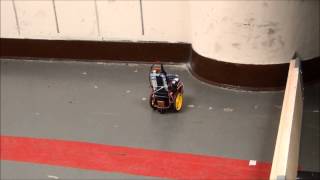
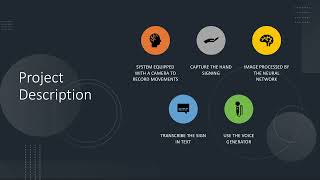
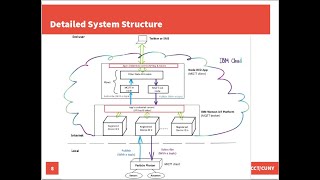
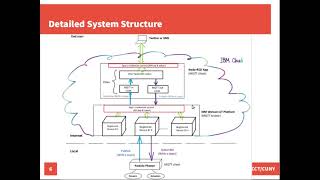
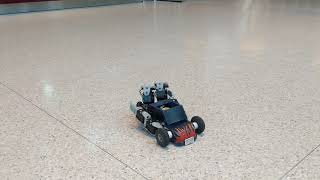
NYCCT students demo a robot built on an Android phone that uses proximity sensors to navigate, captures images every 10 seconds, and streams them over Wi-Fi to an iPhone. The robot stops and hops when it detects obstacles about 15 centimeters away.
Questions this video answers
Approximately 15 centimeters.
About every 10 seconds.
imager006 (example file name).
iPhone 5.
Sent over the robot's self-created Wi‑Fi hotspot; Arduino converts bits into a JPEG file before transfer.
Chapters
For our project, we did a mobile surveillance robot. We used three sensors and a camera. The camera, as it moves, the sensor. The sensor will sense the object around 15 minutes, 15 centimeters. When that happens, it moves to the other side. So it won't. It won't actually hit the top. While it's close to doing that, it takes a picture around every 10 seconds. So right now we will show you. You guys ready? Yep. Turn the motor on. Turn the motor on. Put the motor's on. Yeah, the motors are on. Everything's connected. Everything's connected. Good. Yep. Ready? Go. As you can see, it stopped and now it turns. Now it's going to look at this object and stop. And.
How about taking pictures?
Right now taking the picture is going through the phone. Right now we use the i5. Yeah, thanks.
No, that's good.
And also the side sensor to choose which side to. Yeah.
Oh, this is good. How about a picture? Can I take a look at the picture?
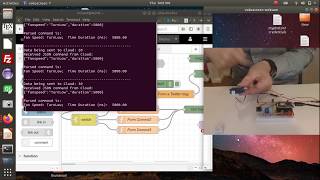
We are receiving pictures right here on the phone as.
So these are the pictures it was sent towards the phone while the robot was moving and was snapping pictures while it's going. And it would live feed right back to it with the WI fi, the network coming back, the WI FI hotspot.
Network that it creates on its own.
And it would just keep going. And then right here would tell you the status of pictures coming in and so forth. And it would just play right here.
It takes a little while for it to download because.
Yeah, it takes a. Yeah. See, it would just.
Too much data.
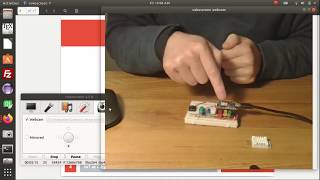
One of the photos just came in. This is one of the files that the Arduino will create, which is imager006 in one of the directories. And it would take a picture. It will send the data into the Arduino as bits and it will transfer into a JPEG file and it will set the file to the phone or to the respond.
So whenever the robot senses the obstacle and then take a picture and send back to your phone.
Yeah, yeah. Also, if you're wondering why both sides is. Because mostly all the way is in the back. Yeah. So it does a little mini hop before turning. After turning, after turning, it's back. Heavy. Let's just put it that way.