City Tech students built ePiggyBank, a smart piggy bank with an Arduino, coin acceptor, and Bluetooth Android app. A quarter triggers 20 pulses, a dime 15, a penny 2. The app displays your balance and can control the motor and LEDs.
Chapters
Hello, my name is Ruby.
My name is Michael.
My name is Igor.
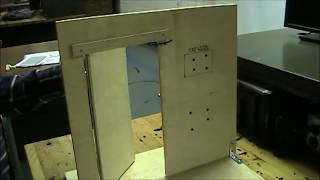
And this is our project named Port Change. We call this project Port Change. It's a play on the name because people usually have piggy banks. And then we decided to modernize it and add circus to it to make it a unique type of pigment. As you can see, there's a four.
Coin type coin selector we bought from adafruit. There's a 16x2 white on blue LCD. We also have two LEDs as eyes.
In the front and also a DC.
Brush motor on the back. In the inside components, there's your basic Arduino breadboards and cables that you show the connection right here.
And also the Bluetooth right here is the app that we use creating App Inventor.
We can connect to it through Bluetooth. And when I put in a penny.
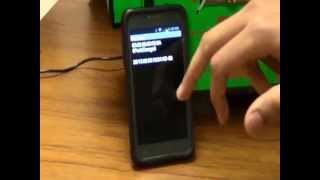
You can see that the LCD will read that one penny was put. And also in the money in the bank. When I connect it to the Bluetooth it will pull up the amount in the bank currently. So when I put in another dime, it will add to the current amount. And in the you can see that it says 11 cents. Also is portrayed on the screen.
How the coin acceptor reads is that there's a pulse sensor in the coin acceptor, so it will read the pulses. So for the quarter it has 20 pulses and for the dime it has 15 pulses. And then for the penny it had two pulses and for the nickel it had 15 pulses. That's how the corning setup will read and then split onto the LCD and to the.
Also from the app that we created, we can also turn on the brush motor and it acts like a tail. So if we turn this on and.
Give it a little push because we.
Didn'T really calibrate the weight, so all.
It requires a little bit push for this moment. And then you can see that the.
Bluetooth will turn on the motor and.
The LEDs in the front.
And then from the app you can turn it on. Also there are two LEDs in the front.
When you insert the coin, they light out. But due to lighting in this building, we don't, we can't really see them.
You saw, we tried with a dime and a penny. Now with a quarter you can see that it adds 25 cents to the current value, making it 36 cents.
And also once you put a quarter in, the tail will move for a little bit of cents.
And the total amount you can also see will show up on the app. And with the nickel it will add 5 cents. And as you see, the tail moved a little bit.