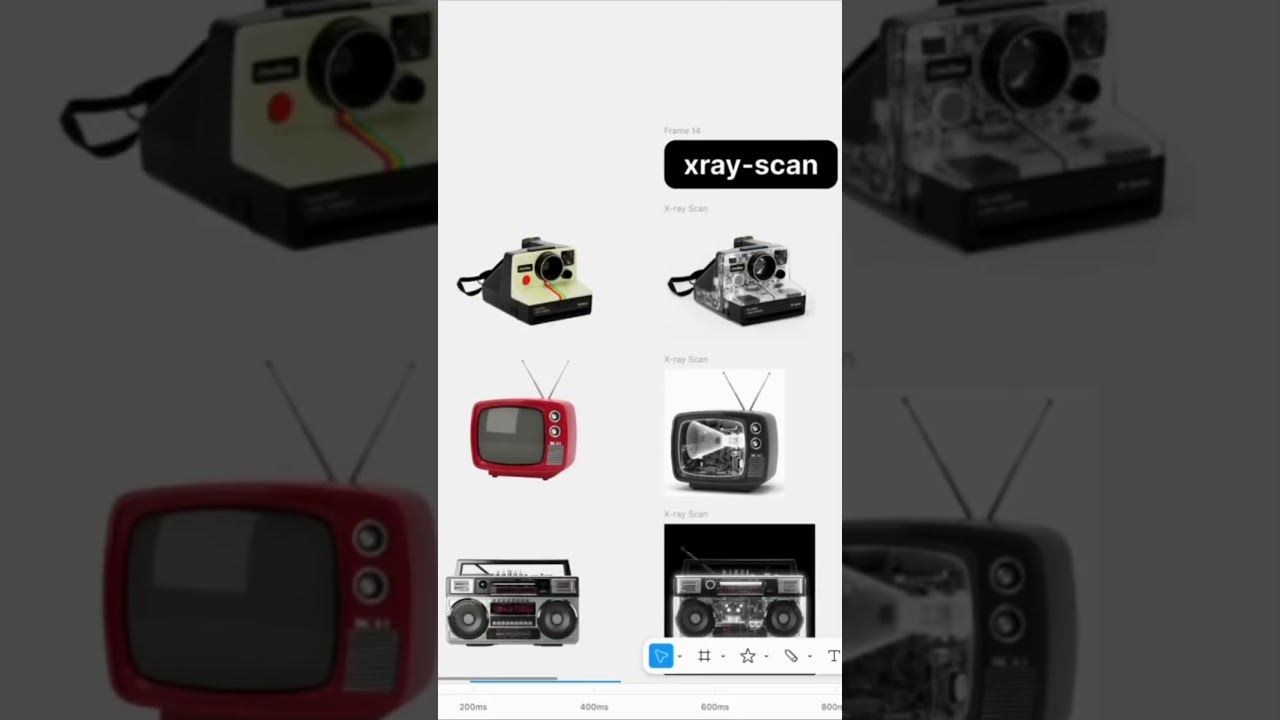
Summer Chang combines two Figma skills to create an X-ray reveal animation. She uses a community skill to generate a static X-ray effect, then builds a custom skill called X-Ray Reveal to animate it. The demo shows why you should watch what the agent generates rather than let it run blind.
Chapters
I used 2 Figma skills to create this X-ray reveal animation. The first one is from the Figma community. You select a frame/X-ray scan. You can start with an image and then make sure to select a frame. Then the agent is continuing working from there. So one thing I'd like to do is read through what the agent is doing, and then I want to understand the process and make sure everything looks right instead of just let it run without knowing what it is referring to. So I also think it's a good way to learn how to prompt. Here you can see the darker x-ray effect is showing already. So the speed right now is 2x. I also tested this with a few different products. If you want to turn the x-ray effect into motion, the revealing motion, I create another skill called X-Ray Reveal. So this example is to show you how you can build another skill by prompting.