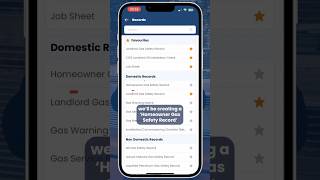
Aaron from Customer Success shows how to create a homeowner gas safety certificate in the Gas Engineer Software app. Start with New Record, pick the certificate type, link it to a job, fill in fields like a paper form, then date, sign, approve, and send.
Chapters
Hi everyone, this is Aaron from the Customer Success team, and today I'm gonna show you how to create a certificate on the Gas Engineer Software app. Let's jump in. Once you've opened the app, you'll be greeted by the home screen. Click new record, select what type of record you want to create. As you can see, they're listed in domestic, non-domestic, and so on. For this example though, we'll be creating a homeowner gas safety record, so I'll go ahead and click that option. Now we need to select what job we're creating the record for. If you've already created this job, then you can go and simply search for it and select it. Otherwise you can add new job. The next steps are just like how you would fill in a normal paper form certificate. So we'll speed this bit up for you. All you need to do now is date the certificate, sign it, and approve it, and then send. If you have any questions, feel free to get in touch or drop a comment below.