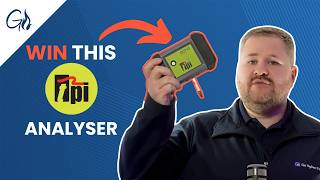
Gas Engineer Software now syncs with TPI flue gas analyzers over Bluetooth, letting you import readings directly into the app. The setup takes a few steps: enable Bluetooth on both devices, create a gas safety record, then use the import button to pair and transfer data. Anton and Kane analyzers work too.
Chapters
Every gas engineer knows that a reliable flue gas analyzer is one of the most important tools in their toolbox. Well, we've got big news for you. Gas Engineer Software now fully integrates with TPI flue gas analyzers. In celebration of the announcement, we'll be giving away one of TPI's DC710 analyzers, so stay tuned until the end of the video for more details on how to enter. So without further ado, I'm going to show you how to use Gas Engineer Software to import readings from your TPI analyzer. Start by enabling Bluetooth on your flue gas analyzer. Older models might not support this feature, so check your device's specifications. Next, make sure your Bluetooth is turned on in your mobile device settings. This connection is key to pulling in your data wirelessly. Now, start by creating a gas safety record within the Gas Engineer software app. When you get to the inspection details for any appliance, you'll see two import reading buttons. Tapping this button will prompt the app to search for your flue gas analyzer. Once linked, transfer your readings from the analyzer to the app. Now, whether you've got a TPI, Anton, or Kane analyzer, you can use Bluetooth to transfer the readings over to Gas Engineer Software as you issue a certificate. For that giveaway I mentioned, all you need to do to win is enter your details in the form below and be subscribed to Gas Engineer Software. Until next time, thank you. Thank you.