Gas Engineer Software now lets tradespeople send automated appointment confirmations to customers with one click, cutting down no-shows. The feature pulls customer email automatically, lets you customize the message with drag-and-drop tags, and is available for Pro Plan users. SMS confirmations are coming next.
Chapters
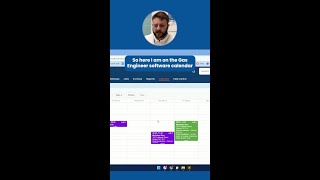
How many times have you turned up to a customer's door to find that they're not even home? Hi everyone, Ben here from Gas Engineer Software. Making sure your customer knows about their appointment is a hassle that no tradesperson should have to deal with. Thanks to some useful feedback from our users, we've developed our brand new appointment confirmations feature. Now instead of having to manually text and remind your customers, you can send them a quick, easy email with a couple of clicks. Let me show you how it works. So here I am on the Gas Engineer Software calendar. So when I'm scheduling a new event, I can come in here, select the job that it's for, and you'll see this new send confirmation button. When I click this, it asks me would I like to email it. We will soon be adding SMS. And then this takes me to the send email screen. So here it automatically pulls in the customer's email address. It will automatically CC in the tenant if there is one. And then here are some details for it to be sent. We hit send. That's your customer sent a nice reminder to let them know exactly when it is so they won't forget. Uh, what exactly do you send? That is a template which you can customize into your settings. So if we head over to service reminders and email templates, right at the bottom here, you'll find the template for appointment confirmation emails. In here you can see the default template that we've provided, but we've also got these handy tags on the right, which you can drag and drop. Into your template so that they— you don't have to retype it every time. For example, here we've got the event date, but we might want to add the event time, so we can bring that in up here and drop that in, hit save. And now every single time you send a confirmation, it will tell them not just the date but also the time that it's for. This feature is all about saving you time, reducing admin, and ultimately providing a better, more professional service to your customers. So if you're on the Pro Plan, log in and give it a try. We'd love to hear what you think. Thanks for watching and stay tuned for the next new feature.