New Account Manager Pathway Template
Wes Spencer walks through two new learning pathway templates for training account managers on the Empath MSP platform. The full template has six milestones covering relationship building, operations, growth strategy, and security, totaling about 34 hours of content. Both versions include "Replace Me" blocks where you insert your own processes and policies.
Chapters
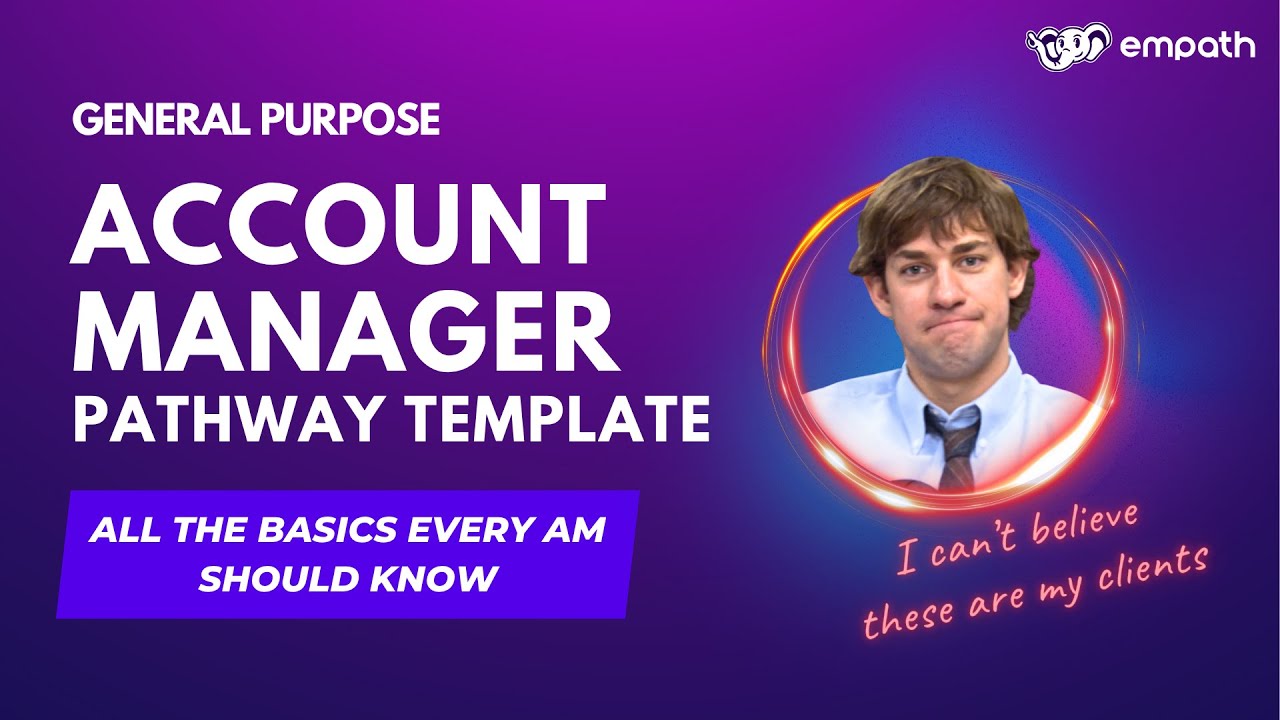
Hey Empathians, how are you? Today I have something kind of exciting because, well, I've been bad at my job. As I've told some of you on your onboarding calls, the reason why you don't see more pathway templates in the platform is because I'm supposed to make them and I end up doing other stuff like going to trade shows and messing around on LinkedIn and getting on calls with all of you. So I actually got some work done for once, and we have some new pathway templates that I want to cover for everybody because I think they're really going to help a lot of you out. What am I covering today specifically? Well, I have a pathway template for probably the most requested overall role outside of a Tier 1 technician, and that's something for account managers and inside salespeople. Because we all have them, we all need them. And I mean, what are you gonna do with them? So I took a stab at putting something together for you. Let's talk about it. So when you log into the platform, and I am here in our famous demo tenant that is full of nonsense, nonsense you may not see in your tenant, you'll head over here to learning pathways. And then you will click on Pathway Templates where I am right now. And you should be able to see these two new templates. I have the proper Account Manager template here, and then I have an edited down Express Edition. And we'll talk about both in just a moment. While I'm here, the thing that you're probably sick of hearing me say, if you've watched these videos, remember app.empathmsp.com, that there needs to be punched through any tracking cookie blocker or ad blocker. That you have running in your browser or outside of your browser. I use tools like Privacy Badger and uBlock Origin because I don't want every website knowing where I went because I don't want Facebook ad rotations on all my other websites. You probably do too for a variety of reasons. You gotta whitelist us. It might break course tracking. Okay, let's get into it. So we now have this account manager. Pathway template here with Jim Halpert from The Office, because I was thinking, who best represents the salesperson we all wish we had? Well, probably not Jim, but he sure is from a culture standpoint the funny one. So let's look at it. This is my first version, and as I have noted, is a work in progress. It will be updated as I add content. Other pathways I have made do get updated. If we go into it, you will see from a familiar look and feel. I wrote this out once again like a project plan, as most of us are comfortable with that language. I encourage you to read through the scope, audience requirements, assumptions, and how to use this. The text isn't there arbitrarily. I know end users don't read anything, but come on, come on, you're not an end user. You're, you're an MSP, probably a manager. You can read. You'll read this. I know you will. And you'll see there's 6 milestones and roughly 34 hours of content. It'll be a little bit longer if you take some of my suggestions. As you get into the pathway, there are a couple of milestones. So we have a welcome to account management and MSPs. I'm assuming here that this account manager is either new to the MSP, new to their role, or we just never bothered to tell them any of this. We then have a milestone. We talk a little bit about relationship building and client advocacy because really the account manager internally needs to be the voice of the client. They need to sound like a shill for your client's interest I want to make sure they understand that. We then have a milestone that covers internal ops and service awareness. I can't possibly manage client expectations as an account manager if I don't know what we do and how we do it. We then have a, a shorter milestone that really covers some more advanced topics around growth, value, and retention. As in many cases, our account manager is also kind of the de facto VCIO light and does a lot of those motions in our MSPs. We have a milestone covering just the basics of risk security and just kind of modern expectations of working with an MSP and an SMB. And then I have an optional milestone on this that just covers a little bit of marketing and brand advocacy, as I found that in most organizations, vendor or MSP, people in the account management or client success role naturally end up doing a little bit of marketing and brand advocacy. And if that applies to you, I put a couple of things in that milestone. If you don't need that, you can just delete it out. As we get into it, you'll see familiar that I am asking you to replace certain things with your own content. I don't work for you. I don't know how you do it at your MSP. And that is critical to really have an employee fully understand how to execute their role. And for an account manager specifically, who needs to be able to communicate the value proposition of your company, constantly and always needs to be able to explain the why very, very quickly, reactively, whenever a client needs to know. This is super important. So if you blew off putting in an intro to your MSP with sort of mission, vision, values, and the why on my Tier 1 pathway, I really wouldn't blow it off here, and I would record it and put it here. Getting into it, you'll notice I have a new replacer here where I'm encouraging you to go in and actually make some content explaining your client's market and role as an account manager. They need to know a little bit more about this than somebody who's just working the help desk. We really wanna educate them on who our ideal client is, who our total addressable market is, why, how that comes together, what clients they'll be working with and why, and kind of how they fit into the whole process. You'll notice we hit them right away with explaining how the revenue lifecycle works at an MSP, because that is really important in this role. An account manager at an MSP will be in charge of a little bit of expansion in terms of selling upgrades and refreshes, but really they're there to farm the revenue lifecycle and make sure the crops don't die, right? That's so important that that account manager understands how we make money, how the client pays us, why that matters, because because it's their job to protect that and their job to really keep that alive and warm. So we want them to learn that quickly. We then get into some advanced QBR strategy, which really shouldn't be named advanced QBR strategy. This course is really just QBR strategy, as your account manager will likely be involved in whatever you consider to be your QBRs. And then we have some communication courses. Lastly, I have a suggested bit of off-platform content. There's a really great live call that Kyle and Alex did a number of years ago before Empath that really covers the concepts of sliding into this idea of account management. It's a great way to round out that first milestone. Moving forward, we get into relationship building. We're starting off talking about empathy, how we create raving fans. I suggest you import this Don Crowley playlist. Don Crowley is amazing. If I could get Don Crowley to make me courses, I would. You should buy Don's book. Don is one of the best resources in the entire industry for how to deal with and speak to people who are upset. And that is going to be a large part of what your account manager does. We have the amazing Robert Gillette giving his Building a Culture of Practice because account managers rehearsing what they do and say is so important and it allows them to support the service and the sales team. We have some avoiding customer repellent practices and then we round this out with another live classroom episode, really talking about the art of QBR and tying back those roleplay concepts. Moving into internal ops and service awareness, this is going to feel a little bit like a technical training for just a tiny bit. We want to go over at a high level how a ticket moves through a typical MSP, because that's important for that account manager to understand. And you'll see right away I'm asking you to provide how tickets move through your MSP. They need to know that.. And if you don't have that written down, well, this will be a great chance for you to write that down as you fill in this Replace Me block. We get into the course we call Time Tracking, but it's really more about why do MSPs track time to begin with. It is our cost of goods sold and our inventory, and an account manager needs to know that because this course, more than any other course, is going to help them understand why the service department is sometimes going to be really crabby about things. That the account manager wants to see happen or the client wants to see happen. We've got our Introduction to SLAs for MSPs because this course is fantastic about teaching somebody how expectation management works. I want you to let us know what your SLAs or SLOs are. We have my Capacity and Availability course, which might seem weird. This is kind of a service manager course. Why would we have an account manager watch this course? I want them to get into the brain of of the resource planning side of the business, because there are going to be times where your resourcing fails, and that will upset a client. Some people will be out sick, there'll be a major incident. We want the account manager to naturally understand that this was an exception and why, so they can smooth that over. And you'll see I'm actually asking you to define what your staffing and capacity model is for that account manager. We then threw in this wonderful short course that Adam Hanneman made for us about life as a project engineer, because account managers often are involved with sort of pushing along projects. They may not necessarily sell them, they may not manage them, but they're always involved intrinsically in just making sure projects happen. And I think getting a little taste of what goes on in the project engineer's mind is really helpful for that account manager. And you'll see another replace me I just want you to define at the most basic level, how do we do projects here and what's the account manager's role? And we ran out this milestone with another livestream, in this case, really helping kind of can think about how does a service manager and an account manager, how do they talk to each other? Where do they conflict? Where do they get along? What are their shared interests? And really it's a wonderful discussion that Kyle and Todd Cain put together. That walks you through that and can really help an account manager think critically about what language to use and what language to encourage the service manager to use so they can work better together. That gets us into growth, value, and retention. And this is a tricky one because I want to put some fun things here to uplift your account manager skill set, but I don't want to push them too hard and start treating them like they're actually a VCIO because, well, you probably would have called them that if they were a VCIO. And we'll make a pathway for that later. So this is basically a VCIO light milestone, just a little bit. We've got Nat Lynch, who is amazing, and if you have not heard Nat Lynch speak live, you need to go hear Nat Lynch speak live, just talking about what goes into being a VCIO, because I think that's important, because your account manager is going to do a little bit of it. We have Craig Anderson talking a little bit about how to kind of operationalize being successful Successful as a VCIO, which are all of the same strategies you need as an account manager. We have Ned's course on critical thinking as a VCIO, which is probably the most important course in this milestone, because as an account manager you need to figure out business outcome, and a lot of our clients are not going to say that clearly. So being able to think critically about what the client actually needs and reframe the conversation around that is so important. We've got the budgeting component of the Advanced QBR Strategy, because that is a part of a QBR. And I'm sorry if you've made it up until this point without ever having to do math, account managers. You can have to do a little bit of it. We've got Building an MSP Revenue Engine. I want account managers to think a little bit about how their role can really contribute to growth at the MSP, not just maintaining the status quo. They really do play an important role in being able to grow the the business, and I want them to understand that. We have top 10 reasons your cyber sales fail because, well, your account manager shouldn't be selling cyber, but I know all of you and you're gonna make them do it anyway, so they need to learn a little bit about it. And we round this out with another live stream talking about the QBR maturity model and really where it's come and where it's going and how we need to start thinking about this more than just a bunch of reports. That brings us into the last official milestone, risk security and modern expectations. As I said a minute ago, Your account manager is going to get asked about security and risk mitigation. It's 2025. Your clients are worried about this. They are going to ask their person, who's your account manager, about this. Your account manager needs to understand the basics. They don't need to be able to teach, they don't need to be able to be the security expert, but they need to understand the basics. So I grabbed a few things here that I think are really important. We have an introduction to the NIST Cybersecurity Framework because it is the safest easiest, most friendly, play school edition version of all the frameworks. So it's a great place to start, and it's the one that is least scary to adopt at your MSP. We have here a replace me block where I just want you to define a little bit what your current risk and cyber mitigation stance is, and that may be nothing, and that's okay. I just want that written down so they understand. We have an introduction to security awareness because security awareness and security awareness training are one of the most common add-on things that we bring into a client that currently has no security products, and your account manager will almost certainly be involved with making sure that rolls out properly. We have AI in the MSP business, and I hope to get you some more AI courses in here eventually because whether we like it or not, that's where the industry is going. Our clients are asking us about AI, and they're going to ask their account manager, and we want them to have the basic tools to be able to have that conversation. We've got Jesse Miller's amazing Risk 101 class that just kind of covers the concept of risk. We have Introduction to Risk Management, so that then the account manager thinks a little bit about how the MSP is managing that risk. We have What MSPs Need to Know About Data Privacy, because like it or not, that's what's going to get you bit in the butt and probably get you sued into oblivion. Is when something that shouldn't be made public is made public. And I want the account manager to understand that so they know when that's actually happened and when it hasn't. We have from Tech Partner to Cyber Ally, which is one of two live streams I put in this section so it wouldn't be too boring for the account manager. It really talks about how we move from being just the people who fix stuff to their cyber ally. And then we have talking the— tackling the top 5 client security objections, because as we said earlier, your account manager is going to play a role in this whether we want them to or not. They should understand why clients object to security controls in our security posture and how to overcome them. Lastly, we have this optional milestone on marketing and brand advocacy. As I said, very often this role ends up being involved here. I kept it pretty thin. I may add some more here later, but we have a live stream that talks a little bit about true differentiation in your MSP marketing, LinkedIn marketing for MSPs, because your account manager probably will be using LinkedIn, MSP growth through enhanced content marketing, just to kind of plant that idea in their head, especially if your account manager eventually wants to help you make more decisions around either the marketing company you're using or your internal marketing process. And rounding that out with building your social media presence. An important component of being an account manager is being able to not only build their own social media presence, but build a relationship with the clients where the clients consume social media, not for advertising the MSP, for the account manager staying up to date on what the clients are actually up to in their industries. I think that's for now just enough for the marketing component to help out that account manager. Uh, as a reminder, if you want to go ahead and use this pathway, which needs to be customized when you get here, you're going to go to the ellipses in the corner, you're going to hit use as template, that will make a copy in your instance. And then you're going to go ahead and edit it. And when you're done, you'll unflag the draft button here, and you'll publish it. Make sure that you give it a good name. Because if you don't rename it, and I make an update, you will have version control issues, especially if I forget to update this number. So you may wish to rename it, read through everything, it's all editable. And remember, in all of these replace me blocks, I've gone in here and I've given you instructions. I haven't abandoned you. I've really tried to lay out for you what I think you should do, what to cover, what types of information to put in here, uh, some bonus content ideas if you're feeling especially motivated or you want to delegate. And I've even tried to start putting in some ideas around how you could start using our knowledge check feature to add in little checks and balances. You'll see here, for example, I'm basically saying that I want you to, you know, use a knowledge check to confirm who they report to and what decisions they're allowed to make. That's pretty straightforward. That doesn't take 20 questions to do. And I gave you a couple ideas on next steps on what you should do and what the account manager should do. And you'll see a lot of these replace me prompts, I put a little bit more work into actually giving you some instructions. So make sure you read that. That is the customizable version, the version that I hope many of you will use, but I do understand that not everybody has the time to edit or customize things. That's tomorrow's problem. And for those of you, I have started putting together what I call the Express Templates. So the Express Template has Dwight Schrute from the office, because we all know that Dwight would not be sitting around recording videos in the office. That's silly nonsense work for nerds. Dwight would be selling. So Dwight's not going to customize anything. So the Express Pathway template here, very similar, all the same content, but all the replace me blocks are removed and all the off-platform things that I was suggesting have been removed as well. And I cut out the optional marketing milestone as that's optional. And I did want you to think and consider if you wanted it there on the Express template. Yoink. It's gone. Don't have to worry about it. So this is ready to go if you simply want to take the Express template and you can go up here and just simply hit assign the pathway and assign it to the person that you want to start working on it. So hopefully these two pathways will be of use to you. I will be updating them as I add more content and as I find external content that I really feel adds value. Please give me your feedback if you find any content out there on the internet that you think is so good everyone on Empath could benefit from it being in one of these pathway templates, shoot me an email and let me know. And as always, if you need help with any of this, grab some time with me. Booking links are in the template. I am happy to jump on a call with you and help you strategize or plan how to roll this out. Keep learning, my friends. And finally, we have something for our account managers. I promise I will get to sales and service managers soon. Hang in there, friends. Take care.