Ad Copy, Split Testing & AI for Google Ads
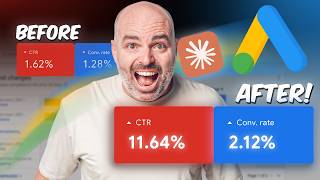
Aaron Young shows how to write Google Ads headlines that convert using a four-part framework: keyword focus, brand mention, call-to-action, and emotional trigger. He walks through using Claude or Gemini to generate variants from your account data, then split-testing them in Google Ads. One client's click-through rate jumped from under 1% to over 10%.
Chapters
Performing the simple task of writing better ad copy and split testing your ads is still one of the easiest and most effective ways to drastically increase the performance of your Google search campaigns. Because even in 2026, most business owners and advertisers who are using Google Ads are still really, really lazy when it comes to taking the time to write high-converting ad copy headlines in order to improve your conversions inside of Google Ads. And year over year, this has gotten even worse with people just relying and thinking that, well, Google has responsive headlines, I can put 15 headlines in there and Google will just work out the results for me. Sadly, that is not true. But the good news is, if you are a business owner or a Google Ads professional who is prepared to put these frameworks in place, you can see drastically improved results just by simply going through and writing better ad copy and also completing a regular systemized ad copy split testing process. So in this video, I'm going to take you through the exact process that we use to write better headlines and Along with that, I'll also be taking you through the exact split testing process that we use inside of Define Digital Academy. And it's this data right here, which I'm about to show you right now, is why I'm so passionate about ad copy and completing a split testing process inside of your Google Ads accounts. So what you're looking at here is this is a business that joined our on-demand program last year. And as you can see, before that, they had a really, really low click-through ratio, below 1%. We then went through and increased some round of testing. And by October, we had their click-through ratio up above 10%. They only started with us in late August, so we went through our ad copy process, and as you can see, we saw immediate results. Now, it has dropped a little bit. That's because of two core reasons. One reason, we have across the board seen lower click-through ratios with the introduction of AI mode and AI overviews. But the other core reason is, as you can see, yes, click-through ratio is more important, but the core thing you are looking at is your conversion rates. And as you can see, we've also been able to skyrocket the conversion rate up to now above 8%, whereas when they started, this was just at the 1%. So that's why ad copy is so essential for success with Google Ads. Now we're going to stay in this screen share because I'm super, super excited about what I'm about to show you right now. And the reason for that is because in order to write proper ad copy, you do need to go through quite a bit of research so that you can actually find out what are the pain points and making sure that your products and your solutions in your headlines are actually speaking to your customers' core pain points. And the process which I'm going to be taking you through really, really quickly is going to be using our AI toolkit, which is built off all of our frameworks that we use here inside of Define Digital Academy. And I'm going to take you through this process real, real soon. And it's a tool which is called our Ad Copy Writer. I'm going to show you how that all works. And this is a tool which is only available inside of Google Ads Mastery. But because you are a supporter of mine here on YouTube, I do want to give you access to this free tool, which does give you access to the keyword and search terms audit. So it does do a full analysis of your account. You add in some search terms, you add in your keyword data, and it gives you a full analysis of where you can see some improvements in your current campaigns. Now at the end of this video, I'll also show you a full video that we've recorded on how to use that. But if you wanna get access to this tool right now, all you need to do is to follow that link in the description below and you can get access to our Google Ads optimization toolkit. All right, let's get back to ad copy. Now before I take you through the actual process of writing ads, there are some important frameworks that I need to take you through. Because when it comes to ad copy and Google Ads, there's 4 essential elements that needs to be in every single ad. Now the first one is quite simple, that is you need to have a keyword focus. And secondly, you should also have some level a little brand mention in your headlines. For those two, most businesses get them. Now, I'm not saying it's not important, but that's probably one of the fall downs of most Google Ads headlines, is that they are purely just a collection of keyword focus and brand, and there might be a soft call to action. And that's the number three that you need for a successful Google Ads headline. You need to have a really strong call to action. So the top three elements for your ad copy headlines is you need to have that keyword focus, you need to have that brand mention, You also need to have a strong call to action. And the fourth one is where most people fall down. And this is where you need to have an emotional trigger. What you wanna be doing is you wanna be really driving in on what are the core pain points or desire points that your perfect customer needs. And you need to make sure that you articulate that inside of your Google Ads headlines. Now, the thing that we really wanna avoid when it comes to writing headlines for Google Ads, you wanna stay away from this wishy-washy, you know, we're number one, We're the best. And that's why it has to be emotional. And the best way of doing that is by including objective facts. And what I mean by that is rather than just saying, we are the best software or we are the best product, you need to be, where possible, aligning a percentage or a dollar value to that. And this is the process I'm gonna be taking you through. Before I do that, what I want you to think about is this. When it comes to writing headlines inside of Google Ads is that you wanna say something that your competitors can't say or that they won't say. Really what you want, remember, when people see your ads, you want to raise enough curiosity so that they are compelled to click on your ad. With all of that said, let's now get into the actual process that we use for writing headlines, and I'll explain this as this prompt runs. And then remember, we will come back and I'll also take you through that ad copy split testing process. I'm going to explain this because obviously this tool is only available inside of Define Digital Academy, our Mastery program, but I'm going to show you how this works so you can replicate it if you wanted to. What you need to do, so for us now, we just go into Claude and there's a prompt that go through and run, and it's gonna start coming through and asking some questions. Now, obviously, the reason why we prefer this one is because it's a lot faster, but this is the same process that you wanna go through. You wanna firstly go through your discovery phase. What is the core offer or product? What pain point or desire does it address? Are there any unique selling points? Remembering, we wanna put specific stats, savings, or guarantees. So really looking at claims that competitors can't make. Who is your target audience? Are there any forbidden keywords? What are your primary keywords? And then your landing page URL. And then also what you do need to do is also go through your current ad copy. So what we're going to do right now is I'm just going to go quickly through, add these details, and then we'll press go on the prompt. What I did here is because we've already run this previously, so I just copied in all of that information. But remembering what you want to be adding in there is you want to be going through and adding in your target audiences, your product and services, and don't forget to put in those unique selling points. Remembering you want to be able to say something that your competitors can't say or won't say. Now the great about the way that we've created this prompt is, as you can see, gave you a list of 7 things to add in. So it's just a matter of adding those things in. What we'd also recommend as well, and I'll add this in through here, we also recommend that you go through and add in your actual ad report. Now while that's running, I'll let you know how we've gone through and done that. And the easy way that we went through and did that is that when we're in our account, we went to the ad report, we then just go down into here and you go download. We downloaded that as a CSV and then we uploaded that obviously into Claude. And this is what's so powerful about using a tool like Claude to help with your Google Ads account optimization. Because this was usually the thing that stopped people from really going through and doing some deep analysis as to what's going to be working inside of Google Ads. Because what we've done here is that Claude has now gone off and it's taken our product data, it's taken our unique selling points, it's even gone through and had a look at our landing page, and then it started to bring back what are some things that we can say inside of our Google Ads account, especially our headlines, that other businesses can't say. And as you can start to see from here, it started to go through and give us some really, really clear recommendations. And it's really broken it down into these different categories. So what are some different emotions that we can pull out on? I've had to hide some of the sections of this report for obviously privacy for the business that this is on. Then it's also started to bring some social proof authority angles. It's also brought out some specific angles for this business. For this one, they're quite unique in that they're able to offer some fertility services. That other competitors can't. Then there's also some other ones in terms of some specific conditions. So you can see from there that straight away we got about 45 new headlines and 45 new descriptions that we can use and start testing. Now with these headlines that Google has given us, we're not saying that you run with them straight away. There just may be some themes that you may want to use. Quite often what we'll do is we'll pick out 5 or 6 of the top headlines that we really like. Sometimes we'll ask Claude to do some extra iterations. We may even put it into another tool like Gemini to come up or some other extra headlines that you wanna use. If you're working with a business or internally, if your business has things like customer avatars, you can also upload this into our Claude tool so that you can then get that extra information to really, really write headlines which are specific to your customer. Because let's not forget, when it comes to Google Ads, the key for success with Google Ads, it's not just about your keyword targeting and your audience targeting. If someone sees your ad and they're not compelled to click on it, your click-through ratio drops. Now remember why click-through ratio is so important inside of Google Ads. Remember, that is how Google gets paid. Google gets paid when people click on your ads. If you've got a lower click-through ratio than your competitors, your ad is not as appealing for Google because it's getting a really strong signal that your ad is not relevant because we show it and people don't click on it. Now what we also do from here internally at Define Digital Academy, we also create Google Sheets so that we can then also see what we've tested, what we haven't tested before. But the beauty of this is that in about 15 to 20 minutes of working with a tool like Claude, we can get a whole collection of new headlines, which is going to allow us to do split testing for the next 3 to 6 months. So that's the first part of the process. You need to come up and write headlines that don't only have your keyword focus, don't only have your brand mentioned and your call to action, you also need to make sure you've got that emotional trigger, which is really aligning your product and services with users' pain points. It's important to remember this, that even though you may have some what you call killer headlines, ultimately it's not battle tested or data tested. So what we want to go to now is I want to show you through the ad copy split testing process that we still use inside of Google Ads. Can I be on the record that's saying even now in 2026, we still believe that you should be running a really strong split testing process. And the reason for is because ultimately we still see better results than just putting 15 headlines in and leaving it up to Google. All right. Firstly, what I do want to show you is that inside of your current ads, if we just show you the view, the asset details, the reason for why that we still really, really strongly recommend that you do use these headlines. You can see for this ad we've only got 10 headlines, but I want to show you what happens very, very quickly is that Google decides what is the best. And you can see from here, these bottom headlines are just getting no impressions at all. What I also want to show you with our split testing, so I'll just also show you some paused ads. I want to show you some of the difference, and this is about 3 months of split testing process that we've gone through here. And you can see these are the current ads that we have live in this campaign, and you can see we've still got to run this test a little bit longer because this secondary ad only has 83 clicks. So you can see here that this ad has a lot of potential. The click-through ratio is slightly under, only a 6% versus an 8.6%, but we're looking at a really, really significant gap in your conversion metrics. So We've got a 9% conversion rate here and only a 5% conversion rate here. We need to come back and have a look at this data. Once again, that's off a smaller data pool, but that is looking promising. And what I also do want to show you, that as we've gone through this testing process, so you can see at the moment some of these ads that we've been running, when we first started them, we're getting conversion rates which was significantly lower, 2%. So we've been able to drive our conversion rate much higher, up to the 5s and the 9s. And also our click-through ratios, remember they started at, you know, well below 1. We're able to very quickly get it above that 7 to 8%. All right, so let me now talk you through the process of how to practically do an ad copy split test inside of Google Ads. So the first thing you do really wanna make sure is that you're only running 2 ads per ad group. We've found very much that if you have a 3rd and 4th ad, they just do not show. Google very, very quickly will just filter out the bottom 3rd and 4th ad. And you also really wanna make sure that there's only one core difference between these 2 ads. Now the reason for why that is really important is because when it comes to assessing what is the winner ad and what is the loser ad, if you've got, you know, far too many variables, you just don't know what is really driving the needle for extra conversions and extra clicks. So for us, it's all about layering on those different tests. So let's go to the last 30 days, and what I want to show you in through here, currently in this ad group, what we're actually testing, we've already found out that these ads perform better with dynamic keyword insertion pinned into position 1. That was one of the earlier tests that we run. So both of these ads have keyword focus pinned into position 1. We are now testing a different set of emotional triggers, and what we'll eventually do is once we find that winning emotional trigger, we'll pin that into position 2 and then start testing around some other different headlines in our secondary ad. So it's really important that it's really, really clear that you know what you're actually testing. And then from there, what you can do is that once you run a successful test, you can take the learnings from that ad and then move over to do another secondary test. So the way that you actually go through do this, and this is really, really important, is that if we were to— let's just say that we would decide that this was the winning ad— what we would do, we'd click on Edit, we'd go to Copy, we would then go through to Paste. And it's really important when you do go through and do this Paste option that you make sure that if— where it says here, if the ad already exists, create duplicate, and then you can go through and paste it into that selection. What we then do from there is that we pause the underperforming ad, and then when that new ad appears, we go through and make that one change. And that's the process that we go through for split testing with our ads inside of Google Ads. Thank you for joining me. It's been my absolute pleasure having you here. Now remember, if you'd like to get access to our free keyword optimization tool, which also does a SWOT analysis inside of your current Google Ads account, all I want you to do is to follow that link in the description below. And we've got the Claude version, but I've also included a link so you can use the Gemini version if you prefer to operate on that platform. And also, throughout that video, I did call out that I was going to show you where you could watch the full video on how I use Claude with Google Ads. If you want to go through and watch that video, I want you to go through and watch this video right here. Thanks for joining me. My name is Aaron Young from Define Digital Academy, and I look forward to seeing you in this video right now. See ya.








