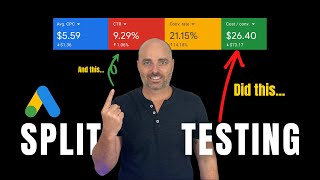
In this tutorial Aaron Young explains why split testing remains essential for Google Ads performance, especially after Google retires expanded text ads on July 1st and shifts to responsive search ads (RSAs). He shares his own 90‑day test where cost per conversion dropped from $47 to $23 and conversion rates rose from 14% to 22%. Because RSAs let Google automatically choose headline and description combinations, the platform’s built‑in testing requires 5,000 impressions per ad over 30 days—an amount most accounts can’t meet. Therefore, Young demonstrates a manual split‑testing workflow: duplicate an existing RSA, edit the copy, use pinning to lock specific headlines or descriptions to positions, and pause the original ad so the two RSAs compete. He walks through pinning the third headline to test “request a free demo” versus a price‑focused line, showing how to set up the test, save, and let Google serve the ads. The video concludes with a free Google Ads Optimization checklist and a link to his “Ad Copy Secrets” video for deeper headline‑writing strategies.
Chapters
Completing proper split testing of your ads and Google has always been one of the essential items to make sure that you're going to have a successful campaign. And even today, it's still one of the best ways that you can increase your conversion rates and also increase the total performance of your account. And the reason why I know this is because over the last 90 days I've been running various split tests in one of my campaigns. And these ad copy split tests have taken my cost per conversion or my acquisition cost for each conversion for from $47 all the way down to $23. And this means that we have cut acquisition costs in half and reduced the cost per lead by an amazing $24. And over a 90 day period, those numbers can be life changing for a business. So in this video I want to share with you the good news that even though Google is removing the ability for us to be able to edit or create new expanded text ads after June 30th this year, I can assure you that from July 1st, you'll still be able to effectively split test your ads in Google. The reason for why split testing your ads in Google is such a powerful tool and will continue to be a powerful tool in Google Ads is because split testing your ads lets you know which headlines and descriptions give you higher click through ratios. So the amount of people that see your ad versus the amount of people that actually click on your ad. And it also lets you know which headlines and descriptions are more likely to drive conversions. And that is why you need to be continually running split tests through throughout your account. And just in case, if you're wondering what is Google actually changing from June 30th this year? And the difference is is that after June 30th, you will no longer be able to edit or create new expanded text ads. Now the way that expanded text ads run is that you enter in your three headlines and your two descriptions and then Google will show those headlines and descriptions in the exact order that you place them into Google. And those expanded text ads are being replaced by responsive search ads. And with this type of ad you get up to 15 different headlines that you can enter and and four different descriptions. Now the user will still actually only see three headlines and two descriptions. But with responsive search ads, Google decides which three headlines and which two descriptions to show and also which order to show them in. Now from the outside, this might sound amazing. Who would be better to run your split testing other than Google, given that they've created and they manage the algorithm. The problem is though, is For Google to properly complete the split testing, it needs 5,000 impressions and 30 days. And the issue with that is, is that the vast majority of accounts do not achieve 5,000 impressions across their whole account little line in a single ad group. Because remember that 5000 impressions needs to happen on an individual ad. So this means that without manual split testing, your account will just continue to go through an endless learning loop, never knowing exactly what are the best headlines and descriptions which are going to give you those highly important click through ratios and conversion rates. So that is why in this video I'm happy to show you the exact process that you need to undertake in order to split test your responsive ads right now. But before we jump into that screen share teaching, in case we haven't met yet, my name is Aaron Young and I'm your 15,000 hour Google Ads master. And I've been creating and managing successful Google Ads campaigns since 2010. So if you'd like to learn more about how you can use Google Ads to grow your own business, why don't you give me a quick subscribe right now? The thanks. So let's firstly go through the benefits of split testing and the kind of results that you can see by running proper split testing in your account. So this is looking at the results from March through to May and you can see here that our cost per conversion is at $47 with that conversion rate at 14%. And then when we went into our second round of split testing and this is over the last 30 days, you can see that we actually reduced that cost per conversion down to $26 and the conversion rate up to 21%. And then as this split test has continued, we over the last seven days we've actually dropped that cost per conversion down to $23 and increased that conversion rate up to 22%. So that is the type of results that you can see through proper split testing. Now let's talk about how you go through the process of completing your split testing in Google Ads, even with responsive search ads. So the whole idea of split testing is you want to be testing different headlines and different descriptions. Now with the old format, this was quite easy and in that you would run two or three ads and you'd put your different headlines and your different descriptions. But obviously with responsive search ads you don't have full control of the headlines and descriptions and how they show and how they appear. But even after the change from July 1st, the way that you can go about this is two options. Firstly, you can just go through and click this blue Create an ad button. But if you don't actually see that, because I am aware that this does not always show, the easiest way to do that is, would be to click this ad, which is the responsive search ad. Click Edit, then copy. And then you want to go over to these three little more options buttons. Click Paste, make sure that it's in the correct ad group, then click Done. And what you want to do is you do want to go up here and select this option which says that if the ad already exists, create a duplicate. And then you'll get this notification saying that your ad has been pasted. And you can see we've now got this third ad in here. So what I want to do now is I want to go through and edit this ad. And what we want to start doing is we want to make some changes to this current ad. So we don't want the ad to be exactly the same as the other responsive search ad. Now, with responsive search ads, there's two ways that we can go about this, is that we can actually add in some pinning. So you can see with this ad, we've actually pinned in this headline to position three, and then we've also pinned in these keywords into position one. So that means when we're going through the previews, you can actually see that the only headline which changes is that middle headline. Headline 2. So the first headline will always show a keyword focus, and the third headline will always show that from just $39 per month. Now, that is one of the current split tests that we've been going on. And in this current split test, it proves that that was more successful. So what I want to do in this ad is I want to run a test where I'm actually testing and trialing a different third headline. And the one that I want to test is actually this request to get a free demo. So all I need to do is to pin this into the third position and then remove this one. So you can now see that this ad is now saying, request a free demo instead of what it was previously, which was from that $39 per month. Now, if I wanted to as well, I could also add in some extra second headlines, say, for example, empower your fitness business. But for this split test, the main thing that I wanted to test is what works better in that position three, that request a free demo, or whether it works better to put that dollar amount where we're saying it's just from $39 per month. So from there we just press save the ad and then What I want to do is I want to actually go through and pause this other ad. And then from here, once this ad is approved, we will now have two different responsive search ads going up in a split test between each other. With the main thing that we're testing is that third headline. So I hope right now that you can actually see the power of why you need to regularly split test your ad copies and in your Google Ads campaign. But I do want to stress that split testing your ad copies in Google Ads is only one of the core optimization actions that you need to be completing every single month in your Google Ads account. And to help you with this process, and to make sure that you know exactly what you need to optimize in your Google Ads account every single week, month, and also every 90 days, I want to give you my free Google Ads Optimization checklist. And if you would like to get this checklist, all you need to do is to follow the link in the description below. Now, the final important step to be able to properly complete a split testing process in your Google Ads account is that you also need to know how to properly write and structure your headlines and descriptions. And that's why I put together my Ad Copy Secrets video which you can watch right here. And this goes through my top two proven strategies that will help increase your click through ratios and your conversion rates. And I look forward to seeing you in that video right now.