How to Optimise Google Ads in 2026
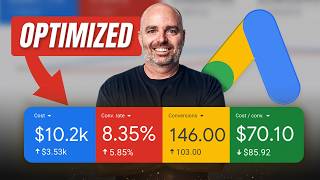
Aaron Young breaks down Define Digital Academy's Google Ads optimization framework: triage campaigns by spend and cost-per-conversion, diagnose problems using 90/60/30-day time windows, flag red flags with specific metric thresholds, then apply fixes like ad copy tweaks and bidding adjustments. Wait 30 days for ad tests and 4-6 weeks for bidding changes to show results.
Chapters
In this video, I'm gonna take you through the exact framework that we use internally at Define Digital Academy in order to optimize and supercharge the results of the Google Ads campaigns that we are helping businesses like you run and manage every day for their own businesses. So what we're gonna be doing in this video is I'm not only gonna be taking you through the core metrics that you need to look out for, and then once you find those metrics, I'm also gonna show you what it means and what that data is telling you so you know the exact optimizations that you need to take. Because the biggest problem that I see, unfortunately, time and time again when it comes to optimizing your Google Ads campaigns is that people play whack-a-mole when it comes to Google Ads in the fact, in the sense that they don't have an overarching strategy or principles for how they're not only gonna view the data inside of Google Ads campaigns, but— Yeah. More importantly, how they're gonna optimize it. So as we go through this process, rather than me just showing you how to complete some optimization tasks and talking you through some data metrics, I wanna talk to you and emphasize about the principles of what it means to have a clear strategy for optimizing Google Ads campaigns. And of course, this is gonna be highly relevant for 2026. Now we're gonna jump into a screen share real, real quickly because I want this to be a super, super practical video for you where I can show you some real life accounts. It just makes a lot more sense as I'm walking you through the data. Data. But, but before we get there, I do want to share a tool that we are now using that has completely revolutionized how effective we are in optimizing our Google Ads campaigns. And we're calling this our Keyword and Swot Term Analysis Tool. Now, we've built this with my own principles, and what it allows you to do is it's a tool inside of Claude that you can then go and use in your own Claude account, upload your own data, interact with it so it becomes specialized to you and your business. When I was creating this tool, there was a couple of frameworks that I wanted. One, I didn't want to have people have to worry about linking up their Google Ads account with different Claude tools and making sure scripts are working because they can break. And that's the last thing I wanted to see happen for you. And I also wanted to be something that businesses could take and then implement it in their own business. Every business is different. So what you need is just a starting platform that you can then build into your own information to really, really help you with your own business. And this tool is the first step. What it allows you to do is you can put in your keyword data, your product data if you're using it, and then it'll go out and let you know where you're wasting in your account and also some great opportunities that you have to see more results with your business. And if you want to get access to my Keyword and Swot Term Analysis Tool, all you need to do is to follow that link in the description below. All right, now before we jump into a screen share where I'll walk you through how to go through and optimize your Google Ads campaigns, the first core thing that you need to understand when it comes to optimizing your Google Ads— so the first step of this optimization framework is you want to follow the money. What I mean by that is that this is especially true if you've got more than one campaign, and if you've got 4 or 5 different campaigns inside of your Google Ads account, you want to be focusing your time and your optimization efforts where you are spending the most amount of money. And this is what I call essentially a triage system, is that what you want to be looking at first is you want to be identifying where are you spending the most amount of money which is giving you poor results. Let me give you an example. Let's just say you're a lead generation business. You're running 3 different campaigns. One campaign has a $200 a day budget, the other one's $150, and the other one is a $50 budget. You firstly want to go through and order priority. Focus on the $200 a day campaign, then the $150, then the $50. Now what you can do from there as well is if you know your cost per conversion metrics, they need to be $50, and if your $200 campaign is hitting that target, you know, I'm not saying don't optimize it, but you then want to go down. And it might be, for example, your $150 a day campaign, so your second highest spending campaign. It may have a cost per conversion of $75, and that's the campaign you want to focus on because you're spending, you know, significant money there, but it's not getting those results. So the first step of this framework is— and this is especially true, uh, if you're running an account which has multiple campaigns— focus your attention where you're spending significant money with low results. Alright, so firstly, first principle, follow the money. Second principle is you actually need to find and diagnose what the actual problem is. When you do find a problem, I'm gonna give you some processes that we actually do look at to go through and find and diagnose these problems. But the first thing is, is that you might find a campaign which is underperforming, and the first question you just wanna ask yourself is just to make sure, as a quality control, that there's no offline or outside of Google Ads issues which could be causing that issue. And it could be something like a landing page might have gone down, you may have lost some tracking, or there may be some market conditions which you just know that, hey, we just need to give this campaign a couple of extra weeks before we make any big decisions. But if you do find a campaign which is not performing, this is when you want to start going through and doing your analysis. I'm going to show you two campaigns and I'll just take you through the process that we use. So for this first one, this is an individual campaign. They had five different campaigns, but this is This is the one campaign that was not working. They needed to have a cost per conversion around about under $200 is fine for them. They obviously would like closer to the $150, but $200 does work for them. And we were seeing, you know, some good results with them working through. And then all of a sudden what happened was that you can see from here, the conversions essentially dried up. Now what we went through there was we went through our process. I'm going to show you the process that we went through. Is that when we were looking at this campaign, we did what I like to call a 90, 60, and 30-day and 14-day review. And essentially what you're doing from here is that firstly, we'll grab, let's go 30-day. So this will be 60. So we go data from last month and we add a comparison data. And essentially what I'm just looking at here is I like to segment this down by your conversions. 'Cause what we're looking at through here is I just wanna get a trend of, is this problem getting better or is it getting worse? So what you can see from here is that if we go down to the last 2 weeks, add in that comparison, and we can see from here, we're purely just looking at the spend. We can see here that the spend has gone up 116% and our conversion— and our number of conversions have gone up by 250%. That is a good thing. So where, you know, the conversions are back and returning. Now with this one, When we were going through this data, and let me just pull back to when the results started to drop, which was in February and March. We can see from here, this is where the conversions really started dropping down at that end of March. But what we are looking at from here is that we did go through and start to look through some of the metrics which could have been causing the issue. Now, click-through ratio, it's still lower than what it needs to be. And the other thing that we looked at as well Is that with the conversion metrics, so what we went through and had a look at is we did go through and have a look at, you know, the search term traffic was all on point and targeted so that we weren't targeting irrelevant search terms. We hadn't changed too much in the ad copy, so we knew that it wasn't necessarily inside of Google Ads. And what we found there was what is that we found that the business had actually changed the landing page and that became the issue. Now the reason we were able to change that is because when we started going back and doing these data reviews. So this is going to be now. So we know the conversions dropped in that second week of March. If we look at this data from here, and then if we go back and do this 30-day comparison, we saw here that it wasn't your click-through ratio. Obviously we want that click-through ratio to be higher, but the, the click-through ratio was actually increasing. We went through, we used that SWOT analysis tool that I spoke to you about before. We could see that the search term traffic hadn't really changed, targeting the same traffic, same ad copies. That's when we went through and found out that it was the actual landing page. Mm-hmm. That had changed. And then when we go to the last 30 days, they then changed the landing page back to what it was originally, and surprise, surprise, the conversions started to return. The reason why I give that example is just remember, sometimes we can be so fixated on what's happening inside of the Google Ads dashboard. Don't forget that sometimes it can be issues outside of Google Ads, like your landing pages, which can cause these issues. Another one that we want to go through and have a look at. This was an example that the business owner couldn't actually work out what was happening here. And the reason being is because they, we'd scaled them from $2,000 a month all the way up to just above $5,000 a month. And all of a sudden what started to happen was that they started to see a dip in their conversions. CPC started to spike. And of course their cost per conversion metrics just started increasing back up. And what it actually came to was there was their search impression share. So their search impression share had jumped up above that 60%. So they really started to hit what we call CPC resistance. And the reason we were able to find that is because, and this is the other key I wanna look at, is sometimes you need to look at longer-term data. Don't just look at the last 30 days for here. We discovered this when we looked at 6 months of data from October through to April. And once we had a look at this data, we had a look at this trend line, I could see straight away that the issue was actually nothing to do with their ad copy because we were going through,, you know, we'd increase their click-through ratio. We got it up and then it was, it was going down, but the click-through ratio was still really, really healthy. When we looked at their conversion metrics, you know, we'd really worked really heavily on their conversion metrics, which is part of the reason why their CTA went down, 'cause we introduced a target CPA. And you can see from here is that, so we had healthy conversion rates, we had healthy click-through ratios, everything was targeted and working in the account, but it was the search impression share which was causing the issue. So when it comes to optimizing your Google Ads campaigns, remember, first thing is you need to follow the money and focus your optimizations or focus your review on where you're spending money but not getting results. Second thing is, is that once you've found those campaigns or ad groups that you need to focus on, find out what is the problem, what is actually causing the issue. And then secondly, you need to make the right changes. And this is all about making the correct optimizations at the right times. Now, what I'm gonna talk through with you now is some red flags that we look at, or what we call data red flags. But I do just wanna highlight is that sometimes you do need to take some extra context in there. You may remember in the screen share, we saw the CTR, the click-through ratio dropped from a 10 down to a 6.5 to a 7%. But we were okay with that for that business because at the same time, we'd increased their conversion metrics up to above 10%. We were actually proactively trying to filter people out from clicking on our ad because they were in a really, really tight niche of the market. So the reason I say that is when I'm gonna give you these metrics, you do need to take your own context into it. But these are the core metrics that we look at when we're optimizing an account. If we see any campaigns which are not hitting these numbers, we know that's something extra that we need to investigate. And the first thing is your click-through ratio. For search campaigns, you want a click-through ratio above 8%. For shopping campaigns, you want that above 1%. If we see a search campaign with a click-through ratio under 8%, shopping campaign with click-through ratio under 1%, Straight away, red flag. We're going through and reviewing those. We're reviewing that data. Now, the way that we increase that is through your ad copies or through your product titles, your product images for the— if you're dealing in with shopping campaigns. And that's the first area that you can look at. Second core metric that we're looking at, which can throw up some red flags, is your conversion metrics. If you've got a lead generation or a service-based business that is converting under 5% or e-commerce brand which can— which is converting under 3%, straight away that throws up some red flags that we need to go through and review. Once again, with that example I showed you before, when we saw their conversion rate dipping, we really were able to diagnose that it's got nothing to do with the keyword targeting and the ad copy inside of Google Ads. It's a lot of the times when you see a drop in conversion rate, it's got a lot more to do with your landing page or your offer. A great test that you can do if you see a low conversion rate, but you've got highly targeted conversions and you've got a good click-through ratio is I'd go through and have a look at their Google Analytics data. And the telltale sign is if you see people coming from Google Ads and they're going off your landing page in 30 seconds, it's generally got something to do with your headline, or it's got something to do with your description or the top flow of the page. I'd be testing some different headlines, different sub-headlines, and even some different hero images. Whereas if you're getting them on their page from Google Ads and they're staying for more than 30 seconds, but they're not converting, that generally speaks to an offer issue. And what you wanna be looking at there is how can you strengthen up up your offer? Can you test some different things around what the actual offer is or what the call to action is? And it could even be some other things like you might have an issue with not having enough authority markers or it just may be a complicated checkout system. So they're the other things that you need to look at from there. So obviously we spoke about your click-through ratio and your conversion metrics. Now the next thing is, is if you start to see a campaign which is not spending its budget. So you might have a campaign which was spending $100 a day, but now it's struggling to spend $70 and you just see week after week that spend is getting less and less. What you need to look at there is your bidding strategy, because what can happen, especially if you're using a target ROAS or a target CPA and you're not generating— once again, a red flag we look at— if you're not generating at least 50 conversions a month and you're using a target CPA or a target, target ROAS, and if we start to see the clicks and the impressions and the conversions dive, we know that that target CPA or that target ROAS is set too aggressively. It's actually acting as a brake on the account. Now, another reason for why you may not be sitting your spend— not only check your bidding strategy, but also check your impression share. Remember that example we shared before with that business where they, once they hit above 60% in their search impression share, all of their metrics started going astray. So the issue was they had effectively just capped out on their market and they needed to go to some new scaling strategies. And then a newer one that we're starting to look at, and that comes to do with Performance Max campaign. If you're using Performance Max and you're seeing some results jump around— and what I mean by that, you might have a good month one month, then the next month you have a bad month, then the next month you have another good month, and then it's followed by a bad month— I want you to go through and check your channel performance dashboard to really see where Google is spending the money. And if you ever are running a Performance Max campaign and you see that less than 90% of the spend is being spent on the Search Network, and especially if you've got a lot of money getting spent on Display or YouTube, that is usually a telltale sign that you don't have enough conversion data in order to run that Performance Max. Or if you're running an e-commerce brand, your shopping data or your shopping feed data is not clean enough, so Google doesn't really know what to target and what to do. And now the last thing I would like to say about optimizing your Google Ads campaign. So remember, follow the money, find the problem. So remember, follow the money, find the problem, make the right changes. Remember I gave you those data red flags that you can look at. The last thing is please be patient. Unfortunately, one of the biggest issues that we see with Google Ads is that people make changes and they just don't give those changes enough time. When it comes to ad copies, generally you need to be waiting at least 30 days before you can complete an ad copy split test. And if you've just recently changed your bidding strategy, you need to wait a good 4 to 6 weeks before you know whether that is working. Because when it comes to bidding strategies, a lot of times the results can get worse for the first 1 or 2 weeks before they get better. So the main thing as well for success with Google Ads and optimizing your Google Ads account, make sure that you remain patient and really play the long game rather than looking at your data every 24 hours. Thanks for joining me. It's been an absolute pleasure having you here. Now remember, if you do want help in actually diagnosing some potential strengths, weaknesses, and opportunities for your current Google Ads campaigns, make sure you follow that link in the description below to get access to our Keyword and SWOT Analysis Tool. And at the end of that video, I did talk a little bit about smart bidding strategies. If you'd like to know more about how we are setting smart bidding strategies correctly in 2026, I want you to go through and watch this video right here. Thanks for joining me. See you next time.








