Need More Sales? Get Better Keywords! [How to complete Google Ads Keyword Research in 2022]
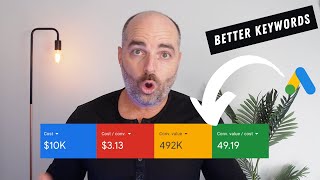
Aaron Young, a Google Ads specialist, walks through keyword research in three steps: brainstorm search queries, use Google Keyword Planner to filter by volume and cost, then organize them by theme into separate ad groups. One e-commerce brand hit 49x ROAS on $10k spend using this structure.
Chapters
Success in Google Ads is built on keyword targeting. So it is extremely important that you complete your keyword research correctly. Further than that, you need to also make sure that you have your keyword structured correctly in campaigns and ad groups using the one keyword theme method. If you don't use this structure, it's highly likely that your Google Ads campaign won't be a success and you'll start saying things like Google Ads is just a waste of money or this whole Google Ads thing, it just doesn't work in my niche when the fact is that Google Ads does work. It's just that you've been doing it the wrong way. My name is Aaron Young and I'm your 15,000 hour Google Ads master. In this video, I'm going to show you the three simple steps that you need to use so that you can complete your Google Ads keyword research the correct way so that you can start seeing results. Like this home maintenance service company that at its first year of operation is getting qualified leads every single day for under $12. Or like this E commerce health and fitness brand which saw a ROAS of over 49x. Yes, you are seeing that correctly. Last quarter, for a spend of only $10,000, they saw $492,000 in revenue. So right now let's get into the teaching. You might be surprised to know that the first step in creating the perfect structure for keyword research doesn't actually start in Google Ads. What you need to do is go into Google Docs and just write down a list of the keywords that you would actually search for if you're looking for your own product. Now in this step, I don't want you to think about traffic volumes or which keyword is likely to have the lowest cost per click. I I just want you to simply write down what you would search if you were looking for your product. I learned this process very early in my Google Ads career and it was actually when I was creating a campaign for our own villa resort in Bali and I found that the easiest way for success in Google Ads was firstly using keywords that a normal person would use. And this is the search terms that I wrote down. Things like one bedroom villas in Bali, one bedroom villas in Seminyak, best villas in Bali bars that you entered into the planner and that'll let you know whether they actually do have average monthly searches. And then as you scroll down you'll go into this section called and this is where Google will give you other keyword ideas which aren't the ones that you typed in. But they are keywords which are relevant to your keyword themes that you put into the keyword planner. When you go through and select these keywords, the only things that you want to take into consideration is the average monthly searches. You would also want to take into consideration the competition. But then more importantly, you also do want to have a look at the cost per click. And if there are any keywords which you think are too high for your budget, you can just purely not select them. And then it's just a matter of us going through and selecting all of the keywords that we would like to include in our campaign. And then once we've done that, the next step is to go into this new ad group, click Create that ad group. And then the next step is that we want to add these keywords. Now we actually have our keywords in our keyword plan. Hey, if you're still with me, it means that you're liking this teaching. Can you do me a huge favor like this video and subscribe to my channel? Let's get back into the training. Now we get to the third and final step. And this is the most important step. Now, despite how easy Google makes it to click on that Create campaign button, I don't want you to do that. What you want to do is you actually want to click on this download button and you want to download the plan forecasts and into a CSV file. The reason that we're downloading our keyword plan into a CSV file is so that we can use the one keyword theme method. For this method, we only put one keyword theme into each ad group. And this is very important for a number of reasons, including that it makes it easier to write keyword focused ad copy for high quality keyword scores. It allows you to very easily see which keyword themes are more successful in generating conversions. And then that means you can easily pause underperforming keyword themes without having to dive into an ad group with over 20, 30 different keywords. And finally, it also allows for easier reporting. So once you've downloaded your keyword file, you'll have a table of data like this below. And then the next step is to separate keywords into different campaigns and ad groups. Once you've organized your keywords into different campaigns and ad groups, they should look something like this format below. And then what you can see through here is that we've got four different campaigns. One about one bedroom villas, there's another one about two bedroom villas. And then our Bali General campaign and Then a Seminyak general campaign, and then breaking these down into the one bedroom village campaigns, we've got a different ad groups and this is broken into two main ad groups. One ad group which has keywords which mentions the word Bali, and then the second ad group which mentions the keyword Seminyak. And that will allow us in the future to be able to see whether our ads are more successful when we target keywords around Bali as opposed to keywords targeted around Seminyak. And the same, for example, when we're looking at our general campaign, we've got different keyword themes around holiday, so Bali holiday rentals, and then also other ones around luxury Bali luxury holiday or Bali luxury villas, and then finally also private villas in Seminyak. So this will actually allow us to see very, very quickly which keyword themes are more successful for our campaign. So by using the one keyword theme method, your campaign and ad structure will look like this. We'll have our overall Google Ads account broken into our different campaigns, and then each campaign will have its different ad groups, with each ad group having one single keyword theme. And then the benefit of this structure is that it means target your individual keyword themes with specific ad copy and also specific landing pages on your website. So for this example that we've used on my villas in Bali is that we've got our four campaigns speaking about the one bedroom villas and our two bedroom villas, and then our different Bali general and Seminyak general campaigns broken into the individual ad groups. And then as you can see from here, we have our individual keyword themes sitting underneath each ad group. So you can see from here, with our one bedroom villa in Bali and a one bedroom villa in Seminyak, we can target individual ad copies and landing pages dependent on whether the person has searched for Bali or for Seminyak. So that's it. That's the three simple steps that you need to complete to make sure that you're doing your keyword research the correct way. Now, if you've already got a Google Ads campaign running, I actually want to give you a free gift. And that's my Google Ads Optimization checklist. Now, this checklist is an amazing tool which actually lets you know what you need to optimize. And every 72 hours, every week, every month, and every 90 days in your Google Ads campaign. So follow the link in your description to get your free Google Ads checklist now. Thank you again and I look forward to seeing you on our next video. Hey, thanks for sticking around. If you want to know about some of the latest changes that Google is making to its ad copy and more importantly, to its keyword match types. Why don't you check out this video?








