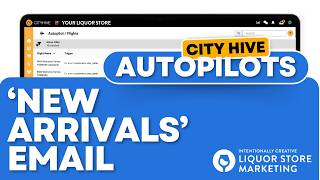
A walkthrough of setting up an automated email campaign in Autopilot to announce new product arrivals to customers. The speaker from Intentionally Creative, a liquor store marketing agency, shows how to use the Flight Template to build the workflow from scratch.
Welcome to our Autopilot's video series. In this video, I'm going to show you how to use an autopilot to send out a new arrivals email. I'm poch from Intentionally Creative, the industry's leading liquor store niche marketing agency. So let's start here from the dashboard. From here we're going to go to Autopilot. Now, on the Autopilot screen, we're going to click on the plus sign at the top right and then click on or Create from. Now, from the Create from template, let's just click on New Arrivals email. Now, it's really cool because this is all built out for you. If you want to edit it, just click on the editing icons and then edit it as you see fit. We're just going to go through each and every one of these steps quickly so you can see what these steps are and what they do. So for the first step, this is triggered by a date step. So every month on the first day at 11am this autopilot will be triggered. And if you want to change that, you can just click change this as you see fit and then click on submit. For the next step, what products will this be applied to? So the product must be a new arrival equals on. So the toggle must be on. What price must it be? So it has to be greater than $10 and does it have an image? So these are the parameters that we've set. If there's a parameter you don't like, you can just click on the X and then click on that and then add a different parameter if you'd like and then click on submit. Next would be what orders would be included here. So you can have your orders that are ranging from created greater than 10 years ago, you can change this as well. You can make it five years ago, you can just change it as you see fit and what you would have that use for and then you click on submit. And lastly, what happens at the end of this autopilot? The client or the customer will be sent a promotional email. Email. Now, what's cool about this or what's great about this is that you can actually edit this promotional email as you'd like, customize it as you wish, and make sure that you can personalize it as much as you'd like for your customers. For more CityHive tips and tricks, join our newsletter in the link below. If you're a liquor store looking to grow your online or in store sales quickly, Visit us@intentionally creative.com.