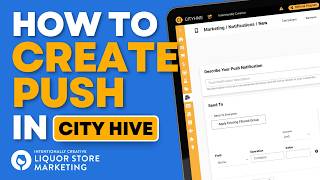
This is a YouTube video titled "How to Create a Push Notification in City Hive" containing a tutorial by a speaker named Poch from Intentionally Creative, explaining step-by-step how to create and configure push notification campaigns using the City Hive marketing platform. The content is instructional and focused on marketing tools for liquor stores.
Here's how to create your own push campaign. I'm poch from Intentionally Creative, the industry's leading liquor store niche marketing agency. Start here from the dashboard. From here you want to locate your marketing. Now from the marketing, you're going to want to click on campaigns. Now this will show you all of the active campaigns, all that's on draft, all that's scheduled. So all the campaigns you have are on this page. Now if we want to create a new campaign, we just click on the plus icon here in the top right and you'll see three options. Now you'll see create a email campaign, a push campaign and an SMS campaign. For the purpose of this tutorial, we're going to create a push campaign. So when you go into the push campaign menu, you'll be asked to describe your push notification. So describe it as you would so description of push notification. It's up to you what you put here and make sure that something that really describes your push. Well. Now you can also send it to everyone by clicking this box here. Or you can also make filters as to who customers you would be able to send that push to. Now for the duration. This would actually specify how long the notification will show up when customers launch your app. So it's up to you how many hours you'd like to put that in or minutes for the title. This would be the title of your push, so make sure it's something patchy for the body. Same thing. It would describe your push disclaimer. You can leave that blank if you like. But if you already have a disclaimer that you'd like to put in, paste that in there for the image. You can click any image that you've downloaded or you can upload one from your files. In this case, let's try to use this one. And lastly, you can add an action. There are several actions you can do. You can apply a coupon, open a product. So there's a lot here you can use. But the one that I most commonly use is open a URL. So I would open a URL when someone clicks on that notification and that would bring them to my website. So when you you to do this, just use open URL and then put in your URL here. And then once you're done, go up and click on save push notification and that's it. For more City Hive tips and tricks, join our newsletter in the link below. If you're a liquor store looking to grow your online or in store sales quickly, Visit us@intentionally creative.com.