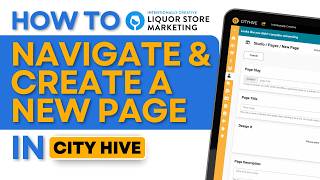
Poch from Intention Creative walks through creating a new page in City Hive using the dashboard and page editor. A step-by-step tutorial for liquor store owners managing their website.
Want to create a new page for your cityhive website, but don't know where to go or how to start. I'm poch from Intention Creative, the industry's leading liquor store niche marketing agency. So we're gonna start here from the dashboard. From here you want to locate the Studio menu. Now from the Studio menu, click on the Pages sub menu. Now on this page you will see all of the pages that you have on your website. But we want to create a new one. So to do that, we click here on the top right on the plus icon. After clicking on the plus icon, we click the second option, which is Create page. Now here we just fill up some needed details like the page slug, which is like test page. Now slugs always separated by dashes. Make sure also that your slug describes the page. Next would be the page title. So just put in a page title. Again, make sure it describes your page really well and then a page description. So description of test page. Perfect. And once you're ready to start your page, just click on Open Pages Editor. Now when you open the Pages Editor, it'll take you to a blank canvas. There's a lot of options there on what you can put into the page. We'll tackle that in a different video. Each and every element that you can put in there. But for now, we're going to end this video and that's how to start. If you want to see more CityHive tips and tricks, join our newsletter in the link below. If you're a liquor store looking to grow your in store or online sales quickly, visit our website@intentionallycreative.com.