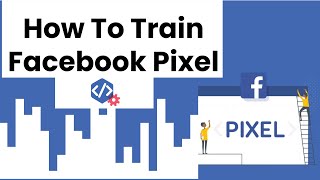
Nikhil Sai shows how to train a Facebook Pixel to find high-value customers. Run low-tier campaigns like video views until you hit 50 conversions, then create custom audiences from engagement data. Feed those back to Facebook to build lookalike audiences for higher-tier campaigns targeting likely buyers.
Chapters
How to train your Facebook pixel correctly. Hey guys, this is Nikhil Sai. Welcome back to another video. Today, today I'm going to explain simple steps how you can train your pixel effectively. You may be like, why do I need to train pixel? Like, training pixel is so powerful. Like, training pixel can help you to get an exact target audience who will be most likely your future customers for your next offers, right? So training your pixels is really important. This is what differentiates like 4-figure, 5-figure businesses to 7-figure ones. This is the simple key. They use custom audiences and different kind of stuff. So let me get into the video right now and show you the stuff. So the first step is to train your pixel. You should run a simple ad, right? What do I mean by simple ad? That means when you're starting out your advertising, don't put your objective directly to the purchase, right? So the first thing I want to do is try to start running ads with the lower tier objectives. You can select video views or linker clicks and this kind of stuff and create your audience and just create only one offer and one call to action, set for lower tier objective like video views and link clicks, and then let that run. Never change anything, at least till you get 50 conversions, or at least let that run for a week, like the time frame or the conversion. So after you got 50 conversions, or maybe like you already ran the ad which is for lower tier video views or link clicks for a week, then you got your pixel trained. Your pixel knows who is actually buying. Then what you do is— let me simply guide you through the steps. Then you should directly go into your Facebook dashboard and click on the option to create custom audiences. So simply you go and create custom audiences, and then you choose the video views or the link clicks which you used as your previous campaign objective, as you use the lower tier one. And then what you simply do is you choose the duration or the behavior of the customer, right? Like, like maybe 30% video watch, 70% video watch. You categorize audience in that way. Then you save that audiences, right? You name your audiences and then you save it. So these things are so powerful. Now you train your pixel, you run it with a lower tier objective, you got that initial data, you know who are watching your videos, you save that audience. Now you give call to action to Facebook like, hey Facebook, these 1,000 people are the one who actually saw my video till 90%. I want to search for someone who are looking similar, right? So these custom audiences can give you amazing results. Right, so simple takeaway are like just do like lower tier object in the first place, like maybe link clicks, video views, or blog posts and that kind of stuff. Then wait for— don't change anything in your ad set, just choose your audience and let it run for 50 conversions or 1 week, and then just save that as custom audiences and you have your trained pixel ready. Use that custom audiences for your next ads. I hope this is making sense, guys. This is Nikhil Sai. Let me know if you have any more questions regarding Facebook advertising. I would love to help you guys. Nikhil Sai here. Peace.