Otuvy Product Feature Demonstration | Featuring COO Samuel Clayton
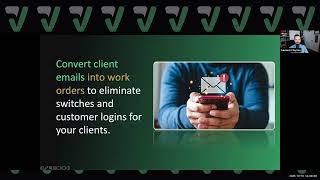
Samuel Clayton demos Otuvy, quality-management software that links inspections, work orders, and surveys through a mobile app. The platform runs offline, tracks employee performance with scorecards, and feeds data into dashboards with KPI alerts and AI Q&A.
Questions this video answers
Samuel Clayton, Chief Operating Officer at Otuvy.
22 years.
Outcomes to Verify.
Since 2003.
No — they are currently separate apps and admin portals (with a roadmap to combine them).
Chapters
Foreign. Hello everyone, I am Samuel Clayton, Chief Operating Officer at otuvi. If you're watching this video, that means you have expressed some type of interest in learning more about otuvi, what it offers, and how it may be able to help your business or organization. We are formally clean intelligence software. We've been in business for 22 years and we rebranded just a couple years ago to otuvi, which stands for Outcomes to Verify. We realize that this is a key factor in service teams needing to verify and prove that work is getting done and that the outcomes that have been contracted are being delivered. And so this software is is designed for enterprise sized companies as well as small business and mid market. We offer solutions like inspections, work orders, periodic job scheduling, QR codes that generate surveys to receive anonymous feedback, and ultimately turning that all into data that then gives you the desire to move forward with higher quality and hold those individuals more accountable to the work they're doing while simultaneously proving to clients and stakeholders that you're doing the work. With the new feature or release of our product, OTVV Frontline, we've now added task management with a time tracking function and reporting that helps you know what's happening on the front lines with your frontline employees in the field as well as your supervisors and managers. So I'm excited to showcase at a high level what our offering is. And after this video, if you still feel inclined to reach out and learn more and have more of a one on one use case demonstration, we are happy to hold that with you. So without further ado, here is a general overview of what O2V software has to offer your business. So Otuvi is a quality management software that will transform chaos into control, turning your operation from a quality standpoint into something that actually gives you visibility across all sites, locations and clients in one place. One of the features that have been around since 2003 for O2V, formerly Clean Intelligence software, is our inspection solution. On the left you're going to see a demonstration of what the app has to offer. But what our inspection solution was truly designed for is to give you the ability to consistently and transparently capture service quality through our custom inspection forms. When inspections are completed with deficiencies found, as you're noticing here, it will create automatically a work order and now a task list. The work order lands in OTUV qm, which is formerly clean, intelligent and a task list automatically, which is OTUV Frontline, our Frontline and Supervisor app. These are separate apps, but it creates a a level of proof and a Trackable cleaning history in the two systems. Our hope in the near future is to bring those apps together. Now, on the back end, as an administrator, you will create customizable inspection forms, just as you're seeing in this demonstration on the left. And you can change the rating weight, you can change the rating scale. It could be green, yellow, red, pass, fail. It goes up to 10 points, and you can decide what the number or the one letter is with the colors of every block on those rating scales and that format. And so that allows you to meet the needs of every unique contract and scope of work that you may be working with. On the left here, you're seeing custom questions. You're seeing notes that an inspector can add. All of this detail will land in what is the OTUV QM portal. And in that portal, you are going to be able to access this historical cleaning record, know what has been rated, how it's been rated, why it was good, why it was bad, who signed off on it, and ultimately how you can improve to bring a higher level of quality in the near future. This is a function that also works offline, and so an inspection can be done offline. So if you're in the basement, in the furnace room, and you can't have WI fi or data, you'll be able to save that. It will save to your device until you get to WI fi or data, which then lands into the dashboard. And so this inspection function is one of the top in the market and has been for the past two decades. And we are excited that this is something that you'll be able to access and help within your business. Now, when a deficiency is found inside the inspection, as I mentioned a second ago, a work order can automatically be generated in O2V QM, inside of O2V QM's portal, as well as the mobile app. Customer communication on these work orders, along with employee communication, can be centralized in the work order inbox. So you'll be able to organize the work orders in one inbox and track the status of each for every customer in their location. You'll be able to actually set up even email and work order notifications on the back end for employees and customers. And those customers, employees will be able to submit work orders right from the QM mobile app. And as you see over here, where they'll be able to maintain that constant communication. Now, one feature that may kind of go unseen, but we definitely love and want to highlight, is the fact that on the back end, as an administrator, you can create custom and unique emails that you give to your clientele to be able to send an email to that email that converts their email into a work order that's going to eliminate the switches and the customer logins. For many organizations that don't want to deal with that hassle, they just give them an email and say, hey, email this, and a work order is going to be created for your location. Easy and straightforward for you to be able to manage the communication and work with the customers they want to work. If that customer does want to log in though, and see a portal, and I'm going to show you this in a second, if they want to see a portal, run their own reports, manage, see their work orders in an inbox, they're going to be able to do that as well with that same login that has been created for them at the start, if you decide to give them that as their service provider. But this email approach is a much simpler way to not add too much friction to the process of getting you the information that you need. So one of the most valuable functions that we offer is the ability to create mobile surveys that are tied to a QR code that is a that is then assigned to a location within the OTUV QM system. What these surveys do for you is it allows you to detect problems early, solve them quickly, and solve them hopefully before a customer finds out they're a problem, as well as gaining feedback from your customers in general about how you're doing in the work that you're providing. And so it is a simple and convenient feedback loop for clients and building patrons. Put it up in a restroom. Hey, how are we doing? Is there a problem here? You missing toilet paper? Those are all things that you can create in these surveys. They're anonymous surveys as well, so they can be submitted anonymously from just a web link that then generates a work order for that location or area. And they are customizable surveys to capture the feedback, keep track, and even of inventory. There are examples of customers using that tool to track the inventory. And if you want more detail on that, definitely reach out to one of our team members to talk more about QR codes. All right, now, who doesn't want to automate their workflow? I do. Right. Otuvi offers a way to automate reminders for periodic tasks with our job scheduler. Now, our job scheduler is not a master counter because there's so many jobs that your company may be going through that it just gets jumbled and nobody looks at it anyway. Our main focus in building this function and has been this way for many years has been based on two things. The location that the schedule is for and the position in which that employee is in for that location. So you will select a location in the O2V QM dashboard. You will then create and a position and then that position you'll be able to add an event for that position and location. This allows you to schedule periodic work for the location specific to the job role that then you can set up reminders where an email notification can be sent as well as a work order auto triggering based on that event. Some of the examples you see in the picture here even is here's a monthly inspection that is set to be reminded for create a work order or send an email notification. We got to strip and wax the floors on the 8th. We have a full service job at 7am at the Clayton building. The cafeteria needs to be cleaned on Wednesday the 16th. These are all things that may be periodic. But if for that specific area manager they need to know what work needs to be done, they have the ability to see this. If you give the client this login accesses well on a view only contact user, you can coordinate those service schedules and job schedules with those clients. In the locations and inside of their client portal they'll be able to at least see the events that are happening. They won't add events, they can only see the events to know that you have it taken care of. And you'll be able to set and forget because the system will automatically notify the right team member over that location. All right. The bread and butter. The whole reason why you use O2VQM is to capture operational intelligence that lands in a dashboard. Visibility, transparency. Understanding what's happening across all locations is probably one of the biggest challenges that your company faces. What we offer at OTUV is an interactive dashboard that will allow you to determine where the biggest holes are in your operation and capture and analyze the custom data from the custom forms and the work orders so that you know what corrective action needs to be taken and turn your team into a high performing team. So now I actually want to go away from the presentation for a second and actually dive into the solution real quick to show you the interaction that you can have with the dashboards. All right, so as a paid user of O2V QM, you are going to be able to access a portal. This is the OTUVI QM portal where you'll be able to manage your clients and your location details. Be able to manage a work order inbox Add customer contacts, add your own employees and contractors, run reports and administrate an assistant overall based on the permissions that you've given that user. As an add on, you can add what we call our Operational Intelligence Dashboards. There's two different versions that you can purchase and add on to your usership of the inspections and work order modules. There's Operational Intelligence Core, which gives you dashboards that are inspection based. If you're on the O2V QM inspect, it will give you general dashboards as you see here. If you're on the O2V QM Pro package and you add Oi Core, you'll be able to get a core dashboard of work order data and then service locations needing attention. Those are the core dashboards. Now, if you do get the Operational Intelligence Platinum version add on, that's going to give you functions like setting KPI alerts and using AI to build and ask questions about the data that's landing in the system. And you'll be able to even create schedules of reports that allow you to send these dashboards directly to your customers and or stakeholders on a consistent basis without having to go create those dashboards manually every time. So Platinum operation definitely gives you a faster function of finding the data more quickly. But even in its core sense, I want to showcase to you what you can do in the dashboard to really dive more deeply. So here we have the inspection dashboard, and on the main inspection dashboard, you are going to see top clients, bottom clients. You're going to see top locations and bottom locations, as well as average scores, inspections and locations inspected across all the locations inside of your system of O2V QM. Well, let's say you go down to the bottom location section and you realize that, man, I want to understand why the bank of America is getting an 85.99%. I just clicked on that bar graph and it takes me to that location, service location specifically. And inside of that area or dashboard, we're seeing the average score of just that location, the number of inspections at that location, the different inspectors who have performed inspections. These are paid users of the system performing inspections. On the right are a list of the most recent inspections that have been performed. If we scroll down even more, it gives us even more detail of where some of the issues are. Now I say, okay, on this day, Adam, a manager, scored at a 19. Why is that? So I'm going to dive even more deeply into the bank of America downtown location. This is when the inspection was done. Every inspection is date and timestamped. You have Adam, a manager who did it. He signed off and we realized that it was the restroom that had the poor score and we didn't do a good job on the floor, we didn't pick up paper and there were sinks and faucet issues. That showcases to me what I need to do as a manager, a supervisor or an executive. Seeing this detail and being able to dive deeper to understand how I need to help my team be more successful by training, providing better materials and greater help to know how to take care of those things. That is a perfect example of how KPI and analytic dashboards like our Operational Intelligence and O2V QM can help you pinpoint the things that matter most to helping your team be more successful, helping them be more efficient and productive, and ultimately knowing where the problem areas are to enhance that overall quality of service to retain customers and in turn showcase the value you offer in the sales cycle, ultimately helping you win more business and retain that business and further expand it. And that is a snapshot of what you can do in the O2V operational dashboards. So beyond the Operational Intelligence dashboards, with your usership in O2V QM, you get to run verified quality QM reports. You'll be able to easily and quickly export and share inspection and work order reports with customers by running them and then emailing them in your email client. And you'll be able to, even as I've mentioned earlier, provide your customer with a portal to access and review location service quality scores and reports. This is branded to the to your company based on how you've set up your portal because it takes the logo from the portal and and then transfers it onto the different reports that you're able to run within O2BQM. And as I mentioned, you really can showcase your value to clients with this branded customer portal at no additional cost to you. You can create and give customers access to see their location inspection scores, send work order messages, run their own reports, and even take feedback surveys right in their own portal that is branded to you. You'll utilize this tool to promote quality communication and that it matters to the success of your cleaning operation to give them this type of visibility. Many skirt away from this approach, but we have found that the most successful service companies in the world have implemented this operation and have won because of it. Now, before I dive into what OTUVI Frontline has to offer, I want to just mention briefly that OTUV QM and OTUV Frontline are two separate apps. They have two separate admin portals and two separate mobile apps. This was designed to give us a chance to work in a new technology for O2V frontline. But our goal over the next year on our roadmap is to bring these two instances together to create one powerful and innovative solution. What I do want to showcase to you is what happens when when you integrate the two apps OTUV QM into OTUV Frontline. So what you'll see here, it bridges the communication gap between yourself and supervisors and frontline employees in the field. So here's how it works. An inspection in O2V QM finds a deficiency triggering an automatic work order that is created in O2V QM as well. Simultaneously, a task list with deficiencies is auto generated in O2V frontline. The manager assigns the list or it is automatically assigned. Through that integration, the team completes each task in OTUV Frontline. And like magic, the work order in OTUV QM closes automatically. What this ultimately does is it strengthens trust between clients, the employees doing the work and leadership. And it continues that loop. So what is OTUVI Frontline designed for? It's to bring chaos to order. This is going to allow you to create digital tasks. Organize them into lists, make assignments to the users who are in the system so you have crystal clear information about what needs to be done. No more plastic sleeve with dry erase markers, right? A digital task list that provides additional layer of proof through the task being completed. I allows you to manage the things and lead the people. Right. You get real time insights into what the team is doing with the centralized operations center inside the app. And it'll help you operate more smoothly. Because you can set recurring due dates to keep your operation running efficiently, you'll be able to assign those tasks. You can require photos. So many different functions inside of this task solution that is OTUV Frontline. You'll also be able to see from a front page view your home view actual real time progress bar updates of different task lists. This is going to eliminate missed work because it's documented and being kept track. So nothing will fall through the cracks. Which ultimately is going to reduce the stress. Because it's not paper documents that you're taking care of. It is simple task management that's going to allow you to track confidently. Riding on that idea of confidence, being able to delegate work and then help your frontline and supervisors know how to properly do things through instructional video links or document links. Additional instruction detail inside the instruction section requiring photos so the employee has to do it in real time, no fudging and being able to take a picture from their library. And then there's a note section for them to even share what they did or why they weren't able to complete a task. And if they don't complete the task, it will land on a report that then showcases completed and non completed tasks. With that comes an opportunity to utilize what we call the employee scorecard. You'll be able to recognize the team members who are doing well. Use this scorecard to also understand and help people who aren't doing so well know where they can improve. If you get the buy in of your Frontline or your supervisors to use this task tool, and even managers and executives can use this as a task tool. But ultimately it's designed for those field workers who need to showcase what is being done, how it's being done, where it's being done and at what quality level. There is a time tracking function that you can toggle on or off. So if you decide to use OTUV Frontline, which is an add on to OTUV qm, again, it's a separate app. This would give you a very straightforward time tracking function inside of your task management tool. So streamlining the workflows because it's in the same app is valuable. There's going to be less forgetting. It does remind someone to clock in before they start doing a task. And so there's going to be that tracking without the headache because it geostamps every single time track the start time and date of which it happened, where and the end date and time. I mentioned reports a second ago. When you run a completion report, again, this is an added layer of proof. This report is just run through the mobile app and it can showcase not only completed tasks, when it was completed, what the due date was, and ultimately providing photos of what were taken by the employee in any notes. This report would be able to give that snapshot and it's simply sent via email through the mobile app. And so this again can act as an added layer of proof that is logged away in the in the archives of OTUV Frontline. If a customer came to you, a client came to you and said, hey, you didn't do this task, you, you could run this report and email it right away to say actually yes we did. Here's the proof. To end the demonstration video, I wanted to highlight just some additional features that have recently been released inside OTUVI Frontline. Again, a separate app from OTVV QM, but a very powerful app for this Very reason. If I go to the Settings tab within OTUV Frontline, you'll first notice there is a dark and light mode. You can set up notifications and decide what happens there. You don't have WI Fi or data. It does still function being able to keep track of the tasks that are being accomplished. So this task manager can be done offline, which gives a lot of value to a lot of the people in the field who may not have the data or the WI fi when they're performing these tasks. But what I really wanted to highlight and I think is the most powerful function within OTUVI Frontline is the complete capability of translation into Spanish, French or Portuguese. 70% of the service workforce is Hispanic. And to be able to state that not only the hard code changes which you saw changed the app right away, you'll notice that, oh well, the task lists are still in English. Well, an individual who has set it to Spanish, French or Portuguese over time will be able to see the actual translating of their lists in real time and it will be in their language that has been selected within the app. So we take a look here. You'll notice that things are starting to change. This will allow you to reduce the language barrier of what needs to be accomplished for your employees. If you are thinking right now, well, there's no way that I could launch this to the team. I ask you to change the mindset here, really determine what is the reason why my team may be struggling to provide quality. And I guarantee you it is going to boil down to clarity of information process and what needs to be accomplished. I've been doing this for quite some time, working with companies just like yours. And at the end of the day, if that mindset is staying in that traditional mindset, change will not happen. But I can assure you that the ones that say, hey, we can do this and we need to implement something like this to improve our overall quality, which then in turn will will enhance what we're offering as well as what we are winning, retaining and expanding in business revenue. This is the starting point, providing the clarity in the language that they see so that you, through OTVV QM, can track that quality, manage those work orders, schedule those jobs, use those QR codes for additional quality control and assurance while your frontline knows exactly what needs to happen. So if you have seen this video and you are interested in continuing the conversation to get started with Otuvi, please reach out to us and we'd love to talk with you. Thank you.
More from Caden
How Otuvy Transformed Controlled Contamination Services' Workflow | Full Story