ECMP 355 - Winter 2011 - Brief Introduction
Alec Couros introduces ECMP 355, a course on technology and social media in K-12 teacher education. Students will complete weekly tech tasks, maintain a weblog portfolio, and do a major project instead of a paper. The first assignment: set up a public blog on WordPress.com, write an introductory post, and send the URL to the instructor.
Chapters
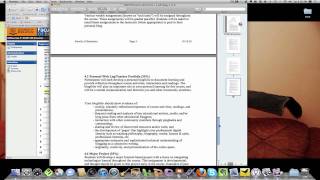
Hello, EECOM 355, this is your instructor, Alec Koros. I'm the instructor for the winter 2011 semester for sections 01011, 020 and 021. So if you're one of those sections, and this is winter 2011 for you, you're in the right place. As you know by now, I can't make the January 6th class, so it's cancelled. So in lieu of that, I've decided to put together a brief video kind of going over some of the. The course outline, some of the major assessments in the course and to give you an introduction to some of the things that we'll be doing this semester. So I'll try to keep it short and we'll go over this in more detail when we meet on the Tuesday after that, on the 11th, I believe. So first of all I'm going to open up the course outline. So the first thing you want to do is make sure that you've seen the course outline, that everything there makes sense to you. So hopefully you can see this, that it's big enough. I'm going to open that up a little bit bigger here. So again, some of the big details there, just make sure you've got the right days to come. It's Tuesday, Thursday class from either 1030 to 1220 or 2:30 to 4:20. And these are mirrored. So what you see in the morning will be the same as the afternoon. So for instance, if someone actually has to miss for some, for whatever reason, what you can actually do is just send me an email and sometimes you can make the earlier or later class. So that sometimes works out. My Office is an education 383. You've got my phone number there, my email address, you've got the address of UR courses, which is otherwise known as the Moodle, the Moodle site. And you've got my blog as well. So there's a few sites, few places for you to contact me through. I'm not going to kind of read over every single thing here, but there's your general course description in a nutshell. This class is about helping you understand as teacher candidates what it means to use technology and social media in the classroom. So this is a fairly standard definition. It gives you an idea basically of some of the. Some of the basic things we'll do. We get. We start from things like PowerPoints and Microsoft Word and some of those basic productivity tools in the classroom. And then we go into some more advanced stuff like blogs and wikis and screencasting, like you're seeing right now and a number of other advanced features. So we'll look at some of that stuff throughout this course and hopefully we'll keep you entertained and active throughout the whole course. As you can see the course objectives up there, I'm not going to spend time going through each one of those, but you get a sense. Number 10 I think is quite important. We want to have fun with this. There's nothing worse than a kind of a boring learning environment. We try to have a lot of fun in the class and just spend some time experimenting and not having a whole lot of stress about all of this stuff because it can be really fun and. And really motivating and engaging. And that's kind of the whole point of using technology in the classroom. Resource material. There are no required text, so you don't have to worry about buying anything. We have a lot of resources online, so you'll see a lot of stuff in the UR courses or in the Moodle which are the same thing. Just as a reminder. So you'll see a lot of resources there and you'll be sharing a lot of resources in your own blogging, which I'll get to in a second. One important special announcement. If there are any students in this course who because of a disability may have a need for accommodations, please come and discuss this with me as well as contacting the coordinator of Special Needs at 585-4631. This is something that's very important, so please do take this opportunity. If you need that particular service. I'm going to kind of move ahead. You can read about attendance and punctuality and of course the late assignments. Most important part of the outline really is the proposed assignments and assessment. And please memorize this, understand what you have to do. We'll talk about due dates early in the class. They pretty much go right to the end because it's a very process oriented type class. The one thing that if you want to look at the first one. 4.1 weekly assignments, these are things that we do in class for the most part. So if you attend all of the classes, you're not going to have any problem completing these. They're generally pass fail and there's generally about 10 in a class around that number. So 10, sometimes a few more, sometimes a few less depending on how deep some of these things get. And those range from all sorts of, you know, the activity that you'll see for tech task number one, which is just basically a blog post, to things like creating videos. There is a personal weblog or teacher portfolio that you'll develop. And depending on where you are in the program, it's going to be a little bit different. So, first year students, your blog folio is going to look very different than say a fourth year student who has just finished their internship. So this will look very different. And it's around assessment. It can be a teaching portfolio, depending on how you want to use it. Some people use this as a way of perhaps having a better chance getting a job, for instance. So I know several students have used this to their advantage in that way. So some basic ideas of what the blog folio should look like. I will give you some rich examples of ones that have been very successful in the class. We'll deal with that in the early weeks of the class. But just know that you'll have to do that and you'll actually start with it in your very first tech task, which I'll talk about in a few minutes. There is a major project in the class and I will show you some great examples of that as well. It's really. It could be a number of things. I've seen all sorts of different things happen here. People have done, you know, video series, they've done curriculum resources, they've done screencasts, projects in schools, web resources, all sorts of different things. And there's. So there's a really wide range of it. And I don't try to limits you in many in any real way other than that you have to put a fair amount of work into this particular project. So that's quite important to look at. The final thing is a summary of personal learning, which is something that we'll have right at the end of the class, usually the last two, or perhaps just the last one session that we have together. And we may do this online, we may do this face to face. I haven't decided yet how we're going to actually do this. Some people pre record this and some people do this live. And this could be like a screencast, it could be like a presentation. They are fairly short, usually under five minutes, but they do take a lot of work to actually get done and done well. So those are the major, major assessments in the course. So tech tasks, which we do weekly. There is the weblog, which you also do weekly by blogging and also developing your pages as we go. And I'll explain more of that as we get into it. Right into the first week, I'll explain more of that. There's a major project which can be just about anything, but it's Some major piece of work in lieu of a paper. We don't do any papers in the class. And there's a summary of personal learning, which is sort of a final summary of the things that you learn in the class. So that's the major, that's the course outline. And I'll just close that up and kind of get into the rest of the Moodle course and some things coming up here. So other things to look at my blog. I blog occasionally. Not a whole lot these days, but I try to blog more and more. But there's some good examples of the things that I. That I that students have done in the class before. And so that's going to be an important resource in the class, especially the pages that I link you to. There's a brief video that I did for another class. It's about me and it's relevant here because tech task number one, the very first assignment you have in this class is to create a summary of yourself and a math you A few questions. Some people like to do that in a video form. It's usually only a handful. Most people use, you know, just write it out in text because that's the most comfortable medium that they use for the most part. But it's something that you could do. So you may want to look at it, see if it inspires you in any way to try something a bit different for your first tech task. Again, that's totally optional, but that's something you may want to do. There is course email to get a hold of me. You can use that. It just basically goes to my regular email or you can email me directly with your email if you think that's easier. There is a forum which we'll use a little bit in the class. Explain that more in our first face to face. If you're really having a trouble with this whole idea of Moodle or UR courses, there's a student user guide there that could be useful and there's for that major project and the portfolios and some of the assessments that I've shown you in the course online. There are some good examples of what people have done or completed in the past in these two blog posts here. So take a look at that if you need some inspiration. Of course we'll look at those and other examples throughout the course to give you some guidance in terms of what you want to do. This news form is actually something I have to delete. I'll get rid of that in a bit. Just ignore that for now. So first of all, I just want to give you a quick overview of the topic of topic number one and and then a little bit of tech task number one which is your first assignment and then we'll just quit here. So Overview of Topic 1. So first of all, this Topic 1 is really an introduction. First of all, you need to become familiar with the course syllabus as I showed you before. So take a good read of it just to give you a sense of what it is. I will go through it again in our first face to face number two. Get familiar with this Moodle site with this thing called UR courses. It's one of the most important tools for getting some of the information in the course and keeping up to date on what we're doing, due dates and all that sort of thing. There are a series of tech tasks in the course, as I mentioned before. So Tech tasks has already been assigned to do this, perform this particular tech task. Some people use this site called WordPress.com to set up their blog. There are some other examples as well, but I'll show you that in a second. Blogging is a very important part of this course. Blog regularly on average one to two times a week. So if you're thinking if there's 13 weeks in this class, you should by the end have an average around 20 posts. So that's something that does take some serious commitment and it's something that will hopefully fit well into the workflow of this particular class. Complete your Moodle or your UART courses profile. It would be great if you could add a photo of yourself. I've noticed a few people already have that, which is great. It does make it easier to get to know everyone in the class. So as you'll notice that there actually will be people from all sections in this particular Moodle. So you'll get not only the people in your class, but other people in other sections as well. Feel free to contact me anytime. There's no time. You really can't get a hold of me. Email is really the best way, but you can also get a hold of me through Twitter and so on Skype a number of different ways at the bottom here. And the biggest thing really is making use of the time that we have together. We actually have a lot of time to do the things that we need to do. It does go by very quickly, but we have a built in lab time. So the very first half of the semester, I'm talking a lot, I'm showing you a lot, I'm demonstrating a lot. But as we move into the second half of the semester, you actually have to spend a lot more time doing things and really spending time. So we'll come to class sometimes where we have entire work periods where I just sort of guide you and help you along with some of the things that you're learning. So it's sort of information heavy at the beginning. And then we move to a more constructivist orientation where you can spend more time, you know, doing stuff and enjoying the class and learning different things on your own. And I'll just finish up with the. Well, I went a little bit too far. Just go back one here and tech task number one. So pretty simple. Sign up to a blogging service. WordPress.com is usually one of the best ones, but there's also blogger.com, there's also edublogs.org I would probably recommend WordPress.com, it's the one that people use the most in this class. If you're unfamiliar totally with a blogging service and you don't even have a clue to start, just wait till the 11th when we're actually together for the first time, and I'd be glad to go through this a little bit better with you. So answer the following questions in a blog post. There you have your basic questions. Not really difficult. Anyone can complete this, really. So feel free to be honest. Put out as much information as you're comfortable with online. Of course, this will be something that anyone can see because it will be in a public blog. So just remember that there is an element of privacy that you may want to be careful about, and that's something we'll talk a lot about in this class. When you're done, publish your post and send the URL of the blog to your instructor. So, for instance, a student in the past I had was Christina Domini. So this was her blog. So if you're using WordPress.com, you'll get something like. Then it'll be your username or whatever you called the blog. So this is what you want to send me. So if you were Christina, this is what you would send me and you'd get a sense of. Then I get. Then I actually see the URL of the. Of the site. So a lot of people don't really understand that it takes a little while to learn that. So that's not a big deal. But hopefully you'll understand from this example. And by the way, if you want to look at an example, a great example of a portfolio and someone who's kind of taken this class before and and created a really good portfolio. This is the one you may want to look@kdimini.WordPress.com so again, if you need any assistance, feel free to email me at any time, but we'll see you at our first Face to face class on the 11th of January and that's about it. So I'll just leave you with that. If you have any questions, I'm@khorosmail.com and I think that's it. See you then.
More from Alec

Episode 14 - Dr. Alec Couros: The EdTech Explorer – Rethinking Education with AI

Online Learning in a Hurry Guest episode 6 - Alec Couros - Student's in spaces