From Youtube to iMovie
9 Feb 2009 · 1 min
1:12
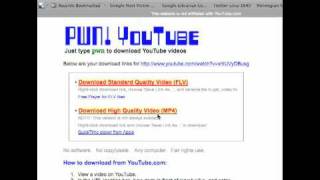
A short how-to video (uploaded by Alec Couros) demonstrating how to download a YouTube video and import it into iMovie for editing. The speaker shows changing the video URL to www.pwnyoutube.com, choosing "Download high quality video MP4" (not FLV), saving the file, then dragging the MP4 into iMovie (mentions iMovie 06 and 08).
Questions this video answers
Insert "pwn" before "youtube" (example: www.pwnyoutube.com).
Download the high-quality MP4 (do not use FLV).
iMovie 06 and iMovie 08 (the speaker says they have not tried iMovie 09).