Day - 12 Loading Bear Design - UX Strength
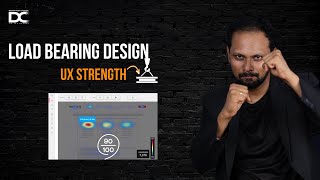
Jagadeesh P explains load-bearing UX elements that handle high-traffic interactions. Skeletal loading increases retention by up to 23%, while a 1-second delay can drop conversion. He recommends Hotjar for heatmaps, Claude for sentiment analysis, and Lighthouse for testing.
Questions this video answers
Up to 23% (speaker's claim).
Can drop retention by about 7% (speaker's claim).
Up to 40% (speaker's claim).
70% (speaker's claim).
Up to 30% (speaker's claim).
Welcome guys, Welcome. I wanted to tell you that one second delay in each and every interaction, whatever is happening, your entire product's retention rate goes below 23 percentage. Skeletal loading time increases the retention of the user by up to 23 percentage. One second delay can even drop 7 percentage. Conversion pre loading time improves your task flow by up to even 30% each. By giving the proper interaction predictable error design can increase the trust of the application by up to 40 percentage. So what does it tell? 70% of the users prefer more and more stable product. In this video we have covered in the previous videos we have covered about the micro interaction performance of it, responsive motion and the adaptive interaction. But in this video I'll not cover all the repeated elements. I'll only talk about the main concept. Why it is important whenever you are building an application or interaction. Something like we saw in the yesterday video. Load bearing element in UX is the ultimate strength of your body. Like the muscles, it handles the heavy flows and data stresses. There is a software called hardjar. Okay, I'll show you how the hardjar software works. Actually it's an expensive tool. Many people might not be able to do it, but certain industries can afford it. Okay, so tools like hardjar can provide you a complete heat maps where the users are pressing more, where the interactions are happening more, where the interactions are happening less and where the stresses is more. Particularly with respect to huge amount of interactions happening. And you don't have to place lot of elements over there so that the screen loading came time takes huge and it leads to lot of lower conversion drops or maybe the screen getting hanged. So while you're designing the products and services, it's good to get all the data beforehand by using the software called hotjar. And also you can use this tool called Claudi AI to find the sentimental analysis of a user. See, I'll give you a little clarity over here. This is a beautiful tool. You can just use voice command to talk to the cloudy AI because it does most of the sentimental analysis work. Okay, what does mean by sentimental analysis? It will all go through the user reviews, feedback and the particular touch point of a product or application. Wherever the reviews are given, it will go and analyze this and produces you. What exactly are you this users are thinking about your product. What exactly the users are thinking about the product previously and they might think about in the future. So this is like a predictive behavior analysis. Also you can able to make when you know the sentimental of the user of the product. Okay, like let's say if you have A product I got 500 good reviews. I got 350 medium reviews. I got 400 bad reviews. What should I do with this data? But if I know that kind of a feedback, what exactly is making the customer say Good, good, good, bad, bad, bad. If I throw it in a software like this, I can able to do a proper sentimental analysis to find what exactly I can retain what exactly I can increase what I can optimize. This is called sentimental analysis. Software is like Google sentimental analysis does it really really well. But let's do with the cloudy AI. You will also know how it is very powerful. Okay, listen to me carefully. Hey, I wanted to understand. I'm building an E commerce product with respect to selling my fashion brand. Could you please tell me the sentimental analysis of a Bangalore and Hyderabad market with respect to the fashion trend movers from the aging 18 to 25. Could you please provide all the data scraping from the online data in this particular regions and localities and provide me the output. Because I need to design my user interface screens accordingly and I need to build my user interface also accordingly. So give me some ideas based on that. I can copy paste it and go to a tool called K2 Think. Okay, listen to me carefully. I'm using parallel two tools. Why? Because you need to understand how to get more and more data from your thing. Okay, here I can press enter Claude AI. I can use one of the opus most advanced model extended thinking. Let it go. See, I'm doing a two tools analysis in parallel. So what does this tool gives me a data? K2 think is saying I'm not able to analyze the real time data but I can guide through the framework of conducting sentimental analysis. Okay, so it is suggesting me only the framework. That's enough. Totally fine with that we can start. We can give it to our customers, clients, stakeholders and started. But majority of the tools gives you this data because this is mostly care to think is a reasoning based tool. So it works only when you give a real time data and a problem which is very complex. But it is good that it is at least giving us a framework how we can solve it. General Bangalore, Hyderabad. You can take sleek minimal layout, trending, highlight tech features, AR VR, AR tryouts, social sharing button, cultural motives, product design descriptions. See, there is a little bit of answer it is already trying to give. But let us understand this guy. See, can all of you see? Claudio AI has produced Bangalore Saw recently this kind of a Gen Z fashion for up to 399 rupees. See, I got a data. This is Very important. So when I want to design a 300 rupees product for this particular thing, what kind of a UI components I can create for this kind of a fashion brand Fusion view gender neutral we are nostalgic, we are sustainable. We are almost 70% of the Gen Z consumers are interested in using AI shopping process. Right? We need to now optimize all of the interaction. We should not keep buttons and all. We have to just make it like a wise enabled or like let's say agent tick based enabled. So the point is this sentimental analysis will give us a lot of clarity to build our product. Okay Jagdish, what should I do with this? Copy this, go to software like chat GPT. Okay get into this 5 give this 3 hashtag and use this option dictate hey chat GPT analyze the sentimental analysis data taken from the other AI sources and now give me the idea how I can start building the UI component for my product design. And also give me the prompt how I can able to build it in tools. AI tools like Raylum and other things provide the output. Now see I'm just talking like a friend to Chat GPT right now. You will see an extraordinary answer popping up. See I'm using multiple sources to just validate how is the answer going to be coming better for me? Can all of you see vibrant and playful app Value driven Thursday Value driven plus trustworthy, fast, personal and social. So trendy users with respect to age of 18 to 25 requires a very very faster UI. See this is a one decision. Second I need to create hero banner session visual category tiles, social tryout on feed, smart size selector. So all these things could be a great great value addition for your interactions. So whenever you are building a muscle for your body, like let's say when you're building a muscle for your product, you need to create all these options to make it flexibly work. Continuing to the earlier day you can able to see we have designed a component then we have shown the animation for you to make the loading time happen. Similarly like this. Now take out all the features for your product and try it out each and everything with respect to faster loading time. You will be able to see what exactly your users are requiring and where you can keep a touch point. You can also copy paste in the tools like Relium, Uizard, Figma, AI to try it out. It will give you an excellent output based on the input whatever you're given. So it is very important to know that you have to understand how the how the data is also handled when it comes to a lot of complex application, lot of complex interaction, maybe you can just go back to this tool and you can just ask one more feedback. Hey, I wanted to understand what is the maximum load where the users are going and pressing when it comes to this E Commerce application. Could you please give me the loading time? Could you please give me the exact time which is optimal for keeping the user engagement better? Because I want to make my application and web app load free so that I can able to seamlessly scale it across all the product. Even if thousands of users are using that application should not crash. So provide me the global level data and give a comparative analysis and provide in the tableau column output. See I'm using ChatGPT in a very precise way to give a specific prompt so that I can able to get a better data. Why this much of clarity is required? Why? Because we can compare all the applications in the market global level as well as the previous applications which is launched so that you will come to know what are the loading time people are using, how well you can optimize it and how well you can also plan it for your better application building skills. See it is. It is evaluating the performance by the time we'll go to the next one. Okay, this kind of a concept ensures that the product doesn't collapse on load because you know when the users are pressing here a lot using hard jar, using sentimental analysis and using the charge to find out there you can reduce the load There you can plan a very simple graphics and interaction. There you can reduce gradient there you can reduce even color schemes to make it more simple so that your scalability your faster as your performance efficiency everything will go high. This will be very resilient and very very useful for the user to also recover and create a good flow in the user journey. This will be building a stronger UX product. See guys, this terminology is actually borrowed from architectural load balance, right? Mechanical engineers typically use it. UX field adopted this concept for system to know early SaaS based application failed under user load because why? Why this is all failed is this designs applications which was a software as a service like let's say many multiple dashboards and platforms are integrated. All these people did not do an extensive level of testing to find out whether it's needed or not. They just created the systems just like that. Whichever feels good, usable and all. But they did not check the back end. Whatever is happening. That is why you need to use well components proven From Google and IBM developed stress tested UIs so that it is Seamlessly working in your application. It is introduced in the DevOps and product design field. Yes, it's very important. I'll tell you the importance. Probably you must have guessed it in the earlier video. Also we had a big difference when big discussion on this importance and why it is very much useful in terms of reducing the high traffic products, predicts user experience under high pressure, determines the design durability and builds the stronger products. Okay, the common mistake what people do is they ignore. They do a lot of visual stuffs which we discussed in the last video as well. They lack the fallback or error design because you need to give the user that this might become error. You need to also give a fallback if the user doesn't work this what are the alternate option? How am I interacting and communicating that feedback to the user over dependence on the Internet speed. Still 2G 3G connection is available in India which is a big problem. No skeletal loading placeholder. Yes, you're not keeping the loading or a placeholder clearly like a bar which we showed in the last video. Then the user will get confused. If it's a slow loading, do it slowly. If it's a fast loading, do it fast. So that the user gets a confirmation and expectation and it is matching their expectation means user will be really really happy. Hey, whatever I'm pressing is happening, right? So skeletal load screen, skeleton loading screens, auto save and recovery features, optimized components for better speed, clear error prevention and fallbacks. Stress tested UX flows with respect to the design system. So all these things are the core components. I've also told you we can use lottie files. You can use even canva pre templated. Also you can use auto save and recovery features in the backend. You can optimize and test it out for better FPS. You can also follow all the heuristic law to test it out. So this is exactly important for all the designers. Okay, I'm not discussing about the case study. I'll be just telling you the neuroscience flow. Neuroscience wise people gets the predictability which reduces the anxiety. Trust is built faster, reactivity boost brain stress flow is equal to loyalty in place. It's as simple as that. AI tools is pretty much the same Hard jar, lighthouse, framer, AI GPT. And I also told you the Claudi AI and K2 think you can use it. So the point is I think statistics also we have covered. So it is very important when it comes to showing your real world case study with a huge credibility. It improves the collaborativeness to show your soft skills you're going to be working along with the developers. You also understand their problems and you also tend to work and solve their issues. See this is a very good skill which all the mid level and senior designers really expect inside you when they're hiring you. More importantly, it also adds resilience to your portfolio and the depth of clarity it shows you are having a better system understanding. I would highly also recommend you to go and read this book Designing for Performance by Lara Hogan Nielsen Norman Stress Design Research Google UX Resilience Documentation FIGMA Loading Skeletal Resource Figma Community Motion Recovery Kits yes, this is very important. You guys can go and study this. This is going to be very very very very useful for you. Okay and the exercise what I'll give you is choose one product flow, add a skeleton and fallback states. If it is not working how it will work, test it out in the low network mode. Because last video also we gave that measure the differences and document it in your portfolio. This will be really really good when you're building a case studies. Okay, more importantly I want to check what does the results produce. Can all of you see here Largest contentful paint interaction to next paint Cumulative shift VFCP Conceptual paint Global speed benchmarks to keep user engaged. See all these things are sources and the metrics 2.5 less than time 200 millisecond 0.1 0.8 see you got a perfect data now based on this you now check it out in your figma screen while you're designing the animation precisely you can able to give that animation second and you can also test it out and compare how it performs in the system, how it works in the hard jar like software to know your users better. Can all of you see the clarity now this can also improve lot of conversions. You can also have a lot of latency with respect to the backend platforms. See this is a very detailed study not required but this is very important to understand this information before you build a product. So all of you type strength in the chat box so that we can able to send you a UX strength audit checklist audit sheet which is having a proper heuristic metrics which will be helpful for you when you're checking out your product. In fact you can use that prompts to even copy paste it to ChatGPT or Cloud AI to build your entire case study analyzing this factor so that you can able to sell it in your portfolio very easily and also attend my Sunday workshop. The link is given below to know all these things and put it into a proper job search process to start getting 3x salary group. Ultimately, whatever we are learning, we'll have to put it into a job search process to get hired. I would highly recommend you to come and watch that and I'm also going to tell you 10,000 rupees worth of bonuses and three free day early morning classes also available in that session. So I wanted to see you in that live session taking you into the action because watching and watching videos is not going to do anything for you. Just take this action and do it and click the link and watch and come to the webinar so that you will be able to see your next level and the clarity of your design career. Take care. All the best. Bye bye.
More from Jagadeesh



Comment “ME” if you want to join the next upcoming hackathon — we’ll send you the registration link.

Comment “ME” if you want to join the next upcoming hackathon — we’ll send you the registration link.