Day 21- How to setready for Virtual Interview (Audio, Video light etSkill Booster 100 Day Challenge
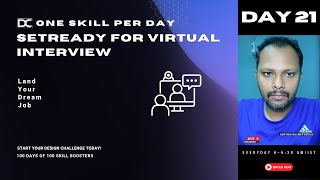
Jagadeesh P walks through how to set up for a virtual interview: lighting, audio, video equipment, and backgrounds. Learn which gear to use and how to arrange your space so you look and sound professional on camera.
Just a second. Just a second.
Please encourage others also to what you call become co host.
Guys, kindly help out.
Arun. Hi. Good morning. Good morning, Manikandan. Good morning, Faisal. Good morning.
Has nine. Good morning guys.
Please mark your attendance as well. We have already given that to you in your panel. Please go and do that.
Yes.
Since yesterday what happened is we. We have made it little delay. So I don't want this to happen today. So go to your panel. I've given you four skill booster classes points. Please go and watch it out.
Okay.
And take that. And also please switch on your camera.
Yes guys.
So as I told you this topic is.
Is.
Is.
Actually according to me this is second priority or third priority. That's okay. But it would be a great added advantage if you are a designer. Because if you are a designer you should understand one thing. Presentation is everything. The way in which you show your face first, the first impression. It is very important. Right? The way in which the light is hitting. The way in which the sound is coming. And how to set your. What you call the background. How to set your virtual space. So that you can show that interest and intention that you are ready for the interview. Okay. And that's what I'm going to help you out now. So first let me share my screen.
Just a second.
And also I'll be pasting the stream key.
Guys, hold on.
So that people out there can what.
You call come and watch out. Just a second.
Okay.
Guys, make this other people also pan list.
Okay. Go for this. That would be great. How do I bring these people? Just a second. Yes, just a second.
I'm just sending out for the people who have asked me yesterday.
Okay? Okay. Okay guys, we are completely set now. Ready. Okay.
So please make a note of it. Because the reason being you cannot possibly remember everything just like that. Whatever I'm telling you, okay. Just have that consciousness. Because many people are attending phone interviews in the phone call. Please try to avoid that. That is completely out of path. If you're trying to attend phone call interview. This video is not going to make any sense. Because you cannot do anything in the phone. And it is very difficult for you to communicate to somebody that you're very interested or a serious candidate. I mean the way in which you project your face first to the recruiters out there is the very first interface. What you're showing to them.
Okay?
So it needs to be very careful.
Yes, guys.
So now let's see that. Sound lighting, audio screen sharing, everything.
Okay.
So what are all the preparations and essentials for this so as I told you, first impression matters well prepared environmental signals shows your professionalism and also minimize your distractions, increase your confidence. These are all okay general things. Okay, let's go into some misconception. Many people think phone is enough.
Okay.
Many people think background doesn't matter. Lighting and sound are minor details. Okay, I will tell you what. When you choose any program or a workshop to be watched or maybe the company, what you're choosing to be what you call going to be the dream company, you subconsciously choose a company's brand or liking towards their choice of colors, towards their choice of quality of materials, what they have virtually towards how, how they present themselves. If you think a HR comes like without even a light, he is not even switching on the camera and he's just telling here and there. And it doesn't have any kind of a website and it doesn't have any social presence. You're not even seeing their website anything. Will you still go and choose that company? Type out in the chat, Will you choose that company? So it is a matter of our choice, right? So same like that. The HR should also feel okay. If I take this person, the trust factor is more okay. He is really presenting good. The way in which he presents it is showing that he is very organized. He looks very creative, his background looks very creative and he, he makes sure that distractions are not there. It's very plain wall and also he's. His audio is very clear, crystal clear available and he has the option of what you call raising hand when he's asking certain questions and he's taking notes. So these are all the things manners which is really required for people to be done. A lot of people don't think this is important. That's the reason I'm telling you this. Okay, so clutter free professional environment is required and poor setup can inherit your engagement. A lot of times what happens people run here and there. That is a big problem. Okay, key techniques for virtual interview preparation. First of all, okay, just listen to this patiently guys. Okay? You may have lot of doubts but just as of now listen to this.
Okay?
Choose a simple professional background. Let's say if you want a professional background to be chosen, it is always good to go and sit on opposite to the wall. Like let's say if you have a plain wall like this, you can go and rest on a plain wall. This is much better. And if you want you can able to make sure is an option in the zoom which is called blur the background. I mean in fact ideally I did that because Right now I'm traveling, I'm outside. I'm not able to use a proper background. In that case you can blur your background. It will not look much different.
Right?
See, look, it, it, it doesn't look that great, right? But if I put blur background, it's okay like whatever you are having. So it, it minimizes your distraction. In fact, in if you're using Mac or if you're using any kind of a good laptops, what will happen is you can also do one option inside the zoom which is called Just a second. See, I'll show you one thing.
Just a second. Look at this. See.
I'm just switching on everything. Okay, Switching off everything. And there is an option in zoom which is called portrait lighting. Okay, A lot of people don't know this. See, it's actually my plain background. It doesn't really look good.
Right?
See, I'm just using this studio light many times. If you go to zoom this arrow mark, if you press that, you will go to an option called Video settings. In that video settings, there is an option called portrait lighting. Everybody has that option. Please go and choose that. Okay, you can choose the option of portrait lighting. See, it looks a little blurred. That means it, it will shoot. It will shoot you like as if you're shooting in the DSLR camera. Okay, you can use the studio light. See, now my face is projected focal and the background gets blurred off. Can you see here? And in fact, if you are using Mac or very good graphics laptops, what happens is you can even adjust the depth you can see, right? See, I'm just adjusting my depth.
Look at this.
Can you see I'm just adjusting my depth. You want I can able to even depth my port portfolio, the portrait.
See?
Okay, so you can use this option. It's already available. You don't have to even think much. It's already available in your laptops. Okay, have you guys found out that, have you guys found out that it's available in your video settings? Kindly go and change it.
Cool.
Yes.
So this is part inside the zoom. Even if you go to gmeet, even if you go to teams, everything has a virtual background options available. Guys, if you're traveling for some reason, you can use this blurred my background. In fact, a lot of people choose blur my black one because this is much better. In fact, if you have a green screen, like let's say if you go to online, if you go to Amazon or Flipkart, if you can buy a green screen which is around 800, 900 rupees, if you put a green screen background of you just take a clothes pin, okay? You don't have to buy anything apart from this. Just tie it in a rope and just tight it.
That's it.
And bottom also you put a clip four corners. You have to stretch it or else what happens is the cloth is little wavery and you look like a ghost. If you do that, you. Your image will be like this. Don't do that. Be professional. If you're doing something, do it properly.
Okay?
So buy that green screen and clip it in the four corners, okay? The moment when you clip it in the four corners, what happens is whatever you keep virtual background. See, I'm showing you another option also.
Wait, hold on.
I'm showing another option also. In in Zoom, there is another option called HD quality. Guys, please try to change your HD quality also. Because once you change the HD quality, what happens? You will get full quality of the webcam.
Okay?
See.
Can you see here Fine. But can you see if my. If I put my hands there is some kind of a green or the wall which is getting mixed for me, right? If I move here, it feels like as if I'm a ghost, right? It doesn't sound real. But when you put the green screen or blue screen, okay. If you go to photo studios and all, they'll put blue screen. So how photo people, photo studios, they were able to capture your picture and cut out your background very easily. Is green and blue gives you a very smooth gradient once you're cropping out the images. You understand, right? Green and blue helps you to blur out the image very easily when you're using some Photoshop editing tools.
Okay?
Same like that. Zoom has built a feature in a way when you have a green screen. So Zoom's camera Zoom software will analyze from your camera. Okay, this guy is having a green or blue. Or maybe if you have a plain white background also sometimes it really works good. But make sure it's playing. Don't choose different colors. Choose green. Max. Max.
Green.
Green works really better.
Blue.
Blue in the sense people get a lot of confusion in blue, okay. That's why it's not recommended white. Three colors are ideally choose. Don't use any other colors. If you use any other colors when you mean it will spoil your entire experience.
Okay.
So try to keep that. And what happens after that is once you keep that background, just try to stretch the clock. Once I have my green screen properly laid out and then if I switch on this virtual camera, this virtual background, it will look perfectly real. It will seem like as if you're sitting in front of the place. See, even though I keep that there is no, there is no good quality. See, still some wavering is coming, right? But if I have a green screen background, it will be super great. In fact, you can have some video like this also. But for that you need to have a good graphics. Make sure you don't use this kind of a graphics and all because you'll be having Internet where the audio and your video is the first priority.
Okay?
So make sure you use that properly.
Okay?
For, for, for, for people who are using Zoom. No, what you can do is, guys, you can go to the Zoom virtual background and try to download many professional backgrounds. Right now Zoom has provided high definition quality videos. Don't use any Google image here. Use the Zoom recommended image because those are all well synchronized for your background.
Okay?
So multiple options. I told you, you can keep a plain background. It's totally up to you.
If you don't have distractions.
Okay.
If you have a good bookshelf or if you have any lighting or, or any kind of what you call a flower was. Or if you have any good. What you call window, which is really good, leave it. It's okay. It would really look good and just switch on this portrait lighting. But if your background is very clumsy, make sure you put a portrait and blur it.
Okay?
If you still have a problem, then you can put a green screen.
Okay?
Green screen is hardly 700 to 800 rupees. You can order in Amazon. People who are in the job special.
Okay.
I am recording a course called Design Setup Challenge.
Okay.
I'm going to keep it as a challenge also for you guys. There are certain things which you guys need to buy. I'm doing it slowly, actually. I'm doing it everything slowly. So there are some basic setups which you need to buy. And there is something called Ring Light.
Okay.
There is a brand called Digitech. I'm gonna, I'm gonna show you certain option also. Okay. And you guys can go and get it in the shop. Ideally it will be better for you.
Okay.
For, for everything I'll tell you, perhaps you will get the clarity on what you call.
Just a second. Just a second, guys. Okay, fine. Yes, just a second, guys. I'm just signing in my Amazon.
Okay, so now we have to make a note of it. Each and every lighting and other things. I'm going to recommend you some tools as well.
Okay?
So before that quickly I'll get you through what we are going to get. Exactly.
Okay.
So I already Told you that. First of all, a simple professional background plan or need minimal distractions, ensure proper lighting.
Okay?
So when it comes to lighting, you have to always use your window, guys. Don't use anything apart from that, okay? Because window and natural lighting is so good. Let's say if you're attending early morning calls or maybe if you're attending late night calls, then it would be ideally recommended to keep your tubelet in front of you.
Okay?
Again, do not use LED T bloods. Whatever we have in our house. It will spoil your quality of the.
Work, what you have.
Because LED lights will produce flickers. Please use ring lights.
Okay?
You have to invest, guys. This is ultimately for you, okay? This is not like one shot investment. You don't have to keep on investing in monthly, monthly basis.
Okay?
Thousand hundred rupees. I found a Digitech ring light yesterday. It was superb. In fact, I'm choosing some of the gifts for our students. Also whoever is coming on the. Whoever is coming on the top. We are planning some gifts also for those people. Because you have to ideally use a very good ring light, a very good audio quality, a very good green screen background. Because this becomes a setup for you. Ideally you will have to set up all these things. Your website needs to be ready, right? Something like that. We are calling so same like that. This also needs to be ready. If this is not ready, then it will look very unprofessional when you're working in the interview process.
Okay?
Okay. Jagdish, I'm not in the window side like my house is in a different orientation. Try to bring a light opposite of you. Don't try to keep the right, the right side or left hand side. Please be very careful about it.
Okay?
You should sit center and the light should be exactly 180°. If you're wearing specks, the reflection will come down. Like let's say if you see our students. Okay, let's take Sneha. Look at Sneha. I cannot see Sneha side because right now it is in front of her. For the people who are having space. Okay, There is another option for you. You can keep a light source in the side which is like 45 degrees. And then you can keep another light Source as another 45 degree.
Okay.
And you can keep another light source as background. Background in the sense it should not be very bright, it should be very small. That's called key lighting.
Okay?
This is called three point lighting. That means one side you can have window. Another side you can have ring light. On another side you can have a tube light or whatever in your house. You will look like a professional studio setup. But you have. You have to take time to do it guys. It will take little time. You'll have to watch how your room studio, how your room setup is. And you have to get this ring there and you have to fix it somewhere. So make sure everything is working properly. And you can able to control it from your place. So that is very important, right? So even I can able to change. This is my travel light.
I use like.
Let's say if you want yellow, I can change it.
Want to mix?
You want a white. See, Looks right for travel at least this is better. So this is like 600, 700 rupees. I'm just using it temporarily. In fact I'm getting one more for travel. But if I'm in the home like the studio then I have a 18 inch big ring light. That is a 6,000 rupees. I don't. I'm not asking you to get that. If you buy that, that will be super great. But for now start with this thousand rupees Digitech brand.
Okay?
I'll show you everything. Don't worry about it.
Okay.
And then optimize your sound quality. It is definitely required to buy Apple headset. Guys, do not go for anything. Don't do anything. I'm telling you it is just 2000 rupees.
Okay?
Buy a Apple headphones which is not USB. Buy a headphone jack.
Okay?
There is no big quality apart from Apple wired headphones than any other brand. Even if you buy 20,000 rupees Sony headset, it is not going to produce the quality what this headphones is going to do. It is well tested and proved. Don't think much. Go to Apple website, order this product. Don't do an Amazon people will give you fake products.
Okay?
Just go to Apple website, order this. Just a 2000 rupees investment.
Okay.
And this is Digi tech.
Okay?
You can use Amazon preferably Amazon works good for this because there are brands for them. But brands like Apple you have to be a little careful while you're choosing in Amazon.
Okay?
So you can use digitech 11 inch or 14 inch.
Okay?
This would be better.
Okay.
Try to get white and yellow warm colors. Don't buy only one colors because sometimes the yellow color will be looking good. When you're having some long sessions, it will be good.
Okay.
Make sure your window seated properly.
Okay.
And you can get a three point lighting setup. If you are see people who are not even wearing fix, they can Specs also still, they can have three point lighting. It will look very professional. But ideally it would take little cost for you guys because you'll have to find. See, I have seated myself in my studio in a way. One side window takes care.
Okay.
Other side, my big LED light takes care. The background. I have my small, small lights.
Okay.
I have my background colors, everything. You can see my red color, blue color popping up. That is decorative purpose.
If you.
I mean those are like additional things that's not mandatory for you guys. But basically keep the distractions minimum. That is my only point.
Okay.
And audio test audio and camera.
Okay.
Practice, ensure work equipment. Good. So for the camera, what I would highly suggest you is Logitech.
Okay.
1080P. Don't do anything. Just buy this 1080p.
That's it.
It will be like 1500 rupees or something.
Okay.
Go and buy that.
Okay.
720 pixel also works good. But 1080 pixel looks really good. Your laptop camera is shitty, guys. Don't use any laptop camera even though it's Mac. See, my Mac camera is also good to a certain extent. But I don't use it. Wait, I'm just showing you. It doesn't look really great, right? Even though it's a Mac, it's like 60fps camera. Even the Facetime cam mean the web camera is 60fps and 1080. But I don't keep that. The reason being there are certain things which only webcam does it properly. You don't have to buy DSLR and all these things. You just have to buy a very good webcam which looks really good.
Okay, just a second.
See because this is a 4K camera, what I'm using. And the 4K camera has adjustable focus and it has features like. Let's say even you can switch on like a option called focus. Like wherever I nod my head, it will take me. I don't know. Many of you would have not observed it. Wherever I take my head, it will take. Right now I've switch off this feature because of this travel reason if I'm ideally in my studio. This is a 4K camera. It's a AI camera. What will happen is the moment when I go this way, what will happen is the entire frame will shift. Maybe I can able to try to show you guys now.
Just wait.
Okay.
So consume little graphics. Because the bandwidth what I am using is also not good. See, when you ideally don't have any kind of a bandwidth, don't play with all these things. I highly, highly recommend you okay, don't do all these things there.
Look at this.
Can you see some movement happening in my camera? Can you see some moment happening in my camera? It's focusing my center wherever I'm going. Like let's say if I'm taking some example to explain it here. So camera understand that Jagdish is for talking here. So I have to go and center him. So this is called right side. If you buy a very good camera logitech, this software are all installed inside. You can go and what you call, adjust it to whenever you want, whatever you want.
Okay, like let's say I'm just switching.
Off the normal camera guys because I really like the Mac car settings. Okay. If you, if you buy Mac, what happens is the laptop you will have lot of options apart from webcam to adjust it. See that inbuilt portrait option, inbuilt studio light option. These are not available in Zoom Also these are not available in the camera software. Also it is available inbuilt in Mac. So certain laptops with a higher graphics capacity can do that. Okay, so ideally if you're getting a laptop is highly recommended. If you get MacBook Pro or MacBook Air it would be better. MacBook Air it is 85,000. Instead of buying two three Windows laptop for the five years, get one MacBook Pro or one MacBook Air. It will come for 10 years. In fact you are saving cost if you buy MacBook.
Okay?
Because lot of these things will work better when you have a MacBook with your hand. And also if you are a designer, it is also highly recommended to invest in those kind of laptops.
Okay?
Because think about long term, don't think about short term. If you're thinking about short term, I will tell you what Windows laptop in one or two years it will start hanging. Your speed will come down, it will irritate you a lot. After three years you will use it for. Just because you invested something. After three years you will definitely throw it and you will get a new in three years. Every three years you will be definitely buying one good laptop. Or maybe if you are using it, you will be using it for a poor performance. You cannot use any high end software like Photoshop, video editing tools or any kind of online now everything is AI based tools, right? You can do image editing, video editing, everything in the. In the browser itself. So your laptop is highly important.
Okay?
But people what they do, they buy some 30, 40,000 Windows laptop and every three years they buy instead of that, if you buy 80,000 or max, I think 99,000. This MacBook Air is there pro. You don't have to buy. It is very. It is like one 70,000 or 60,000. But buy MacBook Air Basics. 13 inches available. That's it. It will come for 10 years, guys. Even if you do whatever you want, it will come 10 years. The basic laptop in MacBook itself.
Okay?
So invest in these good tools. So don't tell me I don't have money. If you invest in these tools, you can go to a place where you can earn all this money. That's what I'll tell you as a one magic.
Okay?
There is no shortcut for this.
Okay?
Yes.
So prepare the file for screen sharing. So I did a screen sharing is inbuilt feature. I don't have to talk much about it. I think I told you about the camera. I told you about the Microsoft. And I'll tell you about one good software which is called Audio noise suppression.
Okay.
Inside Zoom, everybody has to go to the audio settings now.
Okay.
There is something called auto Audio noise suppression. Please enable that. Don't use manual. Okay, Please don't use manual because it will spoil your settings. Don't do that.
Okay.
Ideally that is not correct. And also inside the. Inside the.
Lighting.
Not lighting. Yeah, inside the lighting, inside the zoom, there is an option called auto Auto low light. Please enable that always.
Okay?
These are some inbuilt feature. You can use it if you're using your zoom camera itself.
Okay.
Again, in the Microsoft Teams, it is there but other software GME T, I'm not sure. Okay, all audio suppression, you can keep it auto. And additionally you can use another software called Crisp AI. This is a amazing software, guys. Crisp AI. Please install it right now. I mean right now. In the sense after this call. The reason being, I will tell you why it is important. See Crisp ao, whatever we have used so far.
Just a second, guys. Okay, Just a second.
Fine.
Okay, fine.
So Crisp IO is a software. If you go and install it, okay, you can able to find it inside the zoom's audio. Same like audio. You have another arrow mock right on top of it. So you can find your laptop sound speaker. You can find your headphones. If you're connected to headphones and you can find the script IO. Please enable that. The moment when you enable that, what will happen is even if you have a fan running around you, it will not be audible. Even if you have some background noise, like let's say somebody is talking around that corner, Crisp IO will cut all of your background noises and produce the ultimate quality. If you are not using any kind of a high end sound system or maybe if your laptop doesn't have a noise suppression. This is highly, highly recommended for you guys. Please try it out. This is a free software.
Okay.
There are some high end features available in this. What you call this Crisp Blood IO. But no need, just use this. This is enough. Because ideally if you use this. No, this itself will give you a greater edge towards giving excellent audio quality. Crisp IO is my favorite software. Previously in my Windows I used to use. But Mac is pretty much min while you're using Mac. Those are all the things which is not required. But people are using Windows highly recommended to install it. Okay, go to, go to that download and install and go to that arrow mark in the zoom and try to activate this. It will exactly cut through all of your noises. Because we cannot sit without fan, right? We cannot sit with complete absolute sound quality. We are not in the sound studios, studio, lighting and all. So Crisp AI pretty much cuts all of your noises and brings into your good clarity.
Okay, fine.
Guys, are you able to get it Chris AI, Crisp IO or Chris AI? I'm not sure. Just you can try it out. Krisp. It will be a gray color option.
Okay.
Yeah, I think Crisp IO comes here. Control background noise.
Okay.
And you can able to use one thing like let's say if you don't have a very good webcam, you can also use a software called Camo.
Okay.
Camo Studio. You can use the free version itself. No problem. You can use your smartphones like let's say Jaglish. My smartphone is 4K. My smartphone is 1080 pixel 60 FPS. Great guys. Super. You can see some of my earlier YouTube videos have did that before getting this camera. I also did that same only. Okay, what you have to do is you'll have to install the software in your mobile. You have to install the software in your laptop and try to connect that. Okay, you're going to install that camo and enable that same like that. When you go to the zoom in the video arrow mark, you can find that camo option. Click that camo automatically. Your camera is synchronized. You will see a crystal clear output. You will get really mind blown. In fact, if you guys are attending interview, I would highly suggest to use that method.
Okay.
Camo Studio is well proven. In fact you can take even 1080.
Pixels out of it.
4K if you want will have to pay for that. But 4k ideally you don't need. Okay guys, fine. Give me a chat box. Yes. If you Guys are okay in the YouTube live. Give me a chat box. Yes. If you guys are okay.
For the.
Lighting for the equipments, I want everybody to type out in the chat. Is it okay? Are you guys getting it? Are you guys clear or should I explain you some more? Are you guys okay? So now it is time for us to.
Okay, wait, hold on.
What did I mention?
Just a second.
So I'll have to show you the digitic lighting and portrait lighting.
Oh, okay. Okay, fine.
And what else did I tell you?
Just a second guys.
I'll open Flipkart also for you guys.
Okay.
There are some options in Flipkart also.
Which you can ideally see. Just a second. How about this? Okay, I'm just using this portion of the screen, guys.
Is it coming good?
Can you guys see my cool?
Just give me a thumbs up. Yes, no, please.
Fast. Yes sir. We can see.
Great.
Okay, so what you can do is you can use something called. Please make a note of it. I'm pasting you the link as well.
Okay.
You can buy this digitech. Don't buy any other brand and waste your money.
Okay.
Just invest in this. This is enough. I'll exactly to tell you the link. What you have to get it. Yeah, this one. Okay, I'm just copy pasting this link for you guys. I'm ideally copy pasting in the.
In the zoom chat. Okay. And this is for. Okay, I'm sorry guys. Fine.
You can delete that and delete it.
Don't worry. Okay.
Okay, so two. So what you can do for the green screen. I will show you for the green screen what you can get.
Okay.
So you can get this 499 wall. Also this is also interesting. You can get this 833. But you can try whichever works for you really better. Okay, so don't buy the cheaper one. Don't get this one and all because this will be too much. You can't have the control over it. It will go. Go and bend somewhere else. Okay, you can get this Amazon Basics. This would be good.
Okay, I'll put the copy. I'll do one thing here.
Okay, so green screen is sorted and for the audio I would say you.
Can go and buy the Apple headphones.
Don't buy anything, just buy the Apple headphones. Okay, go to the.
What you call how to find it.
And get this one. Don't buy the. Don't buy this and all right, this is not really good. Okay, get this wire 1 2,000.
I think it's.
It should be 2,000 rupees or something.
Okay.
And buy the headphone jack. Because headphone jack is like majority used by many laptops. Even if you're traveling, you can still get this. Okay, just pasting this link.
Okay.
It's not an Indian website.
Sorry.
Wait guys, you can use the same link also so that you get.
You don't get confused. Let's wait for it.
Okay, just use the same link. Maybe if you feel I have every device jagdish as type C then you can get it. But ideally I would not recommend you to do that because you can't what you call use in many other options if you're using it. Okay, where is the share option? Maybe I'll copy paste this entire link for you. Okay, don't buy the other one, just use this.
Okay, chat box.
Buy the wireless guys, just buy the wire headphones. Okay, Just follow what we are exactly saying. Okay, next is you can go to this Amazon and you can buy this. Okay, next I'll show you the camo. Okay, this is called cam opens.
Okay, reincubate this.
I'm copying, copy, pasting this link. So you can just go to this tool and look at this. It's super, super easy. Absolutely super, super easy.
See, look at this.
You get even more. Excellent option. Guys, look at this. She's using her smartphone. Previously I was also doing this. You just have to plug your smartphone. That's it. You just have to adjust this. All these things, lightings even. In fact you can able to rename yourself. That would be even more pro. Okay, see you can use your I. If you have iPhones and all, definitely use it. Don't waste it. Okay, if you have super camera already, don't try to get DSLRs and just use it.
Okay, see, look at this.
So you get pristine quality. You can even adjust your image. You can adjust your depth, background. Make sure you are utilizing this. Okay, I'm just copy pasting this link as well.
This is called camo.
Okay, I've talked to you about camo. I talked to you about this thing and yeah, in Flipkart.
I don't think that option is there.
Okay, you can buy one more thing.
In Amazon which is just a second.
You can get this.
What you call it?
I wanted to show you crisp IO.
Right. Sorry.
Yes, this is a software, guys.
Exactly.
Except all this.IO. okay, just don't think. Just buy the free version and start it. So maybe I'll show you the free link.
Also look at this. Correct.
This is the right side, guys.
Sorry.
Okay, sign in and, and Get Crisp for free. That's it.
Use this.
Don't think much. Sorry, it's Chris AI, I told you wrongly.
Actually sound.
There is no software better than this.
Just use it.
Okay.
Sixth, what is pending? Six what is pending? And wait, wait. I'm not pasting the links yet.
Wait.
I'm just typing it together so that you guys can able to take it.
For what you call together.
Okay?
Yeah. So if you do this, Crisp also has a feature of taking transcriptions and all that is not required for you.
Okay.
Because that will be a paid service. Just use this for sound quality. That's more than. More than enough for users.
Okay.
Then you can go to. Then you can go to another led. I told you backgrounds.
I told you.
And yeah, pretty much. I'll also talk about little colors, guys.
Okay, Okay.
I just pasted the link for you guys. Kindly take it. I'm going to the YouTube stream also so that people are watching it live.
They can able to get it.
Okay.
Can somebody do one option for me? Can you pick each and every link and put it in the chat box?
Because ideally it's not coming.
I don't know why, because of the length I guess.
Because this is not a bitly link.
So I'm not able to.
Okay, fine.
Okay guys, so people are watching in the YouTube also.
They can able to get it. Okay, fine. They can use this camo.
Okay.
They can use the sound.
These are all highly tested and proven for. For lot of times I've been using this software. Okay, so do. You don't have to think much. You just have to go and utilize this.
That's it.
Cool.
So are you guys getting the clarity? Are you guys getting the link and everything for this? So use this settings if you are a student, if you are a professional, just be a professional from the day one. Because if you are cheap towards a great journey, it will become a big problem for you. You have to invest on certain things, which is very mandatory. Don't tell I don't have money. If you keep telling that I don't have money, definitely you will don't have any money in your life. You have to tell I'm ready to invest. I'm definitely ready to invest. See, we will only grow in our life. We invest our time and money in certain things which is even uncomfortable. Also many times if you think that this is not going to be a big improvement or any kind of an infrastructure, it's going to help you, then ideally you won't get results. You will also get the substandard jobs accordingly and you will not be respected. When people are talking in the zoom or anything, the the kind of impression what they get is very different. So please think about it. That is the reason I'm telling you all this information. Okay.
Yes.
So yeah, I just showed you some live demo also I just showed you all these things. And in. In screen sharing I wanted to tell you some option, guys. Okay, There is something called portion sharing. Can you see here? I have shared you some portion here. In fact, I can able to even reduce this portion.
Look at this.
Can you see only a small portion coming? If you want, you can able to use this portion option. Because this is ideally privacy of being a student. It will be better if you show this.
Okay.
And if you go for advanced zoom sharing, there is another option called inbuilt PPT sharing. This will be really nice. You will be going into the corner of the screen and the PPT will be shown here. See, there are many options available, guys. You guys have to go to that sharing option and go to the screens. Screens is a basic option. Document is you can directly share the document.
Okay.
Whiteboard, go to an option called advanced. Look at this.
Look at this.
Can you see my layout here? You can able to go for advance. In fact, you can play your audio there. And you can stand here and sit here. Okay, you can use your slides as a background. Like let's say if you have a PPD around you, you can keep that as a background. If you have any kind of iPhone or iPad, you can do ad play here to scan your. To share your screen. That's possible.
Okay.
If you have a iPhone or iPad, if you have a MacBook Pro, it will be great if you're using Windows also you can connect your wire and you can do that.
Okay.
And this is called portion of the screen.
Okay.
Portion of the screen is like when you have something like a small portion like this.
Look at this.
My screen is in the corner. I'm right now here. Can you see? So all these things you can do whatever is comfortable for you. Whatever you want to create a very good option, you can do it. And there is something called secondary camera fact. If you wanted to connect an additional camera through here, you can also use this.
Okay.
Share a content from a secondary camera. Excellent. Document camera. If you want you can use some secondary camera, but that's not required for you.
Okay.
Ideally the basic screen sharing option would be much enough.
Okay.
And while you're using it, try to use the full screen mode. Just like that. Don't Use this mode.
Okay.
It will not be really professional. But if you use this one, this would be better. Even you can keep a screen like this.
See?
Even you can adjust this.
See.
In fact, if you want to share your screen like this. See if you want to keep a background something like this. You wanted to keep a blue background something like this.
Maybe a white, maybe a dark. Okay, look at this. What's happening here? It's not coming.
Can you see my screen sharing like that way? Guys, Whatever I said you. Is it visible for you guys? Sir, it's normal and you are also on the screen.
Wait, wait, wait.
I already set it.
I'll have to use the screen right.
Now it will come, coming, coming again like that. Normal.
Yeah, I don't know. It should come. Ideally speaking.
Now.
Now your background is removed.
Only you are. Maybe I'm just spotlighted myself. Yeah, the reason you guys. Yeah, now, now it's visible.
Okay.
Maybe if I change my spotlighting you.
Will not see me like that way. Okay, just a second.
Wait.
Remove spotlight.
Can you see? Yeah, ideally. Ideally you can able to use this one also if your background is really good. See, if I was in my studio, I would have even show you some more option. But this is fine guys, don't worry.
Okay.
So many options is available. So ideally what you can do is you can use whichever settings is really working for you better. You can able to try that. Okay, so if you're not sure about this, just use the basic features.
That's it.
Basic share, full screen share and do it. That's it.
Look at this. That's it.
So this is pretty much enough for everybody to understand, okay?
SP Right.
Okay, good. So yeah, check the sound quality and test the lighting and set up everything I already told you and make sure you keep it ready everything before the interview.
Okay?
Yeah, this is okay. Hook not a big problem. And I will tell you attention and focus. Audio engagement. So clear sound boost, message retention.
Absolutely.
I'll ensure everything. Please let me know if you have any specific preference.
I'm extremely surprised.
Yeah, you got activated. I don't know what happened. Okay, fine. So once you're talking very clearly and engaging, what happens is people retain you for a lot of time.
Okay.
And trust and confidence builds. And what happens is when you present yourself clearly with the content, with a screen, with the lighting, sound, people get to see you are engaged and you are very trustworthy.
And more confidence.
People who are not confidence they will not switch on their camera. People who are not confident they will not have their background Lighting all these things really clear.
Okay.
So that much of psychological impact also it creates when interviewer is talking with you.
Okay?
So please understand. 80% of the hiring managers prefer a proper setup. Yeah, of course. According to a Robert Half survey, 50 of the candidates lose opportunities job byte reported due to poor technical setup. See, sometimes you will not even have a good website Internet. Sometimes you will have a lot of problem. Like let's say your audio will be really bad. Your screen will be very blur.
Your.
Your background noise will come. Echo will come. Please don't do all these things. Please take care of all these things really carefully, okay? See, 50% of the people losing this opportunity. Virtual interviews will continue to rise. Glass door reports increased further use. Because we know we are in the world of virtual. And it's going in a very, very different way.
Okay?
Yes, guys, Crisp. I think I already told you that. And you can use your webcam for using a bright brightness lighting setting. Or you can use your smartphone also. Totally, totally fine. And yeah, so do reflect on whatever we saw, guys.
Okay?
So next week I'm going to keep a challenge in a way. You guys have to set up your internal studio, take a photo upload as a proof. In order to show me that you're ready for your interview. At least get us this ring, lights, whatever I told you, okay? See, there are some Digitech brand. Sometimes they will put some offer for 700, 800 rupees also go and purchase that, okay? Or else buy that thousand, hundred rupees. Whatever I told you. Totally. If you take 2000 headphones, thousand rupees. This one, 3000 and green screen, another 600. 3600. And if you use your one tube light that like there's another source to move that. And ask your electrician to go and fix it. Another 300.
400.
Okay?
Totally. In 4000 rupees you can able to get excellent quality. And Crisp is free. Camo Studio is free. Your smartphone is already available for you. Even you can reduce your webcam cost. 4,000 is enough. No, J. My camera is not good. I want to buy a webcam. Then go and buy that. Logitech will be better. Another two more two thousand or thousand five hundred. I guess that's it. In five thousand to six thousand. Your your entire next ten years is sorted. Can use that same setup. You don't have to invest anything. If you invest on these things. Guys, I'm telling you, if you get monthly 50 to 60,000. Where do you think this 5,000 is there? Please think big. Because if you invest on something only it will get a returns for you. It will not just like that come.
Cool.
Are you guys getting it? And people are watching it live in the YouTube. I also welcome them for the webinar. Ideally speaking, we are setting up a very big webinar, right? But you can able to register and come inside the program. No problem. And we will be sending out the links for you. And please listen to my podcast channel and YouTube channel and also watch out my blogs and substack articles so that you can able to well know what we are doing out there for each and every topic in the skills. Okay, so we are coming to officially the end of this session. Thank you so much guys. Any doubts is there, please do ask me. And now we can come for a Now we can come for a photo. Please switch on your camera. I want everybody to switch on your.
More from Jagadeesh

Comment “ME” if you want to join the next upcoming hackathon — we’ll send you the registration link.
Comment “ME” if you want to join the next upcoming hackathon — we’ll send you the registration link.