Day 36- Microinteractions Design for Personalities-100 Days 100 Skill Booster Sessions
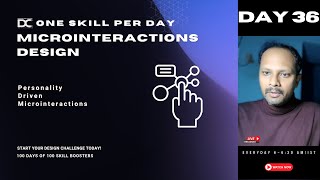
Jagadeesh P teaches how to design microinteractions that match different personality types. The session covers how small UI details affect user experience, accessibility, and usability, with live examples and audience discussion on creating more personalized digital interfaces.
Foreign welcome to this YouTube live stream for the day 36. We have successfully completed what you call. We've successfully completed close to five weeks and this is the start of the sixth week. I'm super excited that we're doing it consistently and people who are watching later, people are watching now. It's totally fine that whenever you're watching but please take an advantage because this particular skill set boosters is not going to be long in the portal.
Okay.
It will be there available for our private community members and it will not be able to access by the public. So it would be highly recommended if you come live. If you're watching this for the first time I would highly recommend you. Till December 31st we'll be doing it live at YouTube morning 6am okay. Even though some of the SEO timings are not there at that time where we will not be able to reach more people but this is the most convenient time which I wanted the students to also wake up and start as a new habit. So that's the whole reason being doing that. And on top of it whoever is interested to wake up early in the morning and they wanted to create some kind of what you call very good habit, this is a great chance for you.
Okay?
So that's the sole reason we are going. Welcome Mu. We'll be starting in just a second and I'm not able to switch on my. Just a second. I'll make you co host Muthu. Okay. So if you need any, any. I mean if you wanted to bring people and switch on their camera just request them.
Okay.
Because once I'm going live I will not be able to do that.
Okay.
What happened? I don't know like what's happening? What's happening? Okay, let me check on the other end. Okay. I think it is little bit lagging but anyway, yeah, now it's fine. Superb. So I'll be sharing the screen. Today we are going in a very different presentation.
Okay.
Just let me know Muthu, if the screen is visible. Okay. Just. Just confirm me whether the screen is visible or not. Yeah. Is it visible?
Yes sir.
Super. Yes. So we have a very interesting topic today for the day 36 which is called micro interactions.
Okay.
Maybe micro interactions. Lot of people know what it is and how to do it. But I'm going to tell in a perspective of how you can create micro interactions for the different personality type. Right. Yesterday we talked about lot of personalities. Yesterday we understood about what is the different type of personalities and what do we do in order to design for these People but micro interaction is one of the skills which you have to learn as a product designer, as a UI UX designer. Majorly we are building a lot of digital screens. We are building predominantly UI UX screens and all sorts of. So this is going to be very, very helpful. Okay, so that's the sole reason we are doing. First I wanted to ask you one question before going here. What do you think micro interaction is? I want everybody to type out in the chat because that is more important. If you guys are ideally doing it, that would be better. Okay, so try to, try to give me the answer. Like let's say what do you think by micro interaction? Sorry guys, one second. Yeah, what do you think by micro interaction? Come on, type out in the chat guys so that we will know what is mean by that. Okay, just a second, I'm just pasting this link as well. In the just a second thing is off. Okay.
Okay.
Yeah, so I can see some chat coming on and. Yeah, one second, one second guys, I'm still not able to see. Okay, what about you? What do you think small and fast interaction in the screen as functional and attractive? What do you mean by attractive here? Functional is. Okay, I can see that. What, what is attractive? What do you mean by attractive here? Could you explain me? That.
Could be like animation. It will like animation after the layer. It's like in the post we have been liking it's odds and it ensures like that we are liking and it makes us engaged in the screen.
Okay, okay fine. So the thing is the attractive context with respect to here is little different. Okay, let me make it very clear. Just hold on. Okay, I'm just sending out this to other people as well so that they can able to join this session. Just a second guys. Hold on, just a second, hold on. Can you do one thing? Can you paste the zoom link in our group? So that would be helpful for the other people whoever is joining and let's, let's. Let's pull it out for the other people whoever is. One second, just a second. Test it again. Yes, I'm totally back. Okay. Okay, fine. So Muthu was telling that actions which I mean what did you say exactly Muthu? Like it's attractive in the sense. What do you mean?
Here.
Too is like small interaction. It's like popping up something interactive to the universe.
Okay, see attractive in the sense in this context is actually attention. It's not exactly attractive. Attractive is aesthetics. That is different. Okay, attention. So see the reason why the interaction is the micro interaction word is coming Is the normal interactions are not working sometimes.
Okay.
That is the reason we are going into a slight deeper word called micro level of interaction which will also enable a kind of actions for the people in order to take that particular specific steps.
Okay.
Like you as a designer are making these people go through that goal. You as a designer are making the people come through. Hey, do it. Hey, achieve this goal. Hey, this is important. You can do it. This is fine. Subconsciously you're triggering them to do it. Okay. That's the main objective of it. But anyway we'll see deeper, we'll know it. Okay, so Karai is saying action which is noticed in a small interaction. That's great. That understanding is great. Okay, so first of all to to tell you what is this micro interaction? What is the importance? Let us cover first. Okay, that would help us first to understand what is this? See first of all it enhances your user experience. Why it is exactly tailoring the micro interactions for use of personalities to makes the experience more relatable and enjoyable. See, you can create some kind of a micro interactions in figma. I mean the thing is the live demo can be done in the later sessions. But here I will tell you why the importance of the skill and how we can able to get started with that.
Okay.
And majorly this topic is all about helping you understand the personality engagement. How do you use the micro interaction for different personalities? This is continuous to the yesterday's class what we saw. In fact people who attended yesterday, they will have a lot of correlation.
Okay.
Second is automatically boost engagement. Well designed micro interactions keep user engaged, guiding them to the task intuitively. Third, it builds an emotional connection. Most most important, ultimately it has to add a delight, right? For the customer, whoever is using that. Like let's say there is one picture here, love symbol. Okay, so what are the context we are using that why this particular color is coming, why this is getting glowed? Maybe a small, small graphics or a small, small change in the visual state is making you understand a different meaning. It making you connect with a different, different brand or a meaning is actually called micro level of interactions.
Okay.
And it, it. It makes the user journey more memorable. Very simple. That's the whole objective why we are doing this. Okay, and what are the benefits of it? See, it personalizes the experience. There is no doubt about it. It makes us people to come again and again and use the product like let's say if you're designing a mobile app or a website or anything. So this creates a seamless experience to make the people come and use the product again. It improves the accessibility and usability. This is the most favorite point of me. Guys. See, the word usability is very important here. Okay, what do you, what do you think the difference between usability and accessibility? Can somebody type out in the chat? What do you think by usability and functionality? Guys, please switch on your camera. Yeah, what do you think? There is a one slight difference between this word. Even though the definition is here, what is meant by accessibility and usability? Okay, fine. People are not able to type it out. I'll help you. See, accessibility is how easy you can able to go and take that. Like let's say if I'm able to access this particular mobile, okay, if you see my screen, I'm able to access it, right? If the mobile looks very big, like let's say if it can't be hold in a hand, do you think it's accessible? Okay, it's not accessible. Like let's say after I start accessing, how better it is for me to operate my goal. Like let's say if I have to set a reminder, if I have to make a call, is it usable? No, I can't find the option of call option. I can't find where to set the reminder. I'll have to go to multiple options. It's not usable, right? So accessibility and usability is more important. Micro interactions can be tailored to accommodate the different needs. See, ultimately why we're doing this is to cater these two words, nothing else. Okay, don't complicate the subject. Just first understand this point before going into too much of graphics, flashy things and other things. First you have to understand the basics. And on top of it, you as a designer who wanted to differentiate your journey, you'll have to understand the micro interactions can be tailored to accommodate different personality needs, helping users to feel more comfortable and understood. I'll tell you about the personalities, I'll tell you about the different graphics or traits which you can able to create it. But for now, let's understand the basics first. Okay, so what are the common mistakes to avoid? I will tell you one. Common mistakes. Putting too much of interactions, unnecessary interactions. You have not understood the user properly. You have not understood the usability properly. Ultimately what happens, you create a lot of things. People get super distracted. It becomes so cluttered and people ignoring the user context in the in the name of putting some micro interactions and graphics. Sometimes people don't understand what is needed for the user. User centric design is totally forgotten.
Okay?
So the context should not be misunderstood every Time and applying in one size fits for all approach. No, I'm telling you, right. It is different for different personalities. Different for different use case. So the understanding of the personality types is a key vital factor here to go about it. Identifying the micro personalities for different types. This is very interesting slide guys. Please make a note of this. Okay? This is not very easy to understand but. But if you understand this, the way in which you choose a micro interaction will become very different.
Okay?
For extrovert people. Yesterday what we saw, there are extrovert people, there are introvert people, there are consentious people, they're more creative and explorers people. We have combined this. Okay, so how do you do a different, different micro interaction for these people? See, for people who are extroverts, like let's say outgoing, they wanted to interact a lot of things with the people. They want to show flashy things. You can use live animations, you can use some kind of a visual feedbacks and interactive prompts to create a dynamic experience like let's say a celebration animation upon task completion. Like let's say if you're designing an application where it is showing that you have completed a payment or maybe if you have completed, let's say if you're creating a job application portal for these people. Okay, so you have to have some kind of a celebration like let's say have you seen paytm? Like when you do, there is some kind of a flowers and a blast coming out of there once the payment is done.
Okay.
With a visual effect, with the sound auditory effect. And also sometimes if you're activating the tactile effect, it will also show you the vibration. So all the three sensors are getting touched because of that. So you will have to understand what kind of an animation should I create or what kind of interaction should I create in order to touch these senses for the people. I hope you got the clarity. Okay, so type out you if you understood that whatever I just said now. Because if it is not clear, then the next thing will not be clear. Just type out you if you're getting this. Okay, if you're getting this, just type out you. Just type out you. Just a second. Okay, let's see the YouTube live as well where people are typing. Yes, yes, yes, yes. Thanks Anj.
Okay.
Okay, just a second. So I want everybody to type out in the chat so that it becomes more interesting as well.
Okay.
People are also there in the YouTube live. Oh, what happened? Okay, fine. So this is for the extrovert people. Second, let's talk about introverts keeping the interaction more subtle and purposeful, avoiding overly of stimulating elements. Have you seen people who are using this, this kind of softwares like Tally, like SAP, have you seen that interface? It will be very primitive. Okay, I. I don't mean that these people are introvert. No, it doesn't mean that. It means the cartoon characteristics of the person who is using the softwares largely are. Can be grouped into this kind of a introvert nature. For these people you can have more subtle and purposeful element. Like let's say you can apply for the context of more complex UIs, like let's say in one screen you have to keep mandatory at least 50 different options to operate. Like let's say if it's a nuclear power plant dashboard, let's say if it's a aircraft pilot cockpit, let's say if it's a, if it's an interaction where there are more crucial components of a ship or maybe if you're in a driver cabin. Right. For that you need to create interactions very subtle and purposeful. You should avoid this kind of stimulating elements and, and all these things. You should keep minimal distractions, soft fades, clear concise guidance and unobtrusive notifications. What happens if you create too much of flashy things like these people. This is more for the people who are like to be a tech savvy, social savvy. All those people. This is for the people who like to have things very minimal. And also the applications, what they choose is minimal.
Okay.
And you can see these kind of users will only fit this kind of roles. It will be very interesting. That's why design becomes very interesting. When you understand this kind of an interactions people who are in this nature will automatically go for this. Have you observed. See guys, this is very interesting factor. You may be very surprised. Okay, how do these people really go there? Okay, it is very true because these people, if they don't like this kind of a job nature, they will immediately switch to other field. The users will be very different there. So predominantly if introvert nature is there, these people will predominantly go and work in this kind of an environment. That is why I'm telling you very strongly personality understanding is very important. And choosing the right design elements for these people is very very important. Okay, see I'll also give you a small caution. This will be majorly useful when you start working in an industry. Not at the student level. I mean if you're a student level just, just take it with a pinch of salt. It's not required.
Okay.
Because ideally though you have to build your portfolio, target the right indices, get job. This is not majorly going to be very important for you, but if you apply it, there is no harm. You are super. You're. You're understanding the basics of the design and then you're going into the so deeper elements and you're adding a great value. That's great. No doubt.
Okay.
But on top of it, when you are having this as a great portfolio, that is great.
Okay.
For the third user consent. Yes, user ensuring interactions are logical, straightforward, help users to stay organized progress tracking animation clickable simple. If you understood this first, two, three becomes easy. Fourth for creative and explorers use elements that encourage exploration, creativity, interactive tutorials, tool chips, extra information. So choose your micro interactions based on this column or the character. Put a matrix and then list down the various interactions what you can do in order to go forward. Once if you're able to do it, you will be able to create a stunning micro interaction. So how to make it more effective? First of all, functional feedback should be there. Very, very important. Okay, There is nothing called attractive aesthetic here. It is all about functionality, usability, accessibility. Please remove this word attractive. We are not graphic designers. Okay? Even graphic designers should not use this word. For me, the three words which you have to use is functionality, accessibility, usability as well as ergonomics. Ergonomics mostly come for the physical products. But yeah, in addition to screen also sometimes we call it as a ergonomics. Okay, These are very different different words. It has a different, different meaning. Okay, so use interactions to guide intuitively through task. For example, subtle animations can highlight clickable areas. Yeah, you can have some. I'm going to show you some screenshots and gifs as well. So that you can understand the micro interactions very deeply.
Okay.
Don't worry for the community people inside. I'll teach you a live demo. Also like how we can able to create small small micro interactions in the last batch. Also last to last batch, we have taken a very deep study of it by showcasing how we can create small call to action buttons. Like let's say how you can create small animations. How we can create some kind of a different. Different hovering states in order to show a very subtle micro interactions. Okay, but this is a very short call. We'll do it really fast.
Okay.
For example, subtle animations can highlight clickable areas while loading spinners can keep user informed. This is loading, right? Very simple. Second, introducing delightful moments. Like let's say you can include small delightful touches that don't interrupt the workflow. But make experience enjoyable. You can create a very small touch which is not ultimately disturbing. This could, this could be a conflict effects, I told you, right? For the paytm and this flower effects and all these things. And you can see what you call how do I, how do I do this? Okay, I'm not able to do that. But ideally there is a configuration fitty effect also in my laptop which I can show you, but that's fine. Okay, so friendly icons and positive affirmations. Third, provide contextual prompts. See, micro interactions can prompt user based on the personality trait. For example, extrovert users might use reminders to engage with the community feature. While constant years users might get checklist prompt. That is why it is very important to first list it down what character, what personality, what usability, accessibility and functionality which I'm bringing in and then prompt it like let's say if you're designing a fitness based app, let's assume that, okay, you're designing for people who are like let's say extroverts. Choose the micro interactions accordingly. Choose the color schemes accordingly. Choose the layout accordingly. Choose the call to action accordingly. For a fitness person, what would be the goal? He'll have to start a task, he'll have to run or maybe you have to complete a physical activity. You have to get the reward. Simple. The user flow is very simple, right? The three things is there in front of you. So in on top of this three, how we can able to create a good micro interactions. While starting, can I give him some kind of a morning boost? Like let's say a small recap of what happened yesterday? Yeah, we can have some kind of a small animation popping where he can go and click and he can see the yesterday's events.
Okay.
Second, while doing this activity I should not keep him lot of distractions. I should keep it very subtle.
Okay.
While getting the reward, I can able to create more micro interactions so that he can able to go and see what is the reward for him. Okay, like, like when you, when you take financial applications, when you do a financial transaction, you will get the scratch card, right? So people would like to know what's inside. What's inside. So that scratch card will come like a little shaky animation and it'll pop up in front of you. So choose the animations based on whatever need you want. Provide the prompts accordingly. Very simple.
Okay.
And focus on the responsive interaction. Make sure the interactions is available for mobile tablet website. Everything. Okay, it should be very minimal primitive. It should be loading for all the screen. Don't make it too complex. But it will not load.
Okay?
It will create a big problem and create customization options. Allow user to adjust micro interaction settings based on the preference. And yeah, it should be definitely customizable or else it will not be much usable. Okay, experiment with various style. I'm telling you, this is one technique, guys. See, first of all, there is no one way to do this. First you'll have to determine the characteristic. First you'll have to determine the matrix. You'll have to create a user journey. Very, very basically. Okay, user journey and creating an empathy. We will do it in a separate day of the skill booster. But for now I'm assuming that you created a very clear user journey. Then what happens? You can experiment with various styles. You'll have to test it with the user. I'm telling you guys, if you're not testing with the user, you will not be able to get the feedback. You may be thinking this is flashy.
Okay?
You may be thinking this is really good. You have to test it with two different, three different type of users. You can use the split TB testing. That means having the concept testing for different condition. Testing it for the other condition. Like let's say in the results. If this condition here works, we'll do more. If condition B works, we'll do more. It's called split AB testing. Okay, Poster visualization. Before implementing visualize how the user will react. See guys, here your visualization and forecast is very important. I'm repeating this here. Your visualization and forecasting is very important because when you do it properly, you will be able to implement it successfully. If you don't have the enough visualization for this, how will you make the user really feel that? Ultimately a lot of designers don't have the clarity and confidence that is. I'm telling you, this confident technique is very, very, very, very important. Okay, you can do one thing, guys. You can do one kind of a small interaction. Okay? I'll give you an activity. Create one mock up for an app or website which you already have. Try to list the personality for these people. Try to choose four or five different micro interactive elements and choose one.
Okay?
And build could be a motivational prompt for extroverts for a checklist for a consensus user. It is fine. Just. Just sit with at least two to three people whom you feel is relevant.
Okay.
And try to adjust whatever the feedback these people are giving you.
Okay?
That's one small thing. You do it and show me tomorrow. I'll be able to give you a proper feedback for you.
Okay.
And we'll connect a live session where students will create a micro interaction statement for one of the personality types. We'll do it detailed, but it is, it is going to at least take 45 minutes to one hour for me and that will be really good. And we'll do it on some other day.
Okay.
And the case study you can analyze like let's say yesterday I talked about LinkedIn and Duolingo, right? Because these are all more engaging learning applications. But each and every step needs micro interactions and elements to help you understand. But the thing is you can take a lot of other case studies and examples as well.
Okay.
So going forward, I'll also tell you the importance of it. See, a well designed micro interactions can increase user engagement by up to 30%. Insanely high product with micro interactions and emotional triggers leads to 20% improvement in user satisfaction. Neurologically, micro interactions stimulate the brain's reward system. Dopamine hit. Very simple. Because whenever I talk about design, I will talk about neuroscience for sure. I will not be able to talk without neuroscience because everything is driven based on the brain signals and behavior and activities. If we go into that level of understanding the user, you will be far more different from the different from the designers out there who just having the sake of portfolio. Okay, so think about it. Memory impact. The hippocampus is more likely to retain positive experience, contributing a long term user loyalty. Really, really important. Guys, there is something called hippocampus, okay? And it directly activates the limbic system inside our brain which will always try to remember the positive experience again. Like let's say have you gone for the movie, which you really liked. Have you gone for the amusement park ride, which you feel very excited. You get that positive experience again, right? You, you get that adrenaline, Russian and that. So why don't you create the same thing for your mobile app or website or anything? Even for the small product you can create it. Okay, like let's say a physical product. Like, let's say if this could be a product. When you click this button, some kind of light popped up. Maybe the LED light. It's getting a little bit popped up.
Okay.
That experience is very subtle, but it puts in your mind for a longer time. So you will have to understand this is very important when it comes to creating that kind of a small, small engagement with the user. If you're not ultimately understanding this, I will tell you what will happen. It will not make you. First of all, as a successful designer, you will not be able to play this game well. You will Be lost. Like let's say you will be, you'll be just doing this. But the thing is a lot of people will not be able to connect with the products. Whatever you're making, very simple. That is what I can able to tell you because I've observed with a lot of students in their career and I've taken what you call inspirations from many other designers and I've also did this activities. But the thing is, when you go on a personality level and attack this kind of a traits, the kind of impact, what you can create is much more different. You will be able to understand far more deeper than any other designers. Understand this context. And once, if you do it for a project, second time, third time, fourth time, it becomes automatically intuitive that this is the only personality types we have and you can able to create an interaction for them.
Okay?
So first I would highly recommend you find your personality first. Okay? I'm just giving you a, a personality test in the, in the chat box, okay? So you try to do your personality first. That is very important.
Okay?
You can talk about a lot of dopamine hit, neurological factors, all these things. But I would highly, highly recommend you first do your personality. That is very, very, very, very important, okay? And try to understand that and then you'll be able to create even more impact from this. Okay, fine. So this is the statistics. Let me also show you some kind of a small, small interaction. How many of you can tell what's happening here? This is a small interaction, right? What is this? Can you type in the chat box? Quick. Can you type in the chat box? What is this? What do we, what do we name this micro interaction as? Could you type in the chat? Could you type in the chat, please? Come on, come on, guys. I mean, hamburger. That's okay. For what kind of a personality can we create? This kind of a small, it's like a little spinning type, right? It's like a little flashy, right? It's like a little disappearing and coming. So what we can do, sidebar. It's okay for what personality we can create. Don't tell me about this, this interaction where it can be used. That's what we are mainly objective, extrovert. That's great. Superb, Superb, superb, superb. We'll go for the next one. How about this? What's happening? Okay, sometimes it doesn't play, but anyway, right now, I mean, it's going to be very subtle actually, but it's not working. Ah, what about this? Come on, type out of the chat. Type out of the chat. Quick Quick, quick. Why? Why Introvert Tell me that Very simple and minimal and less distracting and very, very what you call accent colors which has been used carefully for this white and dark blue. Right? Very simple, very simple. Good. What about this? What about this? Clutter free.
Okay.
Attention seeking, clutter free. You will have to use. There is a catch here guys. You cannot only apply for one personality. Two or three personalities will overlap here. Sometimes you will have that overlapping personalities. That is why you need to create it simple as well as engaging attention to details. So people who would like to see small, small details here, look, there is an option here. View results.
Okay?
It is like not just click, okay. View results. It's like find tickets. Some kind of a small animation is also playing inside the call to action button. And it's also changing the state.
Okay.
So you can able to understand this in a very deeper way. Sorry guys. So yeah, so I just showed you a few examples. But the point here is you'll have to understand micro interaction is a very deep topic. Okay, so I'm just pasting this Link. Also in InVision, in Adobe XT, in Figma, there are a lot of free options for you to just write out this interactions. Basically they've created a basic options and you can able to try it out. But the point here is understand your personality and choose the elements first, okay? Then you can play with the tool that we can do in a separate one hour session also in the coming days so that you can able to learn how you can able to construct small call to actions or understand the user journey. And you can able to build a mobile app or website where you can able to create a very good micro interactions and animations.
Okay?
Because learning the tool everybody can teach in the online. If you just go to YouTube, if 100 people teach figma the same option, it's going to be same, right? But this particular stuff people are not going to help you learn that. It is ultimately you have to drive that you will have to create that awareness and consciousness inside you. Because that is going to be ultimately helpful for you.
Okay?
So thank you so much guys. I think we have understood the one more animation I've created. What about this? Look at the color, look at the animation. What do we, what do we. What are the type we can create here? Tell me, tell me. Chat box. It's not simple punish or simple. You typed earlier.
Okay.
What is this? What is this for? What kind of a people do we use this for? 2, three personalities are available inside. Could you typo? Come on. I'M still not able to see any chat. Okay, I'm just stopping the screen. Okay, so yes, Agreeable person. Extrovert. Extrovert is good. Agreeable is not exactly right. But yeah, try it out. Try it out. More, more, more. Contrast minimal. Extrovert. Minimal will not come. Contrast is good because of the color choice. Extrovert is correct. Extra word is correct. Okay, try it out. See many times that the boundary you which draw the personality will be little blurred. It will be little thin. But let me give you a honest answer. It will only come by practicing again and again and again. It will not come just like that. Okay, so make sure you are practicing it again and again and again until it becomes locked for you.
Okay?
Are you guys understanding it? Yes. And also please try it out this activity, whatever I've given you and people have not yet registered for our upcoming webinar. Whoever is there in the call, please go and do that. And people who have already registered. That's super great. And people are watching our YouTube live. I'm also pasting the link below. Please register for this latest webinar. Anju, so that in number two and three we are having a program called Design Worse.
Okay.
So you will be able to come and take an advantage of the program. Yes, Toggle hamburger menu. Thanks Anju. I did not see your chat, but anyway I understood what you're trying to say. Great.
Okay.
But the thing is, it will only come by practice. If you apply this consciously and again and again test it with the user for one feature, you will be able to do it for multiple features. If you're able to do it for multiple features, you can do it for a project. If you're able to do it for a project automatically that will lock inside you. And you will do that for all of your projects. And you will see the way in which you design a user journey will be much different from the others because you are going and touching the human level psychology and aspect and behavior of it where other people are not exactly doing that.
Okay?
So thank you so much guys. And also we have a podcast channel, we have a Substrate Medium blog and we've been writing some good blogs in LinkedIn recently. So try to take an advantage of that. And I would also highly recommend you to come to the live webinar at number two and three. So we'll meet there guys.
Okay?
So thank you so much. And. And I would also like to give you a link for trustpilot. Whatever you have learned, please go and rate yourself. That would be a great Support from our side.
Okay.
And also copy paste that link, copy paste that screenshot in our LMS portal.
Okay.
I've been noting all of the people for that as well as the people who have marked the attendance. If some, if for some reason your point is not reflected, don't worry about it. Already activated the attendance toggle and I'm keeping it active for the next three minutes. Go and put it automatically. You'll be getting the points there. Don't worry about it.
Okay.
Because I can see a lot of error have happened yesterday for some reason I don't know that we have refreshed the platform. It is working good now. But ideally for some reason you have missed out certain points. Just manually message me, I'll add it. Okay, don't worry, you have messaged me separately. I'll add the points separately for you. Don't worry. Okay, Maybe if you have brought your friends inside and if you're not able to get the points. So just let me know, I'll add it for you guys.
Okay?
So now go to the trustpilot and collect your learnings and just type out what did you learn and also type your action points. It's not about only learning, it's about can you take one interaction in your existing project and try to see what kind of a personality you want to address and also can you think about how we can create a small micro interaction and then I'll be also pasting the link for you guys as a resource. Just a second. You can able to copy paste that. Okay, I'm just pasting you the chat box. Okay. First let me paste for you guys.
Okay.
Yeah, go ahead. Guys, I pasted the link in the chat box. Please try to take an advantage of that and let me put it in the other platforms as well. Just a second. Yes, people are watching the YouTube live. Definitely you will be able to get it now. Yes.
Okay.
And just simply Google guys, Simply put a YouTube video. You'll be getting a lot of things to learn about this. Micro interactions, how to interact and how to create good elements. But understand the personality first. Understand the basics first before you do that. Because once you are able to do that then automatically rest becomes very easy. Okay, thank you so much. Guys, let's take a snap. Please switch on your camera and yeah, look at this. I'm going to show you reactions now. Look at this. See small micro interaction I would say.
Okay.
This is confetti, right? So see every, every people have this kind of an effect on all these things. But your responsibility is to create a different, different experience on that situation. Okay, so that creates a different emotion. Right? See, balloon means celebration. Automatically we associate this word inside. So think about that. Definitely you'll be able to create one great option over there. Okay, thank you, Muthu. Thank you Kalai. Great, great, great. Let's, let's create one. Oh, sorry, my screen got little. Sorry guys, just a second. How do I create this? Reactions. Fine. Okay, so now go to your learning management portal and copy paste your screenshot of the Trust pilot review. And definitely I'm, I'm helping you with points as well.
Okay.
And I'm stopping the live stream. Thank you for the people who attended over there. And yeah, thank you. We'll see you tomorrow at this particular same time. Six o' clock tomorrow. This.
More from Jagadeesh


Comment “ME” if you want to join the next upcoming hackathon — we’ll send you the registration link.
Comment “ME” if you want to join the next upcoming hackathon — we’ll send you the registration link.